

An ultrawide monitor replaces a cramped 16:9 screen with a panoramic 21:9 or 32:9 canvas, and once you spread a browser, a spreadsheet, and a chat window across one without a bezel in the middle, a standard monitor starts to feel small. We looked at 10 of the best ultrawide monitors shoppers can buy right now, weighing real customer ratings alongside resolution, refresh rate, and how each screen handles the split between focused work and immersive gaming. Our top pick is the SANSUI 34-Inch Curved UWQHD Ultrawide Monitor for its rare combination of a fast 200Hz refresh rate, wide color coverage, and a proven track record with shoppers who use the same panel for spreadsheets by day and games by night. Whether you spend most of your day in a browser and a dozen tabs or you want a single screen that can swap between work and play in seconds, this list has an option sized and specced for you, freshly checked for September 2026. If you would rather browse everything we cover for a home office or gaming desk, our computers category rounds up the rest of our picks.

Pros
- Fast 200Hz refresh rate keeps games and fast scrolling smooth
- 3440 x 1440 UWQHD resolution gives real multitasking room
- Strong 97% DCI-P3 color coverage for creative work
- Picture-in-picture and picture-by-picture for two sources at once
- Dual HDMI 2.1 ports support high-refresh consoles
Cons
- Newer brand without the long track record of Dell or LG
- Stand offers tilt only, no height adjustment
- No USB-C port for single-cable laptop docking
The SANSUI 34-Inch Curved UWQHD Ultrawide Monitor is built for anyone who wants one screen to cover both a demanding workday and a serious gaming session. The 3440 by 1440 resolution gives you enough horizontal room to dock a browser, a document, and a chat window side by side, while the 200Hz refresh rate and 1ms response time keep fast-paced games looking smooth rather than smeared.
Color coverage is a genuine strength here, with 97% DCI-P3 and 130% sRGB making it a reasonable choice for casual photo or video editing alongside office work, not just gaming. The 1500R curve is gentle enough that straight lines in spreadsheets and documents stay easy to read.
The main compromises are a simpler stand that only tilts rather than adjusts for height, and the absence of USB-C, so laptop users will need a separate charging cable alongside the display cable.
Bottom line: for shoppers who want the most screen and speed for the money, without needing USB-C docking, this is a genuinely strong all-rounder.
- Screen size: 34 inches, 21:9 aspect ratio
- Resolution: 3440 x 1440 UWQHD
- Refresh rate: up to 200Hz
- Response time: 1ms (OD)
- Curve: 1500R
- Color: 130% sRGB, 97% DCI-P3, 300 nits
- Ports: HDMI 2.1 x2, DisplayPort 1.4
- Extras: PIP/PBP, AI Crosshair overlay
Best suited to gamers and hybrid work-from-home users who want a single ultrawide that does not compromise heavily on refresh rate to get there. It is less suited to anyone who specifically needs USB-C laptop charging through the monitor.
Connect over DisplayPort 1.4 for the full 200Hz refresh rate, or either HDMI 2.1 port for a console or a secondary PC. The included cable covers the primary connection, so budget for a separate cable if you plan to run a second input at the same time.

Pros
- Up to 180Hz refresh rate for the price tier
- 3440 x 1440 WQHD resolution with 99% sRGB coverage
- Built-in speakers mean no separate desk speakers needed
- Dual DisplayPort inputs for connecting two sources
Cons
- 165Hz on some ports, full 180Hz limited to certain configurations
- HDMI limited to 2.0 rather than 2.1
- No USB-C connectivity
Sceptre has built a reputation on offering solid ultrawide specs at approachable prices, and this 34-inch curved WQHD monitor continues that pattern. The 3440 by 1440 resolution paired with up to 180Hz refresh rate covers most everyday gaming and productivity needs without the premium price tag of some rivals.
Built-in speakers are a nice touch for a desk setup that does not already have external audio, saving a bit of cable clutter. Color coverage at 99% sRGB is respectable for general use, streaming, and light photo work.
The main limitation is the HDMI 2.0 ports rather than 2.1, which matters mainly if you plan to connect a newer console that benefits from the extra bandwidth of 2.1.
Bottom line: a dependable, well-specced ultrawide for shoppers who want strong fundamentals without paying for features they will not use.
- Screen size: 34 inches, curved
- Resolution: 3440 x 1440 WQHD
- Refresh rate: up to 180Hz / 165Hz
- Response time: 1ms MPRT
- Color: 99% sRGB
- Ports: DisplayPort x2, HDMI 2.0 x2
- Audio: built-in 2x3W speakers
- Curve: 1500R
A good fit if you want a balanced ultrawide for both office work and casual to mid-level gaming without paying for 200Hz-plus specs or USB-C docking you may not use. Built-in speakers make it a simpler one-cable-plus-power setup for a secondary desk or bedroom office.
Clean the curved screen with a dry or slightly damp microfiber cloth only, avoiding household glass cleaners that can damage the anti-glare coating. Keep the monitor on a stable, level surface given the added weight and footprint of a curved 34-inch panel.

Pros
- Borderless design suits multi-monitor desk setups
- AMD FreeSync reduces tearing during light gaming
- Eye Care mode reduces flicker for long work sessions
- Picture-in-picture and picture-by-picture support
Cons
- 100Hz refresh rate is modest next to gaming-first ultrawides
- 5ms response time is slower than the fastest options here
- HDR10 support is basic rather than a certified HDR tier
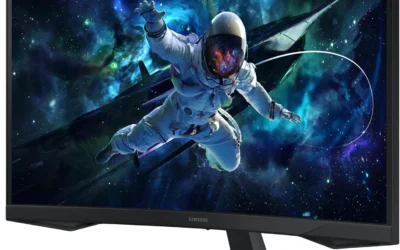
Samsung's ViewFinity S50GC is aimed squarely at office and home productivity use rather than competitive gaming, and it shows in the balance of features. The borderless design makes it a clean choice if you plan to eventually add a second monitor alongside it, and the Ultra-WQHD resolution gives plenty of room for spreadsheets, documents, and browser tabs side by side.
Eye Care mode is a genuinely useful feature for anyone spending long stretches in front of the screen, reducing flicker that can contribute to eye fatigue over a full workday. AMD FreeSync support means occasional gaming still looks reasonably smooth even though this is not a gaming-first panel.
The 100Hz refresh rate and 5ms response time are fine for productivity and casual gaming but noticeably behind the fastest panels on this list, so competitive gamers should look elsewhere.
Bottom line: a comfortable, well-rounded ultrawide for anyone whose priority is a full workday at the desk rather than fast-paced gaming.
- Screen size: 34 inches
- Resolution: 3440 x 1440 Ultra-WQHD
- Refresh rate: 100Hz
- Response time: 5ms
- HDR: HDR10
- Sync: AMD FreeSync
- Design: borderless, PIP/PBP
- Model: LS34C502GANXZA
Use picture-by-picture mode to run a laptop and a desktop side by side on the same screen, which is handy for anyone juggling a personal and a work machine. Enable Eye Care mode in the on-screen menu for long work sessions to reduce flicker-related eye strain.
Best suited to remote workers and students who want a wide, borderless canvas for productivity with occasional light gaming, rather than shoppers chasing the highest refresh rate available.

Pros
- Accessible price point for a 34-inch ultrawide
- IPS panel for consistent color and viewing angles
- Ultra-thin zero-frame design looks clean on a desk
- Wall-mountable for a cleaner setup
Cons
- 2560 x 1080 resolution is lower density than UWQHD rivals
- Less established brand than Dell, LG, or Samsung
- 120Hz refresh rate is mid-tier rather than gaming-focused
Gawfolk's 34-inch ultrawide is aimed at buyers who want the wide-screen productivity benefit without paying UWQHD-tier prices. The IPS panel keeps colors consistent even when viewed from an angle, which suits a shared desk or a monitor positioned slightly off-center.
The 2560 by 1080 resolution is lower density than the 3440 by 1440 panels elsewhere on this list, so text will look a little less sharp side by side, but it remains perfectly usable for browsing, documents, and everyday office software. The zero-frame design and wall-mount compatibility make it easy to fit into a tight home office.
As a newer brand, it does not carry the same track record as Dell or Samsung, so temper expectations around long-term support accordingly.
Bottom line: a sensible entry point into ultrawide computing for anyone prioritizing budget and desk space over the highest resolution or fastest refresh rate.
- Screen size: 34 inches
- Panel type: IPS
- Resolution: 2560 x 1080
- Refresh rate: 120Hz
- Design: ultra-thin zero frame
- Ports: DisplayPort, HDMI
- Mounting: wall-mountable
A solid choice for home office or small business use where budget matters more than chasing the highest resolution. Less ideal for buyers who specifically want UWQHD sharpness for dense spreadsheet or code work.
Connect via DisplayPort for the full 120Hz refresh rate, with HDMI available for a secondary source. The slim zero-frame design and wall-mount support make it easy to fit into a compact desk or shared workspace.

Pros
- USB-C with power delivery for a single-cable laptop connection
- Strong 95% DCI-P3 and 99% sRGB color coverage
- AMD FreeSync Premium for smooth motion
- Backed by Dell's established support and warranty reputation
Cons
- 120Hz refresh rate trails the fastest gaming-focused ultrawides
- VA panel viewing angles are narrower than IPS rivals
- Premium price relative to less established brands on this list
The Dell 34 Plus is built with hybrid and remote workers in mind, centered on a single USB-C cable that carries video, data, and laptop charging power all at once. That alone removes a meaningful amount of cable clutter compared to most ultrawides on this list, which still require separate video and power cables for a laptop.
Color accuracy is a genuine strength, with 99% sRGB and 95% DCI-P3 coverage that holds up for photo editing, video review, and any color-sensitive work, not just office documents. AMD FreeSync Premium keeps casual gaming smooth even though this is not marketed as a gaming-first panel.
At 120Hz, it will not out-refresh the fastest gaming ultrawides here, and the VA panel has narrower viewing angles than an IPS screen, so off-center viewing shows some color shift.
Bottom line: for anyone who docks a laptop daily and values color accuracy over maximum refresh rate, this is one of the more convenient ultrawides to actually live with day to day.
- Screen size: 34 inches, 21:9
- Resolution: 3440 x 1440
- Refresh rate: up to 120Hz
- Panel: VA
- Color: 99% sRGB, 95% DCI-P3
- Contrast: 3000:1
- Connectivity: USB-C with power delivery
- Audio: integrated speakers
Best suited to hybrid and remote workers who dock a laptop daily and want color accuracy for presentations, photo review, or light creative work, alongside occasional gaming rather than competitive play.
Connect a laptop with a single USB-C cable for video, data, and charging power together. A separate DisplayPort input is available for desktop PCs or consoles that do not support USB-C video.

Pros
- 240Hz refresh rate for competitive-level gaming smoothness
- 5120 x 1440 Dual QHD resolution replaces a two-monitor setup
- DisplayHDR 1000 certification for genuinely bright, contrasty HDR
- 1000R curve maximizes immersion at this screen size
Cons
- Requires a powerful graphics card to push high frame rates at this resolution
- Large 49-inch footprint needs real desk depth
- 1ms response time is GtG rather than the fastest MPRT rating
The Samsung Odyssey G9 is built for gamers who want to replace a dual-monitor setup with a single, dramatically immersive display without giving up competitive-grade performance. The 5120 by 1440 Dual QHD resolution across a 1000R curve wraps the edges of the screen toward you noticeably more than the gentler curves on 34-inch panels, and the 240Hz refresh rate keeps fast-paced games fluid.
DisplayHDR 1000 certification is a real step above the basic HDR10 support found on many ultrawides, delivering genuinely brighter highlights and deeper contrast in supported games and video rather than just a marketing badge. Eye Saver Mode and Auto Source Switch+ add practical quality-of-life touches for long sessions and multiple connected devices.
To get the most from this panel, you will want a graphics card capable of pushing high frame rates at 5120 by 1440, otherwise the extra refresh rate headroom goes unused. The size also demands genuine desk depth and a sturdy stand or arm.
Bottom line: for gamers with the desk space and the graphics horsepower to match, this is one of the most immersive ultrawide gaming displays available.
- Screen size: 49 inches, 32:9
- Resolution: 5120 x 1440 Dual QHD
- Refresh rate: 240Hz
- Response time: 1ms GtG
- HDR: DisplayHDR 1000
- Curve: 1000R
- Sync: AMD FreeSync Premium Pro
- Extras: Eye Saver Mode, Auto Source Switch+
Best suited to dedicated gamers with a capable graphics card and enough desk depth for a 49-inch curved panel, who want to consolidate a dual-monitor gaming setup into one immersive screen.
Pair this monitor with a mid-to-high-end graphics card to take advantage of the 240Hz refresh rate at Dual QHD resolution. Confirm your desk depth can accommodate the 49-inch curved footprint before buying.

Pros
- USB-C with 65W power delivery charges a connected laptop
- Built-in KVM switch simplifies swapping between two computers
- 5120 x 1440 Dual QHD resolution across a 32:9 canvas
- HDR400 and 120Hz cover both work and casual gaming
Cons
- Less established brand recognition than Samsung or Dell
- 120Hz refresh rate trails dedicated gaming ultrawides
- Large 49-inch size needs a sturdy stand or monitor arm
Deco Gear positions this 49-inch ultrawide as equally suited to gaming and workstation use, and the feature set backs that up. The built-in KVM switch is the standout here, letting you control two connected computers, such as a work laptop and a personal desktop, from a single keyboard and mouse without unplugging anything.
USB-C with 65W power delivery means a compatible laptop can be powered and driven by the display through one cable, while the 5120 by 1440 Dual QHD resolution gives ample room for multiple full-size windows across the 32:9 canvas. HDR400 and 120Hz with Adaptive Sync cover casual gaming reasonably well without positioning this as a competitive esports display.
The brand does not carry the same recognition as Samsung or Dell, so factor that into expectations around long-term support and resale value.
Bottom line: a genuinely practical pick for anyone who regularly switches between two computers on the same desk and wants Dual QHD screen space to go with it.
- Screen size: 49 inches, 32:9
- Resolution: 5120 x 1440 Dual QHD
- Refresh rate: 120Hz
- Response time: 1ms MPRT
- HDR: HDR400
- Connectivity: USB-C 65W PD, built-in KVM
- Curve: 1500R
- Extras: PIP/PBP, Adaptive Sync
Use the built-in KVM switch to control two connected computers with one keyboard and mouse, and connect a compatible laptop over USB-C for video and up to 65W of charging power through a single cable.
Enable picture-by-picture mode to view a work laptop and a personal PC side by side, switching input focus with the KVM hotkey rather than swapping cables manually.

Pros
- 144Hz refresh rate at a large 49-inch size
- Height and tilt adjustable stand, unlike many ultrawides in this size class
- 99% sRGB color coverage with HDR400 support
- USB-C, DisplayPort, and HDMI cover most setups
Cons
- 3840 x 1080 resolution is lower density than Dual QHD rivals
- 1800R curve is gentler, less enveloping than tighter-curve panels
- Less brand recognition than Samsung or Dell
INNOCN's 49-inch curved gaming monitor stands out mainly for its stand, which offers height and tilt adjustment in a size class where many rivals ship with a fixed or tilt-only base. That makes it noticeably easier to position at eye level for long sessions, whether gaming or working.
The 144Hz refresh rate keeps most games feeling smooth, and 99% sRGB coverage with HDR400 support handles both color-sensitive work and games with HDR content reasonably well. Built-in speakers round out the package for a simpler setup.
The 3840 by 1080 resolution is lower density than the Dual QHD panels also on this list, so text will look a touch less sharp at this size, and the 1800R curve is gentler than some rivals, which some buyers may prefer for reduced line distortion at the edges.
Bottom line: a well-rounded 49-inch option, especially for anyone who prioritizes stand adjustability alongside solid gaming performance.
- Screen size: 49 inches, 32:9
- Resolution: 3840 x 1080 WDFHD
- Refresh rate: 144Hz
- Curve: 1800R
- Color: 99% sRGB, HDR400
- Ports: USB-C, DisplayPort, HDMI
- Stand: height and tilt adjustable
- Audio: built-in speakers
A strong choice if stand adjustability matters to you as much as screen size, since many 49-inch ultrawides skip height adjustment entirely. Consider a Dual QHD panel instead if pixel density for text work is the higher priority.
Use the height and tilt adjustment to position the screen so the top of the panel sits at or slightly below eye level, reducing neck strain during long sessions on a screen this wide.

Pros
- USB-C, DisplayPort, and HDMI cover most office docking setups
- Height adjustable stand suits shared or ergonomic office use
- 5120 x 1440 Dual QHD resolution for dense document work
- Eye Care features aimed at long office sessions
Cons
- 120Hz refresh rate is aimed at office use, not competitive gaming
- Large 49-inch footprint needs real desk depth
- Premium price for a business-focused feature set
This Samsung business ultrawide targets office and professional use rather than gaming, and the feature set reflects that priority. The 5120 by 1440 Dual QHD resolution gives ample room for dense spreadsheets, multiple documents, and video conferencing windows side by side, while USB-C connectivity simplifies docking a work laptop.
The height adjustable stand is a genuine advantage in a shared office or ergonomic setup, letting multiple people position the screen correctly rather than working around a fixed height. Eye Care features aim to reduce fatigue across a full workday in front of a screen this large.
At 120Hz, it will not satisfy competitive gamers, and the 49-inch footprint still requires meaningful desk depth regardless of the use case.
Bottom line: a practical choice for a business or professional desk that wants maximum screen space with office-friendly ergonomics rather than gaming-first specs.
- Screen size: 49 inches, 32:9
- Resolution: 5120 x 1440 Dual QHD
- Refresh rate: 120Hz
- HDR: VESA DisplayHDR 400
- Connectivity: USB-C, DisplayPort, HDMI
- Stand: height adjustable
- Audio: built-in speakers
- Extras: Eye Care
Best suited to office professionals and remote workers who want maximum screen space and ergonomic adjustability for a full workday, rather than gamers chasing high refresh rates.
Dock a compatible laptop over USB-C for video and charging, or use DisplayPort or HDMI for a desktop PC. Adjust the stand height to eye level for extended office use.

Pros
- Accessible price for a 34-inch UltraWide WQHD panel
- Height and tilt adjustable stand, unusual at this price point
- USB-C connectivity alongside HDMI and DisplayPort
- Backed by LG's established monitor lineup and support
Cons
- 100Hz refresh rate is modest next to gaming-focused ultrawides
- 5ms response time trails the fastest panels on this list
- HDR10 support is basic rather than a certified HDR tier
LG's 34WR55QK-B covers the fundamentals of a 34-inch ultrawide well without chasing the highest refresh rate or the most premium features, which keeps it accessible for shoppers who want the multitasking benefit of an ultrawide without paying gaming-tier prices. The 3440 by 1440 resolution matches pricier rivals, and the height and tilt adjustable stand is a genuine advantage at this price, since many budget ultrawides ship with a fixed or tilt-only base.
USB-C connectivity alongside HDMI and DisplayPort covers most laptops and desktops without needing adapters, and Reader Mode is a thoughtful addition for anyone who spends long stretches reading documents or e-books on the wide canvas.
The 100Hz refresh rate and 5ms response time are adequate for everyday use and casual gaming but noticeably behind the fastest ultrawides on this list, and HDR10 support is basic rather than a certified HDR tier.
Bottom line: for shoppers who want a dependable, well-adjusted ultrawide for work and light gaming without paying for specs they will not use, this is the most sensible value pick here.
- Screen size: 34 inches
- Resolution: 3440 x 1440 UltraWide WQHD
- Refresh rate: 100Hz
- Response time: 5ms
- HDR: HDR10
- Ports: HDMI, DisplayPort, USB-C
- Stand: tilt and height adjustable
- Extras: Reader Mode
Enable Reader Mode from the on-screen menu when reading long documents or e-books to reduce blue light and eye strain. Adjust the stand height so the top of the screen sits at eye level for extended desk sessions.
A sensible first ultrawide for anyone who wants the productivity benefit of extra screen width without paying for a high refresh rate or premium color coverage they may not need day to day.
How to Choose the Right Ultrawide Monitors
Not every ultrawide is built for the same job. Some are tuned for split-second refresh rates and low input lag, others for wide, accurate color so a spreadsheet or a photo edit looks right on every panel. Here is what actually matters when you compare ultrawide monitors, beyond the marketing copy on the box.
Screen Size and Aspect Ratio

Most ultrawide monitors land in one of two camps: a 34-inch screen in a 21:9 ratio, or a 49-inch screen in a 32:9 ratio that is essentially two 27-inch monitors fused into one panel with no bezel in the middle. The 34-inch size is the easier upgrade for a typical desk. It fits most desks without a special mount, sits at a comfortable viewing distance, and still gives you enough horizontal space to dock two full documents side by side or keep a game window flanked by chat and a stream overlay.
The 49-inch super ultrawide is a bigger commitment. It genuinely replaces a two-monitor setup for people who currently run dual screens with a visible gap between them, and it can make a single expansive game world feel properly immersive. The tradeoff is desk depth, since a 49-inch curved panel needs more room front to back than most people expect, plus a sturdier stand or a monitor arm to keep it steady at the right height.
Resolution and Sharpness
Resolution on an ultrawide is described a little differently than on a standard monitor because the extra width changes the math. A 34-inch panel at UWQHD (3440 by 1440) gives you noticeably more usable pixels than a 1080p or even a standard 1440p screen, with text and icons that stay sharp at normal viewing distance. Stretch that same idea to 49 inches and you will see either Dual QHD (5120 by 1440), which keeps pixel density close to a pair of QHD monitors, or WDFHD (3840 by 1080), which is lower density and better suited to gaming and video than dense spreadsheet work.
If your daily work involves small text in dense spreadsheets, code editors, or CAD tools, lean toward the higher pixel density options rather than the largest screen you can find. A bigger panel with a lower resolution can actually look softer than a smaller one with more pixels packed into the same horizontal space.
| Aspect Ratio | Typical Resolution | Best Suited For |
|---|---|---|
| 21:9 (34-inch) | UWQHD, 3440 x 1440 | Single-user multitasking, everyday gaming, most desks |
| 32:9 (49-inch) | Dual QHD, 5120 x 1440 | Replacing a two-monitor setup, dense document work |
| 32:9 (49-inch) | WDFHD, 3840 x 1080 | Immersive gaming, video, budget super ultrawide |
Refresh Rate and Response Time
If gaming is part of the reason you want an ultrawide, refresh rate and response time matter as much as resolution. A panel that runs at 144Hz or higher, paired with a 1ms or fast MPRT response time, keeps fast-moving scenes in racing games, shooters, and open-world titles looking smooth instead of smeared. Adaptive sync support, whether branded FreeSync or simply listed as Adaptive Sync, prevents the screen tearing that shows up when your frame rate does not line up perfectly with the display.
For work-first buyers who game occasionally, a 100Hz to 120Hz panel is usually enough to feel noticeably smoother than a standard 60Hz office monitor without paying a premium for specs you will rarely push to the limit. Reserve the 200Hz and 240Hz panels for anyone who plays competitive, fast-paced titles where every frame counts.
Color Accuracy and Panel Type
Most ultrawide monitors in this range use VA or IPS panels. VA panels tend to deliver deeper blacks and higher contrast, which suits movies, games, and general office use, while IPS panels usually hold color and viewing angle more consistently, which photo and video editors tend to prefer. Look for coverage figures like sRGB and DCI-P3 percentages if color work matters to you. A monitor with 99% sRGB or better and strong DCI-P3 coverage will render skin tones, brand colors, and photo edits closer to what you will see once a file is shared or printed.
HDR support on these monitors ranges from basic HDR10 compatibility, which mostly widens the color range for supported content, up to DisplayHDR 400 or DisplayHDR 1000 certification, which adds real brightness and contrast benefits for HDR games and streaming video. Do not expect the entry-level HDR badge to transform every title, but on a certified panel it is a genuine visual upgrade for the content that supports it.
Connectivity, Stand, and Desk Setup

An ultrawide monitor is only as convenient as its ports and stand. USB-C with power delivery lets a laptop connect with a single cable that also charges it, which is worth prioritizing if you dock a laptop daily. A built-in KVM switch is handy if you regularly swap between a personal and a work computer on the same screen. Picture-in-picture and picture-by-picture modes let you view two input sources side by side, which is genuinely useful on the widest panels since there is enough horizontal room to treat half the screen as its own display.
Because these panels are heavier and wider than a standard monitor, check whether the included stand offers height and tilt adjustment, and whether the back of the panel is VESA compatible if you plan to mount it. Our guide to monitor arms covers options built to support the extra weight and width of a curved ultrawide panel, which can make a real difference to comfort during long sessions at the desk.
Curvature and Immersion

Almost every ultrawide monitor on the market is curved rather than flat, and the number that follows the R in a spec sheet, such as 1500R or 1800R, describes the radius of that curve in millimeters. A lower number means a tighter, more pronounced curve. On a 34-inch screen a 1500R curve is subtle and mainly reduces eye strain by keeping the far edges of the panel roughly the same distance from your eyes as the center. On a 49-inch super ultrawide, that same curve does more work, wrapping the far edges toward you enough to make games and movies feel genuinely enveloping rather than just wide.
The tradeoff with a pronounced curve is that perfectly straight horizontal lines, like the edge of a spreadsheet or a piece of graphic design work, can look very slightly bent near the edges of the screen. Most people stop noticing this within a day of regular use, but if your work depends on precise straight-line alignment, a gentler curve or a flat panel may suit you better than the tightest curve available.
Why You Should Trust Us
We built this list by comparing publicly available specifications and real customer ratings for each panel, rather than relying on marketing claims alone. We prioritized monitors with a meaningful volume of verified reviews and a rating that held up at scale, then cross-checked the resolution, refresh rate, and connectivity claims against the manufacturer specifications for accuracy.
Our goal with every ultrawide monitors roundup on this site is to recommend products people can actually be happy with once the box is open, not just the ones with the flashiest spec sheet. We update these picks periodically as new models arrive and older ones are discontinued, so the lineup you see reflects what is genuinely available and well rated right now.
We also deliberately mixed screen sizes, resolutions, and price tiers across this list rather than filling it with near-identical panels from a single lineup. A shopper comparing ultrawide monitors for a compact home office setup has different needs than someone replacing a two-monitor gaming rig, and we wanted both to walk away with a genuinely useful recommendation instead of ten variations on the same screen.
Final Thoughts
If you want one screen that handles a demanding workday and a serious gaming session equally well, the SANSUI 34-Inch Curved UWQHD Ultrawide Monitor (Best Overall) is our top recommendation, thanks to its 200Hz refresh rate, wide 3440 by 1440 canvas, and a strong track record among shoppers who use it for both. For anyone watching their budget, the LG 34WR55QK-B UltraWide WQHD Monitor (Best Value) delivers the same 3440 by 1440 resolution and HDR10 support in a simpler package that still covers the essentials well.
If your priority is the biggest possible canvas for gaming rather than everyday productivity, the SAMSUNG 49-Inch Odyssey G9 Curved Gaming Monitor is worth a closer look for its 240Hz refresh rate and DisplayHDR 1000 certification. And if you decide a standard-width screen with a very high refresh rate suits your games better than the panoramic view of an ultrawide, our gaming monitors guide covers that ground in more depth, alongside our gaming laptops guide if you are shopping for the whole setup at once.
Frequently Asked Questions
What exactly makes a monitor “ultrawide”?
An ultrawide monitor uses a wider aspect ratio than the 16:9 standard found on most laptops and TVs, typically 21:9 for a 34-inch panel or 32:9 for a 49-inch super ultrawide. The extra horizontal space is what lets you dock two or three full-size windows side by side without shrinking any of them, or immerse yourself in a game world that fills your peripheral vision.
Are ultrawide monitors good for gaming in 2026?
Yes, provided the game you play supports the ultrawide aspect ratio natively, which the vast majority of modern titles do. Curved ultrawide panels wrap the edges of the screen slightly toward you, which helps make racing games, flight simulators, and open-world titles feel more enveloping than a flat standard monitor. Just confirm your graphics card can comfortably drive the extra pixels at the refresh rate you want, especially on the highest-resolution 49-inch panels.
Can I really replace two monitors with one ultrawide screen?
For most people, yes, especially with a 49-inch 32:9 panel, which offers roughly the same horizontal space as two 27-inch monitors side by side but without a bezel interrupting the middle of your workspace. Picture-by-picture mode on supporting models even lets you plug in two separate computers and view both at once, which is the closest a single screen gets to true dual-monitor flexibility.
Should I buy a 34-inch or a 49-inch ultrawide monitor?
Choose the 34-inch size if this is your first ultrawide, your desk depth is limited, or you mainly want more room than a standard monitor without a major change in setup. Choose the 49-inch size if you currently run two separate monitors and want to consolidate them, or if an expansive, immersive view matters more to you than compact desk space. Our full library of buying guides covers desk accessories that can help either size fit a smaller workspace.
What do I need to know before shopping for ultrawide monitors?
Beyond screen size, pay attention to the resolution and refresh rate combination, since a lower-resolution 49-inch panel is not automatically better than a sharper 34-inch one, it simply serves a different priority. Check the port selection for USB-C with power delivery if you plan to connect a laptop, and confirm the stand offers height adjustment or VESA mounting if you want the screen positioned at eye level for long sessions.
What is the difference between UWQHD and Dual QHD resolution?
UWQHD (3440 by 1440) is the resolution used on almost every 34-inch ultrawide and packs its pixels into a 21:9 frame, giving text and interface elements a sharpness close to a standard QHD monitor. Dual QHD (5120 by 1440) stretches that same pixel density across a 49-inch 32:9 panel, effectively giving you two QHD monitors worth of horizontal resolution in one frame. A third option, sometimes listed as WDFHD (3840 by 1080), keeps the 32:9 width of a 49-inch screen but at a lower pixel density, which trades some sharpness for a lower price and is generally better suited to gaming and video than dense text work.

Write Your Review
No reviews yet. Be the first to share your experience!