

A great prebuilt saves you the stress of picking parts, checking compatibility, and troubleshooting a first boot, and it still delivers the frame rates that modern games demand. The best gaming PCs pair a current-generation GPU with a matching CPU, fast memory, and cooling that holds up during long sessions, so you can drop in and play at 1080p, 1440p, or 4K without babysitting temperatures. To build this guide to the 6 best gaming PCs for October 2026, we compared prebuilt desktops from trusted brands like Alienware Aurora, CyberPowerPC, msi Codex and more on real customer ratings, component balance, and how much headroom each one leaves for future upgrades.
Our top pick is the iBUYPOWER Element for its Ryzen 9 and RTX 5070 pairing that runs high-refresh 1440p smoothly while leaving clear room to grow. Below that, our shortlist spans a budget-friendly 1080p machine, a couple of 1440p sweet-spot rigs, and a liquid-cooled 4K flagship, so there is a sensible option whether you play competitive shooters or single-player showcases. For more desktops and components, browse our full Computers category.

Pros
- 12-core Ryzen 9 handles gaming and streaming at the same time
- RTX 5070 with 12GB drives smooth high-refresh 1440p play
- 32GB of DDR5 memory keeps multitasking comfortable
- Gaming keyboard and mouse included in the box
- Generous power headroom for a future graphics upgrade
Cons
- The 1TB drive fills quickly once a few large games are installed
- Air cooling runs warmer than liquid-cooled rivals under sustained load
The iBUYPOWER Element is our best overall pick because it puts a genuinely balanced set of parts into one desktop. The 12-core Ryzen 9 7900X feeds the RTX 5070 without holding it back, and the 32GB of DDR5 memory gives you room for a browser full of guides, a chat app, and a capture program alongside your game.
In practice, that combination targets high-refresh 1440p, where the RTX 5070 is right in its sweet spot. NVIDIA features like DLSS and frame generation add extra frames in the heaviest titles, so you can keep settings high and still enjoy fast, responsive motion on a 144Hz panel.
The main trade-offs are the single 1TB drive, which fills up faster than you expect, and air cooling that runs warmer than a liquid-cooled flagship during long sessions. Neither is a dealbreaker, since there is room to add a second drive and the system stays stable, but they are worth planning around.
Bottom line: for most gamers who want strong 1440p performance and headroom to upgrade later without paying flagship money, the iBUYPOWER Element is the easiest system on this list to recommend.
- Processor: AMD Ryzen 9 7900X, 12 cores
- Graphics: NVIDIA GeForce RTX 5070 12GB
- Memory: 32GB DDR5
- Storage: 1TB NVMe SSD
- Operating system: Windows 11 Home
- Extras: gaming keyboard and mouse included
- Target resolution: high-refresh 1440p
This is the machine for the gamer who wants one system that does almost everything well. It suits high-refresh 1440p players, part-time streamers who lean on the extra cores, and anyone who wants a strong all-rounder without stepping into flagship pricing.
It is less ideal if your only goal is maxed-out 4K, where the RTX 5080 flagship pulls ahead, or if you need a large storage pool out of the box.
The full-size chassis and roomy power supply make upgrades straightforward. The most useful first step is adding a second NVMe drive to relieve the 1TB boot drive, followed later by a larger graphics card when you are ready to push into 4K.
Because the CPU and memory are already generous, you can ride this configuration for years and simply swap the GPU when a new generation lands.

Pros
- RTX 5060 Ti delivers strong 1080p and light 1440p performance
- 80 Plus Gold power supply is a quality touch at this tier
- Clean single-drive layout is easy to expand
- Compact, tidy build that suits a first gaming desktop
- WiFi built in for flexible placement
Cons
- 16GB of DDR4 memory is the practical floor for modern games
- The Ryzen 5 processor has fewer cores for heavy multitasking
The Skytech Storm is our best value pick because it puts a current RTX 5060 Ti at an accessible price. That card is a capable 1080p performer that can stretch into 1440p in many games once you tune settings, which makes this a smart entry point into current-generation gaming.
Skytech pairs the card with a quality 80 Plus Gold power supply, which is a reassuring choice at this tier and gives the system stable, efficient power. The single 1TB NVMe drive keeps the layout clean and leaves room to add storage later without wrestling a cluttered interior.
The compromises are sensible ones. The Ryzen 5 processor and 16GB of DDR4 memory are the practical floor for modern titles, so heavy multitaskers and streamers will feel the limits sooner than on the pricier picks. For pure 1080p gaming, though, the balance holds up well.
Bottom line: if you are building a first gaming rig or sticking to a tighter budget, the Skytech Storm gives you the most current-generation gaming for the money on this list.
- Processor: AMD Ryzen 5 5500
- Graphics: NVIDIA GeForce RTX 5060 Ti 8GB
- Memory: 16GB DDR4 3200
- Storage: 1TB NVMe SSD
- Power supply: 650W 80 Plus Gold
- Connectivity: WiFi 5
- Operating system: Windows 11
- Target resolution: 1080p, light 1440p
This is an ideal first gaming desktop. It arrives assembled and ready to play, the parts are balanced for 1080p, and the tidy interior makes the eventual jump to more memory or storage far less intimidating than a cramped compact build.
If you already run multiple monitors for streaming or heavy creative work, one of the higher-core picks will serve you better over time.
The easiest and most rewarding upgrade here is memory. Moving from 16GB to 32GB smooths out modern open-world games and background apps. After that, a second drive addresses storage, and the Gold power supply leaves some room to step up the graphics card later.

Pros
- Core i7-14700F brings a high core count for the price
- Strong single-core speed suits competitive esports
- Faster DDR5 memory over comparable budget rigs
- PCIe 4.0 NVMe drive for quick loads
- WiFi ready and Windows 11 preinstalled
Cons
- 8GB of graphics memory limits the highest 1440p texture settings
- 16GB of system memory is worth upgrading before long
The CyberPowerPC Gamer Xtreme leans on Intel for its appeal. The Core i7-14700F offers a high core count and strong single-core speed, which pays off in fast-paced competitive games where the processor matters as much as the graphics card.
It backs that chip with an RTX 5060 Ti and quicker DDR5 memory than you find on many budget rigs, plus a PCIe 4.0 NVMe drive for fast loads. The result is a snappy 1080p machine that also handles 1440p in plenty of titles.
The limits are the 8GB of graphics memory, which caps the very highest texture settings at 1440p, and 16GB of system memory that is worth expanding as games grow. Neither gets in the way of smooth, high-frame-rate play at 1080p.
Bottom line: if you value CPU speed for esports and a responsive all-round feel, this Intel-based Gamer Xtreme is a strong mid-range choice.
- Processor: Intel Core i7-14700F
- Graphics: NVIDIA GeForce RTX 5060 Ti 8GB
- Memory: 16GB DDR5
- Storage: 1TB PCIe 4.0 NVMe SSD
- Connectivity: WiFi ready
- Operating system: Windows 11 Home
- Target resolution: 1080p, 1440p in many titles
The fast Core i7 makes this a natural fit for competitive shooters and other titles that reward high frame rates and quick CPU response. Paired with a high-refresh 1080p monitor, it delivers the kind of low-latency feel esports players look for.
For story-driven 4K showcases, one of the RTX 5070 or RTX 5080 picks is the better match.
Two upgrades unlock most of this system's potential. Moving to 32GB of memory relieves the tightest bottleneck for modern games, and a second NVMe drive doubles your fast storage. The strong CPU means you will likely upgrade the graphics card before you outgrow the processor.

Pros
- RTX 5070 with 12GB for high-refresh 1440p gaming
- Generous 2TB NVMe drive holds a large game library
- 32GB of DDR5 memory for smooth multitasking
- USB Type-C port on a mid-range build
- VR ready straight out of the box
Cons
- Compact chassis leaves less room for large aftermarket coolers
- Air cooling is fine but not as quiet as a liquid loop
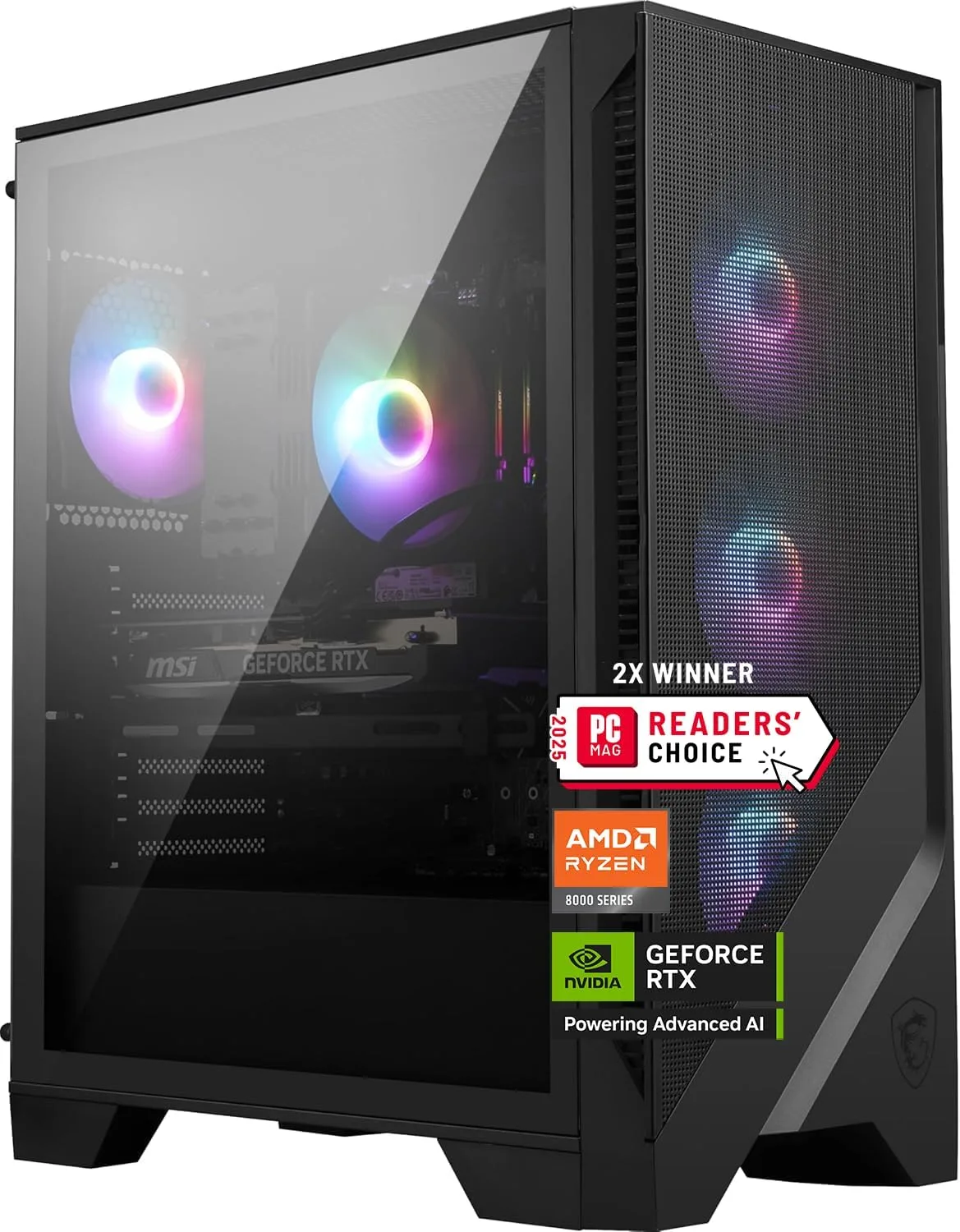
The MSI Codex Z2 is a focused 1440p machine. Its RTX 5070 and Ryzen 7 8700F make a well-matched pair for high-refresh play, and the 32GB of DDR5 memory keeps everything responsive when you have games, chat, and a browser open at once.
What sets it apart at this tier is storage and connectivity. The 2TB NVMe drive is twice the space of the usual 1TB, which is a real convenience given how large modern installs have become, and a USB Type-C port adds flexibility that many mid-range prebuilts skip.
The trade-off is the more compact chassis, which is tidy but leaves less room for oversized aftermarket coolers. The stock air cooling keeps the system stable, though it is not as quiet as a liquid loop during long sessions.
Bottom line: if you want a 1440p system that will not run out of storage and includes modern ports, the MSI Codex Z2 is an excellent choice.
- Processor: AMD Ryzen 7 8700F
- Graphics: NVIDIA GeForce RTX 5070 12GB
- Memory: 32GB DDR5
- Storage: 2TB M.2 NVMe SSD
- Ports: USB Type-C included
- Operating system: Windows 11 Home
- Target resolution: high-refresh 1440p
The RTX 5070 and Ryzen 7 combination has the headroom for smooth virtual reality, and MSI lists the system as VR ready. Paired with the roomy 2TB drive, it comfortably holds large VR titles alongside your regular library.
Good case airflow helps keep frame times steady through longer sessions, which matters more in VR than on a flat monitor.
This suits the 1440p gamer with a big library who does not want to think about storage, and anyone dabbling in VR. The extra space and modern ports make it a comfortable long-term home for a growing collection of games.
Pros
- RTX 5070 and Core Ultra 7 tuned for high-refresh 1440p
- Premium chassis with a tempered-glass clear panel
- 1000W platinum-rated power supply with real headroom
- Runs quietly for its performance level
- Polished cable management and build quality
Cons
- 1TB of storage is modest for a premium system
- Proprietary design elements can complicate some upgrades
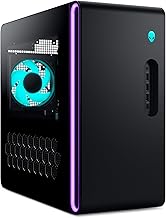
The Alienware Aurora with the Core Ultra 7 is the premium-build option among our 1440p picks. It runs the same class of RTX 5070 graphics as our top all-rounder, but wraps it in Alienware's more refined chassis with a tempered-glass clear panel and careful cable management.
That polish extends to the power and acoustics. A 1000W platinum-rated supply gives genuine headroom for future upgrades, and the system stays notably quiet for its performance level, which is welcome if the desktop sits close to you.
The catches are a modest 1TB of storage for a premium machine and some proprietary design choices that can make certain upgrades fussier than on a standard build. If you value looks, quiet operation, and a clean interior, those are easy to accept.
Bottom line: choose this Aurora if you want RTX 5070 1440p performance in a quieter, better-finished package and do not mind adding storage yourself.
- Processor: Intel Core Ultra 7 265F
- Graphics: NVIDIA GeForce RTX 5070 12GB
- Memory: 32GB DDR5
- Storage: 1TB SSD
- Power supply: 1000W 80 Plus Platinum
- Design: tempered-glass clear side panel
- Operating system: Windows 11 Home
- Target resolution: high-refresh 1440p
Alienware's chassis is the draw here. The tempered-glass panel shows off a tidy interior, the lighting is tasteful rather than loud, and the overall fit and finish feel a step above typical mid-range prebuilts. It is a system built to look good on a desk.
The platinum power supply and quiet cooling round out a package that prioritizes a premium ownership experience.
The first upgrade most owners will want is more storage, since 1TB fills quickly. The strong power supply also leaves room to fit a hungrier graphics card later. Check clearances before major changes, as the refined chassis has some proprietary elements.
Pros
- RTX 5080 with 16GB handles 4K and ray tracing
- Core Ultra 9 provides top-tier multi-core muscle
- Liquid cooling keeps the flagship parts in check
- 1000W platinum-rated power supply for stability
- Premium chassis with a clear panel and clean layout
Cons
- 1TB of storage is tight for a flagship at this level
- Proprietary design elements can limit some upgrades
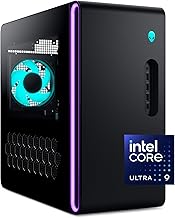
The Alienware Aurora with the Core Ultra 9 and RTX 5080 is the flagship of this list, built for 4K gaming with the settings turned up. The RTX 5080 and its 16GB of memory have the power for ray-traced showcases, and the Core Ultra 9 supplies the multi-core muscle for demanding games and creative work alike.
Alienware cools those parts with a liquid loop, which keeps temperatures and noise under control during the long sessions this class of hardware invites. A 1000W platinum-rated power supply underpins it all with stable, efficient power, and the tempered-glass chassis keeps the build looking as good as it performs.
The main limitation is the 1TB drive, which is tight for a system at this level, so budget for a storage upgrade. As with the other Aurora, some proprietary design elements mean it pays to check clearances before major changes.
Bottom line: if 4K and ray tracing are the goal and you want a quiet, well-cooled flagship, this is the machine to beat on our list.
- Processor: Intel Core Ultra 9 285
- Graphics: NVIDIA GeForce RTX 5080 16GB
- Memory: 32GB DDR5
- Storage: 1TB SSD
- Cooling: liquid cooled
- Power supply: 1000W 80 Plus Platinum
- Design: tempered-glass clear side panel
- Target resolution: 4K with ray tracing
This is the pick for gamers targeting a 4K display or high-refresh 1440p with everything maxed. The RTX 5080 has the headroom for ray tracing in the most demanding titles, and NVIDIA's frame-generation features stretch that lead even further.
Pair it with a quality 4K monitor to get the full benefit of the graphics card's power.
Flagship parts run hot, so the liquid cooling here does real work. It holds the Core Ultra 9 and RTX 5080 at safe temperatures through extended sessions while keeping noise lower than an air cooler pushing the same heat.
Combined with the platinum power supply, it makes for a stable, composed system even at full load.
Gaming PCs Buying Guide
Prebuilt gaming desktops hide a lot of decisions behind a single price, so it helps to know which parts actually move the needle. The sections below walk through the components that decide your frame rates, the resolution each tier is built for, and the features that keep a machine relevant a few years from now. Use them to match a system on our list to the way you play.
Graphics Card and Target Resolution
The graphics card is the single biggest factor in gaming performance, and every machine on this list is built around a current NVIDIA RTX 50-series GPU. Think of the card as the anchor for your target resolution. An RTX 5060 Ti with 8GB of memory is a strong 1080p performer that can stretch into 1440p in many titles, which is why it powers our value and mid-range picks like the Skytech Storm and the CyberPowerPC Gamer Xtreme.
Step up to an RTX 5070 with 12GB and you land in the 1440p high-refresh sweet spot, where the iBUYPOWER Element, MSI Codex Z2, and Alienware Aurora with the Core Ultra 7 all sit comfortably. If your goal is 4K with ray tracing turned up, the RTX 5080 in the top Alienware Aurora is the card that keeps frame rates playable at the most demanding settings. NVIDIA features like DLSS and frame generation add extra frames across the whole range, which is why VRAM and generation matter more than raw clock speed alone.
When you match a GPU to a display, aim for balance rather than the biggest number. A 1080p 144Hz monitor pairs beautifully with an RTX 5060 Ti, a 1440p high-refresh panel wants an RTX 5070, and a 4K screen deserves the RTX 5080. Overbuying the card for a low-resolution monitor leaves performance on the table, while underbuying leaves you turning settings down sooner than you would like.
Processor and CPU Balance
The processor feeds the graphics card, runs game logic, and handles background work like voice chat, streaming, and recording. For gaming, a modern six to eight core chip is plenty, and the desktops here use current AMD Ryzen and Intel Core parts that keep pace with their GPUs. The Ryzen 9 in the iBUYPOWER Element and the Core Ultra 9 in the flagship Alienware give extra multi-core muscle that helps if you stream or edit alongside your games.
What you want to avoid is a bottleneck, where a weak CPU holds back a strong GPU or the reverse. The prebuilts on this list are already balanced by their makers, so a Ryzen 5 or Core i7 sits with a 1080p to 1440p card, while the higher core-count chips ride with the faster GPUs. If competitive esports at very high frame rates is your priority, lean toward the machines with the strongest single-core performance, since fast-paced titles reward CPU speed as much as graphics power.
Core count also shapes how long a system stays comfortable as games grow more demanding. Six cores remain fine for pure gaming today, but eight or more give you a cushion for the background tasks that creep into a modern setup, from a browser full of guides to a capture program running in the background. The Ryzen 9 and Core Ultra 9 machines here have the most of that cushion, which is part of why they earn their place at the top of the list even though a mid-range chip can already drive most games at high frame rates.
Memory and Storage
Memory and storage decide how smoothly a system loads and multitasks. For gaming in 2026, 16GB of RAM is a workable floor for a budget 1080p build, but 32GB is the comfortable sweet spot and is what most of our picks ship with, including the MSI Codex Z2 and both Alienware Aurora configurations. More memory keeps open-world games and background apps from fighting over resources, and faster DDR5 kits also lift minimum frame rates in CPU-heavy scenes.
On the storage side, an NVMe solid state drive is essential for fast boots, quick game loads, and support for streaming texture technology in newer titles. A 1TB drive fills up faster than you expect once a few large games are installed, so the 2TB drive in the MSI Codex Z2 is a genuine convenience. If a machine ships with 1TB, check that it has a spare M.2 slot so you can add a second drive later without replacing the first.
It also helps to think about how you install and manage games. Keeping your operating system and your most-played titles on the primary NVMe drive gives you the fastest load times, while a larger second drive is a fine home for games you return to less often. Because installs keep getting bigger, a machine that makes adding storage simple will feel far less cramped a year into ownership than one that seals everything behind a tight panel.
Cooling, Case, and Acoustics

Cooling protects performance, because a hot chip quietly slows itself down to stay safe. Air coolers with good case airflow handle the mid-range picks well, while the higher-powered flagship benefits from the liquid cooling in the top Alienware Aurora, which keeps the Core Ultra 9 and RTX 5080 in check during long sessions. A well-ventilated case with a mesh front and sensible fan layout does as much for temperatures as any single component.
Case design also shapes how a machine looks and sounds on your desk. Clear side panels and ARGB lighting, like the tempered-glass panels on the Alienware Aurora, show off the build, while quieter fan profiles matter if the PC sits close to you. If noise bothers you, favor systems with larger coolers and higher-quality fans, since they can move the same air at lower speeds. A tidy interior with good cable management also improves airflow and makes future upgrades far less frustrating.
Upgrade Room and Connectivity

A prebuilt is a starting point, not a sealed box, so upgrade room protects your investment. Look for a power supply with headroom above the current draw, ideally an 80 Plus Gold or Platinum unit like the 1000W supply in the Alienware Aurora, because a strong PSU lets you drop in a hungrier graphics card down the road. Standard-size motherboards and cases are friendlier to upgrades than tightly packed compact designs.
Connectivity rounds out the picture. Front and rear USB ports, a USB Type-C connector like the one on the MSI Codex Z2, and modern wireless such as WiFi 6E or newer all make daily use easier. Before buying, confirm the machine has the ports your monitor, headset, and peripherals need. The table below sorts the main tiers so you can see how budget, mid-range, and high-end prebuilts compare at a glance, and you can dig into more options across our category pages.
| Tier | Target Resolution | GPU Class | CPU Class | Memory |
|---|---|---|---|---|
| Budget | 1080p high-refresh | RTX 5060 Ti | Ryzen 5 / Core i7 | 16GB to 32GB |
| Mid-range | 1440p high-refresh | RTX 5070 | Ryzen 7 / Core Ultra 7 | 32GB DDR5 |
| High-end | 4K with ray tracing | RTX 5080 | Ryzen 9 / Core Ultra 9 | 32GB DDR5 |
Why You Should Trust Us
We build our Gaming PCs rankings on evidence rather than hype. Our team starts by gathering verified customer ratings from major retailers, then weighs each prebuilt on how well its parts are balanced, how much cooling and power headroom it offers, and how easy it is to upgrade later. We deliberately favor systems whose GPU, CPU, memory, and storage make sense together, because a mismatched build looks good on a spec sheet and disappoints in real games.
We also keep our shortlist honest by cutting duplicate configurations and machines that do not fit a clear performance tier, so every pick here represents a distinct choice rather than filler. As component availability and pricing shift through 2026, we revisit these picks and adjust them, and you can find our other buying guides on the articles page.
Final Thoughts
If you want one machine that does almost everything well, the iBUYPOWER Element is our best overall gaming PCs pick. Its Ryzen 9 processor and RTX 5070 handle high-refresh 1440p with ease, the 32GB of memory keeps multitasking smooth, and the power and cooling leave room for a future graphics upgrade. It is the system we would recommend to most gamers who want strong performance without stepping into flagship pricing.
For the best value, the Skytech Storm delivers dependable 1080p gaming and light 1440p play with its RTX 5060 Ti, a solid Gold-rated power supply, and a clean single-drive layout that is easy to expand. It is the natural choice if you are building a first gaming rig or sticking to a tighter budget. Buyers who want the strongest single-core response for competitive shooters should also look at the CyberPowerPC Gamer Xtreme with its Core i7 processor.
When 4K and ray tracing are the goal, the Alienware Aurora with the Core Ultra 9 and RTX 5080 is the flagship to beat, pairing that horsepower with liquid cooling and a platinum-rated power supply for stability at maximum settings. Whichever tier you choose, finish the setup with a comfortable seat from our best gaming chairs guide so long sessions stay easy on your back.
FAQs
What are the best gaming PCs in 2026?
The best gaming PCs in 2026 depend on your target resolution and budget. For most players, the iBUYPOWER Element strikes the best overall balance for 1440p, the Skytech Storm is the value choice for 1080p, and the Alienware Aurora with the RTX 5080 is the pick for 4K. Each one on our list is chosen for balanced parts and real customer ratings rather than a single flashy spec.
How much RAM do gaming PCs need?
For gaming in 2026, 16GB of memory is the practical minimum and works for lighter 1080p titles, while 32GB is the comfortable sweet spot for modern open-world games, streaming, and multitasking. Most prebuilts on this list ship with 32GB of DDR5, which leaves plenty of room for background apps without slowing your games.
What graphics card should gaming PCs have?
Match the graphics card to your monitor. An RTX 5060 Ti is a strong 1080p card that can reach into 1440p, an RTX 5070 is the 1440p high-refresh sweet spot, and an RTX 5080 is built for 4K with ray tracing. Features like DLSS and frame generation add extra frames across the range, so a current-generation card matters more than chasing the highest clock speed.
Are prebuilt gaming PCs better than building your own?
Prebuilt gaming desktops arrive assembled, tested, and covered by a single warranty, which makes them ideal if you want to play right away or do not want to source parts yourself. Building your own can save money and offer more control, but it requires time and some know-how. The prebuilts here are chosen so their parts are already balanced, and you can compare more systems in our Computers section.
Can these gaming PCs handle VR and 4K?
Yes. Every machine on this list has the graphics power for VR, and the RTX 5070 and RTX 5080 picks are especially well suited to it. For 4K gaming with high settings, the Alienware Aurora with the RTX 5080 is the standout, while the RTX 5070 systems are better aimed at high-refresh 1440p and entry-level 4K in lighter titles.




Write Your Review
No reviews yet. Be the first to share your experience!