

Shopping for gaming laptops used to mean choosing between a laptop that plays games and one that lasts through a workday. That gap has mostly closed. We rounded up 7 of the best gaming laptops on the market this September 2026, spanning Alienware, ASUS ROG, Acer Nitro and more, and matched each one against real specs rather than marketing copy. Our top pick is the ASUS ROG Strix G16 (2025) with an RTX 5060 and Core i7-14650HX for its balance of strong 1080p/1440p performance, a 165Hz display, and a 1TB SSD, all without the compromises that usually come with a budget build. Below, every option is broken down by who it actually fits, from competitive players chasing frame rates to students who need one machine that studies by day and games by night.

Pros
- RTX 5060 and Core i7-14650HX handle current AAA titles smoothly at 1080p and 1440p on high settings
- 165Hz 16:10 display adds vertical screen space over a standard 16:9 panel plus fast, tear-free motion
- 1TB Gen 4 SSD leaves room for a full game library without juggling external drives
- Wi-Fi 7 and DDR5 memory keep the platform current for years of use
Cons
- 16GB of RAM is workable today but leaves little headroom once Discord, a browser, and OBS run alongside a game
- Fan noise ramps up audibly once the chassis is pushed to its performance ceiling
The ASUS ROG Strix G16 (2025) is built for the shopper who wants one laptop that plays current games well without stepping into the premium tier of this list. The RTX 5060 and Core i7-14650HX combination handles AAA titles at 1080p and 1440p on high settings without the compromises typical of budget-tier hardware.
The 165Hz 16:10 display is the standout feature here. It runs noticeably smoother than a standard 60Hz or 120Hz panel in fast-paced games, and the extra vertical space over a 16:9 screen is a small but real upgrade for everyday browsing between sessions. A 1TB Gen 4 SSD means a full library of modern games fits without needing to manage storage carefully.
The main tradeoff is memory: 16GB of DDR5 is enough for gaming on its own, but it gets tight once background apps join in, so heavy multitaskers may want to budget for a RAM upgrade down the line. Fan noise also becomes noticeable under sustained load, which is typical for a laptop pushing this level of performance in a 16-inch chassis.
Bottom line: this is the easiest laptop to recommend on this list for anyone who wants strong, current-gen gaming performance without paying for the highest GPU tier available.
- GPU: NVIDIA GeForce RTX 5060
- CPU: Intel Core i7-14650HX
- RAM: 16GB DDR5
- Storage: 1TB PCIe Gen 4 SSD
- Display: 16" FHD+ 165Hz, 16:10, 3ms response
- Networking: Wi-Fi 7
- OS: Windows 11 Home
Best suited to gamers and students who want a single laptop that handles current AAA titles at 1080p to 1440p and doubles as a daily driver for schoolwork or general use, without paying for the highest-end GPU tier on this list.
Consider a RAM upgrade if heavy multitasking, streaming, or content creation alongside gaming is part of the plan, since 16GB is the tightest spec on an otherwise well-rounded machine. Otherwise, this configuration covers most current games comfortably.

Pros
- RTX 5060 paired with 32GB of DDR5 handles gaming and heavier multitasking, like streaming or editing, without slowing down
- 180Hz WUXGA display trades a little resolution for noticeably smoother motion in fast games
- Gen 4 SSD and a modern Ryzen AI platform keep load times short
- Doubles the RAM of similarly-priced rivals on this list, which matters for anyone who keeps many apps open
Cons
- Acer's NitroSense software sometimes needs a manual update on first boot before fan curves behave properly
- Chassis runs warm under sustained load, typical for a 16-inch gaming laptop in this performance class
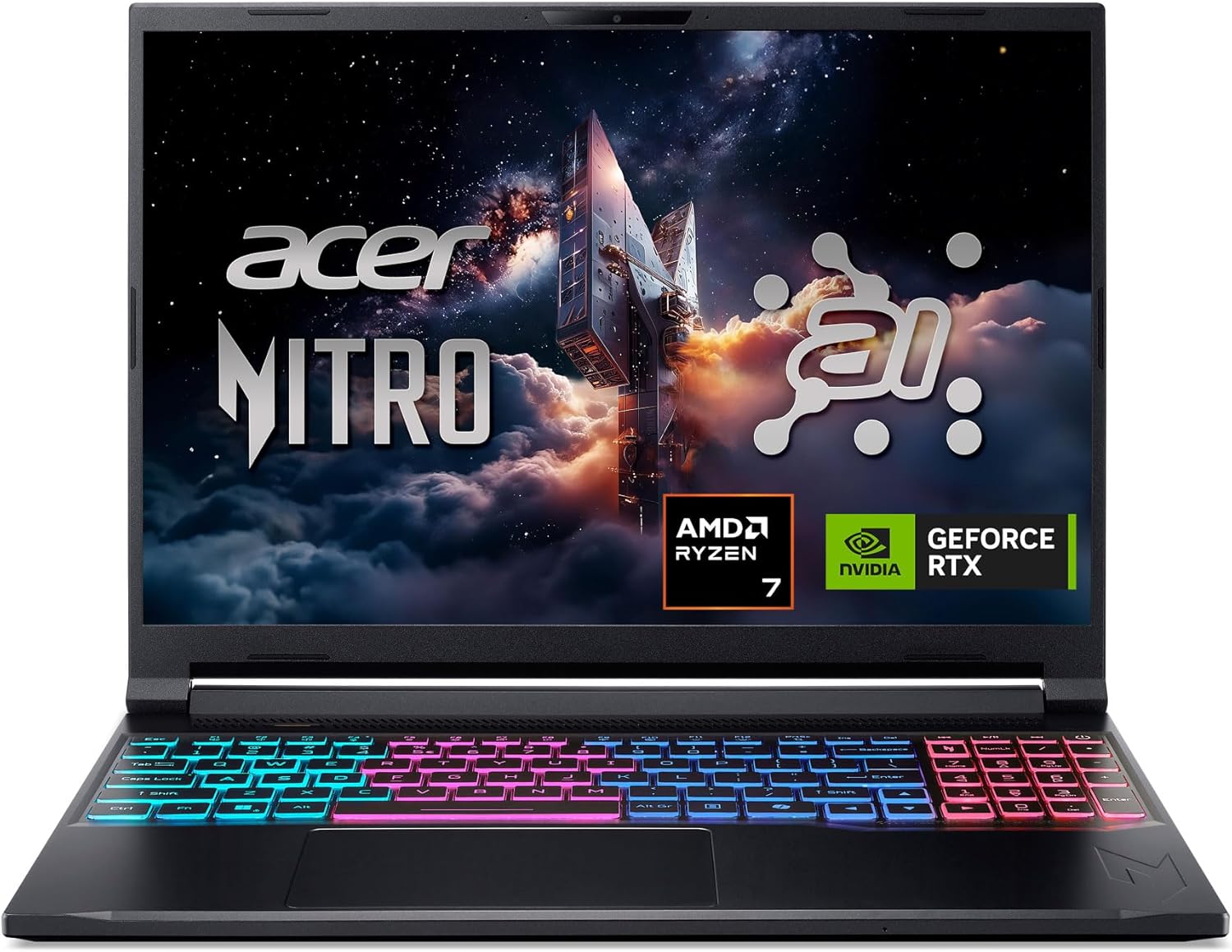
The Acer Nitro V 16S AI earns its spot as the value pick on this list by pairing the same RTX 5060 GPU tier found in pricier laptops with 32GB of DDR5, double the memory of most rivals here. That extra RAM matters more than it sounds: it means streaming, editing, or running several background apps alongside a game doesn't slow the system down the way it can on 16GB machines.
The 180Hz WUXGA display is tuned for motion over resolution, and in fast-paced games that tradeoff pays off with noticeably smoother visuals. A Gen 4 SSD keeps load times short, and the Ryzen AI platform is efficient enough to avoid excessive fan noise in lighter games.
The rough edges are mostly software: Acer's NitroSense utility occasionally needs a manual update after first boot for its fan curve presets to apply correctly. Like most 16-inch gaming laptops in this class, the chassis does run warm once the GPU is under sustained load.
Bottom line: for buyers comparing spec sheets closely, the 32GB of RAM here is hard to match at this GPU tier, making it the strongest value pick on this list.
- GPU: NVIDIA GeForce RTX 5060
- CPU: AMD Ryzen 7 260 (AI)
- RAM: 32GB DDR5
- Storage: 1TB PCIe Gen 4 SSD
- Display: 16" WUXGA IPS, 180Hz
- Networking: Wi-Fi 6
- OS: Windows 11 Home
This is the pick for anyone who multitasks heavily around gaming, whether that's streaming, running creative software, or simply keeping dozens of browser tabs open. The 32GB of RAM offers real headroom the 16GB laptops on this list don't have.
Update Acer's NitroSense utility soon after first setup so its fan profiles apply correctly, and keep the laptop on a hard, flat surface during long gaming sessions to avoid restricting intake vents on the underside of the chassis.

Pros
- Alienware's chassis fit, finish, and cooling design are a step up from more budget-oriented gaming laptops
- WQXGA display resolution is sharp for both gaming and everyday productivity work
- On-site service warranty option gives peace of mind most other brands on this list don't offer
- RTX 5050 is efficient enough to keep the laptop reasonably quiet in lighter, less demanding games
Cons
- RTX 5050 is the weakest GPU tier in this lineup, so expect to dial back settings in the newest AAA releases
- Alienware's design and portability trail the more compact TUF and Nitro models on this list
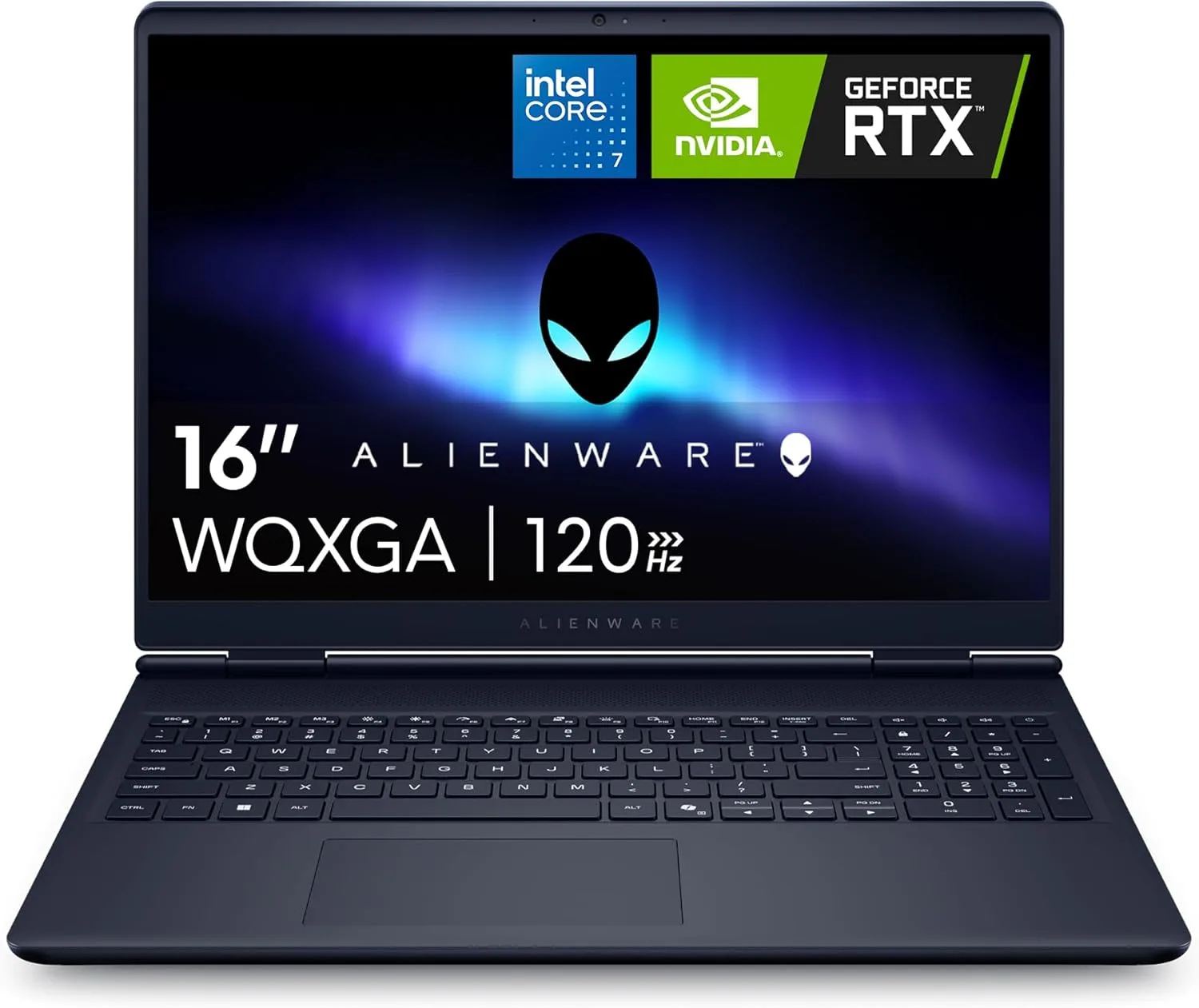
The Alienware 16 Aurora leans on brand strengths that don't show up on a spec sheet: chassis fit and finish, cooling engineering, and a warranty story that includes on-site service. For buyers who value those details as much as raw frame rates, it's a legitimate pick even sitting at the RTX 5050 tier.
The WQXGA display is sharper than the standard FHD+ panels found on several rivals here, which helps for everyday productivity between gaming sessions. At 120Hz, motion is still smooth, just not at the level of the 165 to 240Hz panels elsewhere on this list.
The tradeoff is GPU tier. RTX 5050 is the entry point for this generation of Nvidia mobile graphics, so the newest AAA titles will need settings dialed back at this display's native resolution to hold a steady frame rate. It's a better fit for esports titles and older AAA games than the newest, most demanding releases.
Bottom line: choose this one for build quality, display sharpness, and service support first, and treat strong gaming performance as a secondary benefit rather than the headline feature.
- GPU: NVIDIA GeForce RTX 5050 (8GB)
- CPU: Intel Core 7-240H
- RAM: 16GB DDR5
- Storage: 1TB SSD
- Display: 16" WQXGA, 120Hz
- Warranty: On-site service option
- OS: Windows 11 Home
A fit for buyers who prioritize build quality, a sharp display, and brand-backed warranty support over chasing the highest GPU tier, and who mostly play esports titles or slightly older AAA games rather than the newest, most demanding releases.
Register the on-site service warranty soon after purchase so coverage is active if a hardware issue comes up, and keep vents clear since the WQXGA panel's extra pixels do ask a little more of the GPU during longer sessions.

Pros
- RTX 5070 Ti and Core Ultra 9 275HX handle 1440p gaming at high refresh rates with real headroom to spare
- 32GB of DDR5 and a 2.5K 240Hz ROG Nebula display make this the closest thing to a desktop replacement on this list
- 1TB SSD accommodates a large game library alongside creative or productivity software
- Wi-Fi 7 keeps online multiplayer connections stable during competitive play
Cons
- The extra performance draws more power, so battery life away from a charger drops noticeably compared to the entry-level picks here
- Priced well above the rest of this list, which only makes sense if 1440p high-refresh gaming is the actual priority
The ASUS ROG Strix G16 shares its chassis with the entry-level Strix G16 on this list, but the RTX 5070 Ti and Core Ultra 9 275HX inside put it in a completely different performance tier. This is the pick for 1440p gaming at high refresh rates, not just 1080p with room to spare.
The 2.5K 240Hz ROG Nebula display is built to actually use that GPU headroom, and 32GB of DDR5 means multitasking, streaming, or running creative software alongside a game is a non-issue. A full 1TB SSD leaves plenty of space for a large library plus other software.
All that performance has costs. Battery life away from a charger is noticeably shorter than the entry-level laptops on this list, and the price sits well above them too. Neither is a flaw exactly, it is the tradeoff that comes with this level of hardware in a laptop form factor.
Bottom line: this is the splurge pick on this list, built for buyers who specifically want 1440p high-refresh performance and are willing to pay and plug in for it.
- GPU: NVIDIA GeForce RTX 5070 Ti
- CPU: Intel Core Ultra 9 275HX
- RAM: 32GB DDR5
- Storage: 1TB SSD, PCIe Gen 4
- Display: 16" 2.5K, 240Hz, ROG Nebula
- Networking: Wi-Fi 7
- OS: Windows 11 Home
Worth the higher price only if 1440p gaming at high refresh rates is the actual goal. Buyers who mostly play at 1080p or prioritize battery life away from an outlet should look toward the entry or mid-range picks on this list instead.
Built for gamers who want a desktop-class 1440p experience in a laptop and plan to use it mostly plugged in, whether that's a dedicated gaming setup at a desk or frequent LAN and travel gaming.

Pros
- RTX 5070 Ti paired with a 240Hz G-SYNC display is built for competitive, fast-paced titles where every frame counts
- Core Ultra 9 275HX keeps 1% low frame rates steady even in CPU-heavy esports titles
- WQXGA resolution offers more screen real estate than a standard 1080p panel
- Predator's cooling system is tuned specifically for sustained, high-refresh performance
Cons
- Predator's keyboard lighting and design lean into a gamer aesthetic that won't suit buyers who want a low-key laptop
- Fewer customer reviews than other picks here means less long-term reliability data to lean on
The Acer Predator Helios Neo 16 AI is built around a specific priority: competitive, fast-paced gaming where frame consistency matters as much as raw frame rate. The RTX 5070 Ti and Core Ultra 9 275HX combination keeps 1% lows steady in the CPU-heavy esports titles where that consistency shows up most.
The 240Hz G-SYNC display is the headline feature, syncing the panel's refresh rate to the GPU's output to eliminate screen tearing at high frame rates, which matters more in fast, twitchy games than raw resolution does. WQXGA resolution still gives more working space than a standard 1080p panel for everyday use.
Predator's design leans hard into gamer aesthetics with RGB keyboard lighting and angular styling, which some buyers love and others would rather avoid in a laptop they also bring to class or the office. It also carries fewer customer reviews than some other picks here, simply due to being a newer release.
Bottom line: the strongest pick on this list specifically for competitive, high-refresh gaming, with a design that telegraphs "gaming laptop" more than most alternatives here.
- GPU: NVIDIA GeForce RTX 5070 Ti
- CPU: Intel Core Ultra 9 275HX
- RAM: 16GB DDR5
- Storage: 1TB Gen 4 SSD
- Display: 16" WQXGA, 240Hz, G-SYNC
- Networking: Killer Wi-Fi 6E
- OS: (as configured)
Best for competitive players in fast-paced shooters and esports titles who want G-SYNC's tear-free motion and a GPU strong enough to consistently hit the display's 240Hz ceiling, more than buyers focused purely on visual fidelity.
Worth prioritizing over the ROG Strix G16 RTX 5070 Ti pick on this list specifically for the G-SYNC display if competitive, high-refresh gaming is the main use case; the Strix leans slightly more toward general 1440p performance.

Pros
- Ryzen 7 7445HS and RTX 4050 deliver solid 1080p gaming performance for a clearly lower price tier than the rest of this list
- TUF's military-grade durability testing gives extra confidence for a laptop that travels often
- Backlit keyboard and a 145Hz display are useful extras rarely found this low in a gaming laptop lineup
- AMD platform runs efficiently, which helps battery life outside of gaming sessions
Cons
- RTX 4050 will need lowered settings in the most demanding new AAA releases
- 512GB SSD fills up quickly once a few large modern titles are installed
The ASUS TUF Gaming A16 is the AMD-platform budget option on this list, and it earns that spot by covering the basics well. The Ryzen 7 7445HS and RTX 4050 combination handles 1080p gaming at medium to high settings in most current titles, which is realistically what most first-time gaming laptop buyers need.
TUF's durability testing (the same military-grade standard used across ASUS's TUF lineup) is a genuine reassurance for a laptop that's likely to travel to dorms, coffee shops, or a backpack more often than the premium picks on this list. A backlit keyboard and 145Hz display are small extras that add up at this price point.
The RTX 4050 is the entry point for current-gen Nvidia mobile graphics, so the newest, most demanding AAA titles will need settings dialed back to hold a steady frame rate, and the 512GB SSD fills up faster than the 1TB drives found on pricier laptops here.
Bottom line: a sensible first gaming laptop for buyers on the AMD side of the fence who want real 1080p gaming performance without paying for a GPU tier they don't need yet.
- GPU: NVIDIA GeForce RTX 4050
- CPU: AMD Ryzen 7 7445HS
- RAM: 16GB DDR5
- Storage: 512GB SSD
- Display: 16" Full HD+, 145Hz
- Keyboard: Backlit
- OS: Windows 11
A strong choice for a first gaming laptop on a tighter budget, especially for buyers who prefer AMD platforms or already use Ryzen desktop hardware. Plan on managing storage carefully or adding external storage as a game library grows past a handful of titles.
TUF's durability certification covers drops, dust, and temperature extremes better than most budget laptops, but it's still worth using a padded sleeve for regular travel and keeping the intake vents clear of dust buildup over time.

Pros
- Core 5 210H and RTX 4050 cover 1080p esports and most AAA titles at medium to high settings
- 144Hz FHD+ 16:10 display is smooth for fast games and gives more vertical space for everyday use
- TUF durability testing and simple, understated design make it an easy laptop to travel with
- Lower price point makes it an accessible entry into PC gaming
Cons
- RTX 4050 is the same performance tier as the TUF A16 on this list, so choosing between them mostly comes down to Intel vs. AMD platform preference rather than a real performance gap
- 512GB SSD is tight for a modern game library
The ASUS TUF Gaming F16 is the Intel-platform counterpart to the TUF A16 on this list, and the two sit at nearly the same performance and price tier. The Core 5 210H and RTX 4050 combination covers 1080p esports titles and most AAA games at medium to high settings without issue.
The 144Hz FHD+ 16:10 display is smooth for fast-paced games, and the extra vertical space over a 16:9 panel is a small but genuine upgrade for browsing and everyday multitasking. TUF's durability testing and understated design make it easy to travel with regularly.
Because the RTX 4050 is the same GPU tier as the TUF A16, gaming performance between the two is close enough that the deciding factor should be platform preference (Intel vs. AMD) rather than expecting a meaningful performance gap. The 512GB SSD, like its AMD sibling, fills up quickly once a few modern titles are installed.
Bottom line: a solid budget pick for buyers who prefer Intel platforms, functionally equivalent in gaming performance to the AMD-based TUF A16 on this list.
- GPU: NVIDIA GeForce RTX 4050
- CPU: Intel Core 5 210H
- RAM: 16GB DDR5
- Storage: 512GB PCIe Gen 4 SSD
- Display: 16" FHD+, 144Hz, 16:10
- Networking: Wi-Fi 6
- OS: Windows 11 Home
A good fit for buyers who want a budget gaming laptop on the Intel side of the fence, particularly students or first-time gaming laptop buyers who mostly play esports titles and current AAA games at 1080p.
Choose this over the TUF A16 mainly for Intel platform preference; the gaming performance and price tier are close enough between the two that the CPU brand is the more meaningful differentiator than raw benchmarks.
How to Choose the Right Gaming Laptops
Every laptop above passed our review and rating filters, but “best” still depends on what a game, or a budget, actually demands. Here’s what separates a laptop that feels great after a year from one that gets outgrown in six months, based on the specs that actually hold up over time rather than the ones that just look good on a store listing.
GPU Tier Matters More Than the Model Number
The GPU is the single biggest factor in how a game actually looks and feels. An RTX 4050 handles current esports titles and most AAA games at 1080p on medium to high settings, an RTX 5050 or 5060 pushes those same games higher with more headroom for the next couple of years, and an RTX 5070 Ti is built for 1440p at high refresh rates with room to spare. Don’t assume a higher model number always means a bigger jump: two laptops with the same GPU tier can perform almost identically even if one costs more for the chassis, screen, or brand around it.
A good rule of thumb: if 1080p esports and casual AAA gaming is the goal, an RTX 4050 class laptop is plenty. If 1440p or heavier AAA titles at high settings are the goal, start at RTX 5060 and go up from there.
Display Refresh Rate and Resolution
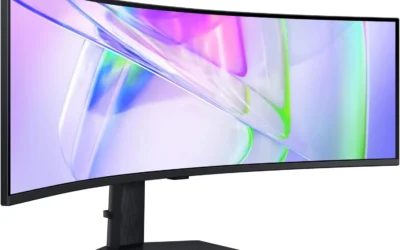
A high refresh rate only helps if the GPU can push enough frames to use it. Pairing a 240Hz panel with a GPU that tops out around 100fps in demanding games wastes half the screen’s potential, which is why the fastest panels in this list sit on the laptops with the strongest GPUs. Resolution is a separate tradeoff: WQXGA and 2.5K panels look sharper and give more workspace for browsing or spreadsheets between gaming sessions, but they ask more of the GPU than a standard FHD+ panel at the same settings.
16:10 aspect ratio panels, common across this list, add extra vertical space over a typical 16:9 laptop screen, which is a small but real upgrade for browsing, spreadsheets, and code alongside games.
RAM and Storage for How Long a Laptop Should Last
16GB of DDR5 is the practical minimum for gaming in 2026, and it’s tighter than it sounds once a game, Discord, a browser, and maybe OBS are all running together. 32GB gives real breathing room for multitasking, streaming, or content creation on the side, and it tends to be the spec that ages best, since games and background software both keep asking for more memory over time.
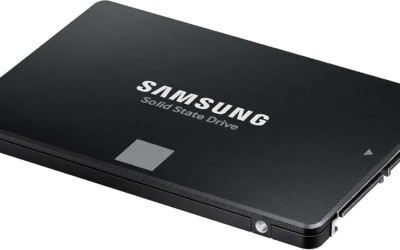
Storage is simpler: 512GB fills up fast once a handful of modern AAA titles are installed, since many now ship well over 100GB each. Anyone building a real game library should lean toward the 1TB options in this list, or budget for a second internal SSD, since most 16-inch gaming laptops still include a spare M.2 slot for exactly this reason.
CPU Platform: Intel vs. AMD
Both platforms in this list handle gaming well; the practical differences show up elsewhere. AMD Ryzen mobile chips tend to run a little cooler and sip less power under light workloads, which can translate to better battery life away from a charger. Intel’s latest Core and Core Ultra mobile chips generally hold a slight edge in single-threaded and lightly-threaded workloads, which some competitive titles still lean on. Neither platform is a wrong choice for gaming; it comes down to whether battery efficiency or peak single-core performance matters more day to day.
If a laptop also doubles as a work or school machine, it’s worth checking how each platform’s integrated graphics and power management behave on battery, since that affects how the laptop feels away from a charger far more than it affects gaming performance on AC power.
Battery Life Away From the Charger
Gaming laptops are honest about one thing: none of them last long while actually gaming on battery, since a demanding GPU draws far more power than the battery can sustain for long. What varies more is everyday battery life, browsing, writing, or watching video, where the entry-level and mid-range laptops on this list generally hold up better than the high-end picks with the biggest GPUs and highest-resolution displays.
Anyone who needs a laptop to survive a full day of classes or meetings unplugged, and only game in the evening plugged in, should lean toward the entry or mid-range laptops on this list rather than the RTX 5070 Ti picks, which trade battery efficiency for peak performance.
Ports, Upgradability, and Keyboard Feel

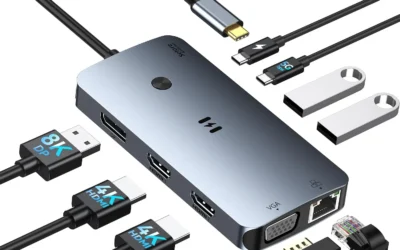
Most 16-inch gaming laptops in this class share a similar port layout: USB-C (often with power delivery and video output), several USB-A ports, HDMI, and an Ethernet jack for lower-latency online play. It’s worth checking that a laptop includes enough USB-A ports for existing peripherals like a mouse or headset dongle before assuming USB-C hubs will fill the gap.
Upgradability is usually limited to RAM and storage on modern gaming laptops, and even that varies: some models solder part of the memory and leave only storage user-accessible. Keyboard feel is easy to overlook on a spec sheet but matters daily; backlit keys and reasonable key travel, both present across this list, make a real difference for anyone who also uses the laptop for typing-heavy work.
Warranty and Support
Warranty coverage varies more between gaming laptop brands than most buyers expect. Standard coverage across this list is typically one year of limited hardware warranty, but the specifics of what’s covered, and how repairs are handled, differ enough to matter for an expensive purchase that’s likely to travel and take the occasional bump.
The Alienware 16 Aurora stands out here with an on-site service option, meaning a technician can come to a home or office for eligible repairs rather than shipping the laptop away for weeks. It’s a real advantage for anyone who relies on the laptop daily and can’t afford extended downtime, and it’s part of why Alienware carries a higher price for a comparable GPU tier to some of its rivals on this list.
Cooling, Weight, and Portability
Faster GPUs need bigger cooling systems, and bigger cooling systems mean a heavier, thicker laptop. That tradeoff is unavoidable at the high end of this list, so anyone who plans to carry their laptop to class or the office daily should weigh portability alongside raw performance rather than chasing the biggest GPU available. For more on how we approach gaming hardware, our gaming PC buying guide and gaming monitor picks cover the desktop side of the same tradeoffs.
| Laptop | GPU Tier | Display | Best For |
|---|---|---|---|
| ASUS ROG Strix G16 (i7 / RTX 5060) | Mid-range | 16″ 165Hz FHD+ 16:10 | Best overall balance |
| Acer Nitro V 16S AI | Mid-range | 16″ 180Hz WUXGA | Best value |
| Alienware 16 Aurora | Entry mid-range | 16″ 120Hz WQXGA | Build quality and warranty |
| ASUS ROG Strix G16 (Ultra 9 / RTX 5070 Ti) | High-end | 16″ 240Hz 2.5K | 1440p high-refresh gaming |
| Acer Predator Helios Neo 16 AI | High-end | 16″ 240Hz G-SYNC WQXGA | Competitive, fast-paced games |
| ASUS TUF Gaming A16 | Entry | 16″ 145Hz FHD | Budget (AMD platform) |
| ASUS TUF Gaming F16 | Entry | 16″ 144Hz FHD+ 16:10 | Budget (Intel platform) |
Why You Should Trust Us
We build every guide on this site the same way: pull real listings and real customer rating and review data for the category, filter out anything with thin review counts or weak ratings, and compare what’s left spec by spec rather than repeating manufacturer marketing. For gaming laptops specifically, we weighed GPU tier, display refresh rate and resolution, RAM and storage, and CPU platform, since those are the specs that actually determine how a laptop performs a year or two after purchase, not just on day one.
Our full ranking methodology covers how we source and score products across every category on the site. We also revisit categories like this one periodically, since new laptop generations and refreshed configurations show up throughout the year and older models can quietly disappear from retailers.
Final Thoughts
For most people shopping gaming laptops this 2026, the ASUS ROG Strix G16 (2025) with the RTX 5060 and Core i7-14650HX is the easiest recommendation: it plays current games well at 1080p and 1440p, its 165Hz display is smooth, and 1TB of storage means not worrying about space for a while. Anyone watching a budget more closely should look at the Acer Nitro V 16S AI, which pairs the same RTX 5060 tier with 32GB of RAM for strong multitasking without the higher price of the premium picks on this list.
Players chasing the smoothest possible frame rates in competitive, fast-paced titles should look at the Acer Predator Helios Neo 16 AI and its 240Hz G-SYNC display, while anyone who wants the most desktop-like performance in a laptop should consider the ASUS ROG Strix G16 with the RTX 5070 Ti. For a first gaming laptop on a tighter budget, the ASUS TUF Gaming A16 and F16 both deliver real 1080p gaming performance without the premium price tag, the choice between them mostly comes down to a preference for AMD or Intel. Buyers who want a sharper display and stronger warranty support over the highest possible GPU tier should take a close look at the Alienware 16 Aurora instead.
Whichever laptop fits best, the more useful exercise is matching the GPU tier and display to how the games are actually played, competitive esports at high refresh rates, story-driven AAA titles at 1440p, or casual sessions between schoolwork, rather than defaulting to the highest specs on the shelf. See our gaming PCs under $1500 guide if a desktop is also on the table, or browse our full computers category for more picks in this space.
FAQs
What GPU do I need for 1440p gaming in 2026?
For smooth 1440p gaming at high settings, look for at least an RTX 5060, and ideally an RTX 5070 Ti class GPU if the highest settings and refresh rates matter. Anything below that tier is better suited to 1080p.
Is 16GB of RAM enough for gaming laptops?
16GB is workable for gaming alone, but it gets tight fast once background apps, browsers, or streaming software are also running. Anyone who multitasks heavily or plans to stream should lean toward 32GB.
Are AMD or Intel gaming laptops better?
Both platforms game well today. AMD Ryzen chips generally run a little cooler and more efficiently, while Intel’s latest Core Ultra chips hold a slight edge in lightly-threaded workloads. The GPU matters far more to gaming performance than the CPU brand.
How much storage should a gaming laptop have?
512GB is enough for a handful of modern titles but fills up quickly. 1TB is a safer starting point for anyone building an actual game library, and several picks in our gaming PCs under $1500 guide offer similar storage tradeoffs for desktop builds.
Do gaming laptops work well for school or work too?
Yes. Every laptop on this list handles everyday productivity, browsing, and video calls easily; the higher-refresh, higher-resolution displays are also a genuine upgrade for spreadsheets, documents, and general multitasking, not just games.
How long should a gaming laptop last before needing an upgrade?
Most gaming laptops in this GPU range stay capable of running current games at reasonable settings for three to four years, longer for lighter esports titles. Choosing a laptop with 32GB of RAM and a 1TB SSD, rather than the minimum spec, tends to extend that window since memory and storage are the two specs most likely to feel cramped first.

Write Your Review
No reviews yet. Be the first to share your experience!