

OLED technology has moved from television living rooms straight onto the desktop, and OLED monitors now cover everything from 27-inch competitive gaming screens to 49-inch curved ultrawide monitors built to replace a dual-screen setup. What sets this panel type apart from ordinary LCD monitors is not just a marketing label: OLED pixels emit their own light and switch off completely when showing black, which is why these screens can produce genuinely infinite contrast and response times fast enough to make motion blur almost disappear. We compared real customer ratings and published technical specifications to build a shortlist of 8 OLED monitors worth considering in September 2026, spanning Samsung, Alienware, ASUS ROG and more. Our top pick is the LG 27GX704A-B for its rare combination of 240Hz motion clarity, VESA-certified deep-black HDR, and broad adaptive sync support, though buyers chasing raw speed or ultrawide screen space will find strong alternatives further down this list. If you are also weighing a standard high-refresh LCD screen instead, our gaming monitor roundup covers that ground in more detail.

Pros
- True 0.03ms response time virtually eliminates motion blur
- VESA DisplayHDR True Black 400 delivers deep, uniform contrast
- Wide 240Hz refresh with both G-Sync Compatible and FreeSync Premium Pro support
- HDMI 2.1 ports enable full 240Hz on next-gen consoles
- 27-inch QHD size balances sharpness with desk space
Cons
- OLED panels remain more prone to static-image burn-in than LCD
- QHD resolution sits below the 4K rivals available at similar prices
The LG 27GX704A-B is a 27-inch QHD OLED monitor aimed at players who want the sharpness of a mid-size screen without giving up OLED contrast. It sits in LG UltraGear's high-refresh lineup, pairing a 2560 by 1440 panel with a 240Hz refresh rate, so it suits fast shooters and racing games as much as slower story-driven titles.
The clearest strength is motion clarity. A 0.03ms response time means fast-moving objects stay defined instead of smearing, and VESA DisplayHDR True Black 400 certification gives the monitor genuinely deep blacks next to bright highlights rather than the washed-out grays common on entry-level HDR displays. Both G-Sync Compatible and FreeSync Premium Pro support mean the adaptive sync story works whichever graphics card is in the machine.
The main tradeoff is resolution. QHD is sharp at 27 inches but is not the 4K some buyers may expect from a premium monitor, and like every OLED gaming panel on this list it carries a higher long-term burn-in risk than an LCD if static elements such as a HUD or taskbar are left on screen for extended periods.
Bottom line: for players who want the single best balance of motion clarity, contrast, and connectivity in this roundup, the 27GX704A-B is the strongest all-around pick.
- Panel: 27-inch QHD OLED (2560 x 1440)
- Refresh rate: 240Hz
- Response time: 0.03ms (GtG)
- HDR: VESA DisplayHDR True Black 400
- Adaptive sync: NVIDIA G-Sync Compatible, AMD FreeSync Premium Pro
- Ports: HDMI 2.1, DisplayPort
This monitor fits players who split time between competitive shooters and slower single-player games and want one screen that handles both well. The 240Hz ceiling is high enough for esports titles, while the QHD resolution keeps text and UI elements crisp for everyday use.
It is a good match for anyone upgrading from an older LCD gaming monitor who wants to feel the contrast difference immediately, without paying for a 4K panel they may not have the graphics horsepower to drive at high frame rates.
As with any OLED panel, it is worth using the screen's built-in pixel refresh or logo-dimming features and avoiding leaving a single static image, like a paused game or a desktop taskbar, on screen for many hours at a time.
Sensible habits such as enabling screen savers during breaks and varying content go a long way toward keeping the panel looking new well past the warranty period.

Pros
- 360Hz refresh rate suits competitive and fast-paced titles
- OLED Care feature set is built specifically to slow pixel wear
- 99 percent DCI-P3 color coverage suits color-sensitive creative work too
- Custom heatsink design targets long-term panel temperature control
- G-SYNC Compatible certification keeps frame pacing smooth
Cons
- Premium ROG pricing puts it above mainstream OLED options
- Glossy QD-OLED coating can show more reflections in bright rooms
The ASUS ROG Strix XG27ACDNG is built for players who chase every extra frame. Its QD-OLED panel runs at 1440p with a 360Hz refresh rate, a tier usually reserved for competitive esports monitors, and ASUS pairs that speed with the wide color gamut QD-OLED is known for.
What stands out is how ASUS engineers around OLED's usual weak points. The panel uses a custom heatsink layout to manage heat, and the ROG OLED Care feature set bundles pixel-shift and panel-protection routines that run automatically in the background. Color accuracy is another highlight, with 99 percent DCI-P3 coverage that makes the monitor genuinely useful for photo or video work between gaming sessions.
The tradeoffs are mostly about price and finish. This is a flagship ROG product, so it costs more than simpler QD-OLED monitors with similar core specs, and its glossy coating reflects more ambient light than the matte finishes some rivals use.
Bottom line: for players who want maximum refresh rate alongside genuine color accuracy and are willing to pay for ROG's extra engineering, this is one of the strongest all-around QD-OLED monitors in this lineup.
- Panel: 26.5-inch QHD QD-OLED (2560 x 1440)
- Refresh rate: 360Hz
- Response time: 0.03ms (GtG)
- Color: 99% DCI-P3
- Adaptive sync: G-SYNC Compatible
- Extras: Custom heatsink, OLED Care+ panel protection
Shoppers deciding between this and a 240Hz OLED monitor should think about what games they actually play. The jump from 240Hz to 360Hz mostly benefits competitive shooters and racing games where reaction time matters; slower or story-driven games will not look meaningfully different.
If color work is part of the plan alongside gaming, the wide DCI-P3 coverage here is a genuine advantage over more basic OLED gaming panels that only advertise refresh rate and response time.
ASUS bundles its OLED Care feature set specifically to extend panel life, including pixel-refresh cycles and brightness management for static UI elements. Leaving these features enabled, rather than disabling them for a marginal performance gain, is the simplest way to protect the investment.

Pros
- 34.2-inch curved ultrawide format suits both games and multi-pane work
- 1800R curve wraps the screen for a more immersive field of view
- 240Hz refresh with 0.03ms response keeps fast-scrolling scenes clear
- DisplayHDR True Black 400 gives genuinely dark shadow detail
- Ample connectivity for pairing a desktop and a laptop at once
Cons
- Curved ultrawide shape needs more desk depth than a standard monitor
- Higher pixel count means a stronger graphics card is needed to hit peak refresh
The Alienware AW3425DW trades the standard 16:9 shape for a 34.2-inch curved ultrawide format. Its QD-OLED panel runs at 3440 by 1440 with a 1800R curve, wrapping the edges of the screen slightly toward the viewer for a wider field of view in games that support ultrawide resolutions.
The extra width earns its keep outside games too. Video editors and multitaskers can lay out several windows side by side without the letterboxing a standard monitor forces, while the 240Hz refresh and 0.03ms response keep fast panning shots and quick esports reflexes just as sharp as on Alienware's standard-format OLED models. DisplayHDR True Black 400 certification carries over the deep contrast the format is known for.
The size is also the main drawback: a curved 34-inch panel takes up considerably more desk space and depth than a 27-inch monitor, and driving the higher pixel count at 240Hz asks more of a graphics card than a standard QHD panel does.
Bottom line: for buyers who specifically want the extra screen real estate of an ultrawide format alongside OLED contrast, the AW3425DW delivers that combination without compromising on refresh rate.
- Panel: 34.2-inch curved QD-OLED, 1800R curve
- Resolution: 3440 x 1440 (WQHD ultrawide)
- Refresh rate: 240Hz
- Response time: 0.03ms (GtG)
- HDR: VESA DisplayHDR True Black 400
- Adaptive sync: AMD FreeSync Premium Pro, VESA AdaptiveSync
This monitor suits anyone who has already decided they want an ultrawide format, whether for the extra horizontal workspace during the day or for the wraparound feel it gives racing and flight simulation games in the evening.
It is less suited to smaller desks or setups where a standard 16:9 monitor already fits the available space, since the curve and width need real depth to sit comfortably at arm's length.
Not every game natively supports the 21:9 ultrawide aspect ratio, so it is worth checking a title's display options before assuming it will fill the screen edge to edge. Most modern releases and popular esports titles do support it, and many older games can be patched or configured through community fixes.

Pros
- 360Hz refresh with 0.03ms response time for competitive play
- Built-in cooling system aims to manage panel heat over long sessions
- Anti-glare coating cuts reflections better than glossy OLED finishes
- AMD FreeSync Premium Pro reduces tearing and stutter
- Backed by a 3-year warranty for extra peace of mind
Cons
- Matte anti-glare layer slightly softens perceived sharpness versus glossy panels
- QHD resolution rather than 4K at this screen size
The Samsung Odyssey OLED G6 is a 27-inch QHD QD-OLED monitor built around Samsung's own take on managing OLED heat and glare. It runs at a 360Hz refresh rate with a 0.03ms response time, putting it firmly in the competitive-gaming tier alongside the fastest panels in this roundup.
Samsung's two standout additions are a built-in cooling system, intended to keep the panel running at a stable temperature during long sessions, and an anti-glare coating that noticeably reduces reflections compared with the glossy finish most QD-OLED monitors ship with. For anyone gaming in a bright room, that matte layer can matter as much as raw specs.
The tradeoff for that anti-glare coating is a very slight softening of perceived sharpness compared with a glossy panel, a common characteristic of matte OLED finishes rather than a flaw specific to this model. Resolution is QHD rather than 4K, consistent with the rest of the field at this size.
Bottom line: for buyers in bright rooms who want fast OLED gaming without fighting reflections, the Odyssey OLED G6's anti-glare finish and cooling system make it a practical standout.
- Panel: 27-inch QHD QD-OLED (2560 x 1440)
- Refresh rate: 360Hz
- Response time: 0.03ms (GtG)
- Coating: Anti-glare
- Adaptive sync: AMD FreeSync Premium Pro
- Warranty: 3 years
The built-in cooling system is designed to reduce thermal stress on the OLED panel during extended gaming sessions, which can help slow the type of gradual brightness fade that comes with prolonged heat exposure on any OLED display.
Combined with the standard OLED best practices, avoiding static images for hours at a time and letting pixel-refresh routines run, this is one of the more actively engineered options in the lineup for long-term durability.
This monitor is a strong fit for gamers whose setup sits near a window or under overhead lighting, where a glossy panel's reflections would otherwise be distracting during darker in-game scenes.

Pros
- 480Hz refresh rate is among the fastest available on an OLED panel
- True 10-bit color output with 99 percent DCI-P3 coverage
- DisplayHDR 400 True Black keeps blacks deep even in HDR content
- AI Assistant and DisplayWidget add useful on-screen tuning tools
- Custom heatsink construction supports sustained high-refresh use
Cons
- 480Hz mainly benefits esports titles that already run at very high frame rates
- One of the pricier panels in this lineup
The ASUS ROG Swift PG27AQDP is built for one purpose: maximum refresh rate. Its 27-inch WOLED panel is rated at 480Hz, roughly double the refresh rate of most monitors in this roundup, aimed squarely at competitive players who already run games well above 240 frames per second.
Beyond raw speed, the panel supports true 10-bit color with 99 percent DCI-P3 coverage and DisplayHDR 400 True Black certification, so it does not sacrifice color or contrast to hit that refresh ceiling. ASUS also bundles its AI Assistant and DisplayWidget software for on-screen tuning, plus a custom heatsink to help the panel sustain that speed over long sessions.
The obvious question is whether 480Hz is worth it. For most single-player and story-driven games, the difference between 240Hz and 480Hz is barely perceptible, and only genuinely competitive esports titles played by dedicated players will show a real benefit. It is also priced at the premium end of this list.
Bottom line: this is a specialist pick for serious competitive players who want the fastest OLED panel available and are prepared to pay for it, rather than an all-purpose recommendation.
- Panel: 27-inch QHD WOLED (2560 x 1440)
- Refresh rate: 480Hz
- Response time: 0.03ms (GtG)
- Color: True 10-bit, 99% DCI-P3
- HDR: DisplayHDR 400 True Black
- Adaptive sync: G-SYNC Compatible
This monitor is aimed at dedicated competitive players, particularly in fast-paced shooters, who already have a graphics card and system capable of pushing frame rates well past 240fps and want the display to keep up.
Buyers who mostly play at 60 to 144fps, or who split time between gaming and general use, will get little practical benefit from the extra refresh rate and may prefer a more moderately priced 240Hz or 360Hz OLED model instead.
It is worth checking that a graphics card and CPU can actually sustain frame rates near 480fps in a given game before paying the premium for this tier of refresh rate, since the panel cannot exceed what the rest of the system delivers.

Pros
- QD-OLED panel delivers the same core contrast and color advantages as pricier rivals
- 240Hz refresh with 0.03ms response covers the needs of most fast games
- G-SYNC Compatible certification for smoother Nvidia pairings
- HDR Ready tone mapping adds punch to supported content
- VESA mountable design keeps desk setups flexible
Cons
- Fewer extra features, such as a built-in cooling fan or AI tuning tools, than flagship rivals
- Stand adjustability is more basic than ROG or Alienware models
AOC is not a name usually associated with flagship gaming gear, but the Q27GAZD proves the brand can build a genuinely competent QD-OLED monitor without flagship pricing. It uses the same core QD-OLED panel technology as pricier rivals on this list, running at 2560 by 1440 with a 240Hz refresh rate and 0.03ms response time.
The strength here is value: buyers get true OLED contrast, wide color, and near-instant pixel response without paying for extras like AI-tuning software or elaborate cooling systems. HDR Ready tone mapping and G-SYNC Compatible certification round out a spec sheet that covers what most gamers actually need day to day.
The compromises show up in the extras rather than the core panel. The stand offers more basic adjustability than ROG or Alienware models, and there is no dedicated cooling system or bundled software suite layered on top of the panel itself.
Bottom line: for buyers who want OLED contrast and speed without paying for premium branding and extra features, the Q27GAZD is the most accessible entry point in this lineup.
- Panel: 27-inch QHD QD-OLED (2560 x 1440)
- Refresh rate: 240Hz
- Response time: 0.03ms (GtG)
- HDR: HDR Ready
- Adaptive sync: G-SYNC Compatible
- Mounting: VESA compatible
Shoppers comparing this to pricier QD-OLED monitors should weigh whether they actually use extras like AI scene tuning or built-in cooling fans. If the core priority is contrast, color, and a fast, clear image, the underlying panel technology here is the same as what more expensive monitors are built around.
This monitor suits gamers who want to try OLED for the first time, or who are equipping a second setup, without committing to flagship pricing. It is also a sensible pick for anyone who mounts their monitor on an arm and does not need an elaborate stock stand.

Pros
- 49-inch DQHD curve effectively replaces a dual-monitor setup
- QD-OLED panel brings true blacks and wide color to an ultrawide canvas
- 240Hz refresh keeps fast games fluid across the huge screen
- Adjustable stand supports height and tilt for long sessions
- Dual FreeSync Premium Pro and G-Sync Compatible support
Cons
- Massive footprint needs a deep, sturdy desk
- Extreme aspect ratio is not ideal for everyday apps that are not ultrawide-aware
The Samsung Odyssey G93SC takes the ultrawide idea to its extreme, curving a 49-inch QD-OLED panel around the viewer at DQHD resolution, effectively the width of two QHD monitors joined together. It is aimed at buyers who want to replace a multi-monitor desk with a single, seamless screen.
At this size, the QD-OLED panel's contrast and color advantages become even more noticeable, since there is no bezel interrupting the image the way there would be across two separate displays. The 240Hz refresh rate and 0.03ms response time carry over from Samsung's smaller Odyssey OLED models, so fast games remain fluid even at this scale, and both FreeSync Premium Pro and G-Sync Compatible support keep tearing in check regardless of the graphics card in use.
The size is also the clear tradeoff. A 49-inch curved panel needs a genuinely deep desk to sit at a comfortable viewing distance, and the extreme aspect ratio means everyday applications that are not designed with ultrawide layouts in mind may not use the extra width well.
Bottom line: for buyers specifically looking to consolidate a dual-monitor workflow or want maximum screen presence for both games and multitasking, the G93SC delivers OLED contrast at a scale nothing else on this list matches.
- Panel: 49-inch curved QD-OLED
- Resolution: 5120 x 1440 (DQHD)
- Refresh rate: 240Hz
- Response time: 0.03ms (GtG)
- Adaptive sync: AMD FreeSync Premium Pro, NVIDIA G-Sync Compatible
- Stand: Height and tilt adjustable
This monitor is built for buyers who currently run two or three monitors side by side and want to consolidate into a single seamless screen, or for simulation and strategy games where extra horizontal space adds real value.
It is a poor fit for smaller desks or anyone who mainly runs single-window applications, since much of the screen's benefit comes from spreading multiple windows or a wide field of view across its width.
Given the size and cost of this panel, it is worth being especially disciplined about avoiding static content, such as a fixed sidebar or scoreboard, left in place for many hours, and using any built-in pixel-refresh routines regularly.
Pros
- 360Hz refresh with 0.03ms response for fast-paced competitive games
- QD-OLED panel offers rich, accurate color alongside deep contrast
- Full height, tilt, swivel, and pivot adjustability on the stand
- USB 3.2 Gen 1 hub adds convenient peripheral connections
- FreeSync Premium Pro reduces tearing during frame-rate swings
Cons
- 26.7-inch size is smaller than some QHD OLED rivals
- Glossy finish shows fingerprints and reflections more than matte panels
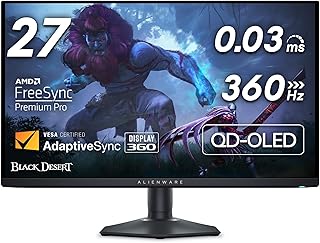
The Alienware AW2725DF is a 26.7-inch QD-OLED gaming monitor that runs at 360Hz with a 0.03ms response time, placing it firmly among the fastest standard-format panels in this roundup. It carries Alienware's distinctive industrial design, along with practical touches that some rivals skip.
One of the more useful details is the stand, which offers full height, tilt, swivel, and pivot adjustment, letting it slot into a wide range of desk setups without extra mounting hardware. A built-in USB 3.2 Gen 1 hub also adds convenient ports for peripherals without reaching around to a PC case. Color and contrast benefit from the same QD-OLED panel technology used across Alienware's OLED lineup.
At 26.7 inches, the screen is slightly smaller than some of the 27-inch panels on this list, a minor difference in practice but worth noting for buyers comparing specs closely. The glossy finish typical of QD-OLED panels also picks up more fingerprints and reflections than matte alternatives.
Bottom line: for buyers who want fast, accurate OLED gaming with a genuinely flexible stand and useful built-in connectivity, the AW2725DF is a well-rounded standard-format option.
- Panel: 26.7-inch QHD QD-OLED (2560 x 1440)
- Refresh rate: 360Hz
- Response time: 0.03ms (GtG)
- Ports: HDMI, DisplayPort, USB 3.2 Gen 1
- Adaptive sync: AMD FreeSync Premium Pro
- Stand: Height, tilt, swivel, and pivot adjustable
Buyers comparing this to the 27-inch options on this list should note the slightly smaller 26.7-inch panel size, alongside the tradeoffs of a glossy finish versus the anti-glare coating used on some Samsung models.
As with other QD-OLED panels here, it is worth using any built-in pixel-refresh or panel-protection routines and avoiding static on-screen elements for extended periods to help preserve long-term brightness uniformity.
How to Choose the Right OLED Monitors
OLED monitors share a family of strengths, deep contrast, wide color, and near-instant response, but the individual models on the market differ enough in panel type, size, and extra features that picking the right one takes a bit more thought than simply choosing the highest refresh rate. The criteria below cover the factors that matter most once you move past the marketing headline of “OLED” on the box.
It also helps to separate specifications that genuinely change day-to-day use from ones that mostly matter on a spec sheet. Refresh rate, panel type, and burn-in mitigation affect how a monitor actually feels during a normal gaming or work session, while extras such as bundled tuning software or a fan-cooled heatsink are nice to have but rarely the deciding factor for most buyers.
Panel Type: QD-OLED Versus WOLED
Almost every OLED monitor on the market today uses one of two underlying panel technologies. QD-OLED, developed by Samsung Display, pairs a blue OLED light source with a quantum dot color layer, and it tends to produce especially vivid, saturated color alongside OLED’s usual deep blacks. WOLED, the technology LG Display uses, adds a dedicated white subpixel to a red, green, and blue OLED structure, which can push brightness slightly higher in some conditions.
In practice, both technologies deliver the core OLED advantages that matter for gaming and everyday use: true blacks, wide viewing angles, and extremely fast pixel response. Most buyers will not notice a dramatic day-to-day difference between the two, so panel type is worth knowing about mainly so marketing terms like “QD-OLED” do not sound like an unfamiliar upgrade over “OLED” when they describe closely related technology.
Contrast and HDR Performance
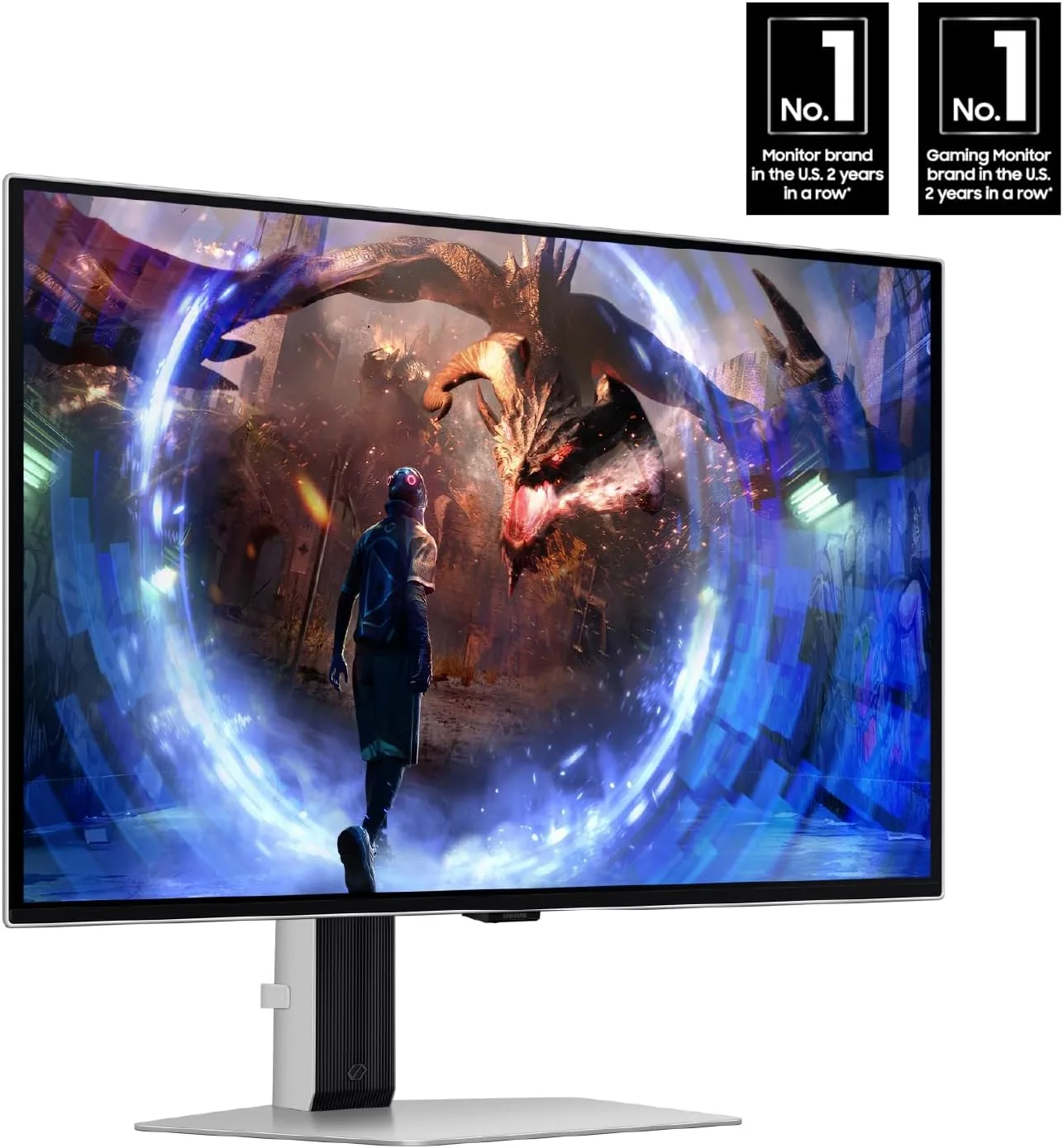
Contrast is where OLED separates itself most clearly from LCD monitors, including LCD panels that advertise local dimming for HDR. Because each OLED pixel can switch off individually, a starfield or a dark hallway in a game can show true black right next to a bright light source with no visible halo or glow around it, an effect LCD backlighting struggles to reproduce convincingly.
Look for VESA DisplayHDR True Black certification specifically, rather than a generic HDR label, since it is measured against OLED’s actual black-level performance rather than the looser standards written for backlit LCD panels. Several monitors in this guide carry the True Black 400 rating, which is a meaningful signal of real HDR capability rather than just a marketing sticker.
Refresh Rate and Response Time

Every monitor in this guide runs at 0.03ms response time, which is effectively instant by monitor standards, so the more meaningful variable between models is refresh rate. Refresh rates here span 240Hz on the more affordable end up to 480Hz on the fastest specialist model, and the honest answer is that most players will not notice much difference above 240Hz unless they are playing competitive titles at a genuinely high level.
A more useful question than “how high can the refresh rate go” is whether your graphics card and CPU can actually sustain frame rates anywhere near that ceiling in the games you play. A 480Hz panel paired with a system that tops out at 150 frames per second in a demanding title will not deliver any benefit over a 240Hz screen in that game.
Burn-In Risk and Panel Protection
The tradeoff that comes with every OLED display, monitor or television, is a higher susceptibility to burn-in than LCD if the same static image, such as a game HUD, a taskbar, or a paused frame, stays on screen for very long stretches. Manufacturers have built increasingly effective mitigation into recent OLED monitors, including automatic pixel-shifting, logo dimming, and periodic pixel-refresh cycles that run when the monitor is idle.
These features meaningfully reduce real-world risk for typical mixed use, gaming, browsing, and streaming video, but they work best when left enabled rather than disabled for a marginal performance gain. Buyers who plan to run the same static application, such as a stock ticker or a security camera feed, on screen for many hours a day should weigh that use case carefully against an OLED panel’s strengths elsewhere.
Screen Size and Format

Most OLED monitors on the market cluster around 27 inches in a standard 16:9 shape, which suits desks of typical depth and works well for both gaming and general productivity. This guide also includes two ultrawide options, a 34-inch curved panel and a 49-inch super-ultrawide panel, both of which trade desk space for a wider field of view in supported games and more room for side-by-side windows during work.
Ultrawide and super-ultrawide formats are worth considering specifically if you already multitask across several windows or want a more immersive view in racing and flight games, but they are not a straightforward upgrade over a standard monitor for every use case, since some applications and older games are not built with the extra width in mind.
Desk depth is the practical limit most buyers overlook. A curved ultrawide panel sits closer to the viewer than a flat standard monitor of similar width, so measuring available desk space before buying saves a return down the line, particularly for the 49-inch super-ultrawide option in this guide.
Connectivity and Adaptive Sync
Because these monitors are aimed at high-refresh gaming, connectivity matters more than it does on a basic office display. HDMI 2.1 is worth checking for specifically if you plan to connect a current-generation game console, since it is required to reach the monitor’s full refresh rate from console hardware, while DisplayPort remains the standard for PC gaming at the highest frame rates.
Adaptive sync support, AMD FreeSync Premium Pro and NVIDIA G-Sync Compatible certification, is included across nearly every model in this guide, so pairing a monitor with either brand of graphics card should deliver smooth, tear-free motion without extra configuration.
| Model | Panel Size | Panel Type | Refresh Rate | Best For |
|---|---|---|---|---|
| LG 27GX704A-B | 27-inch QHD | WOLED | 240Hz | All-around best overall |
| ASUS ROG Strix XG27ACDNG | 26.5-inch QHD | QD-OLED | 360Hz | Color-accurate competitive play |
| Alienware AW3425DW | 34.2-inch curved ultrawide | QD-OLED | 240Hz | Immersive and multitasking use |
| Samsung Odyssey OLED G6 | 27-inch QHD | QD-OLED | 360Hz | Bright rooms, anti-glare |
| ASUS ROG Swift PG27AQDP | 27-inch QHD | WOLED | 480Hz | Dedicated esports players |
| AOC Q27GAZD | 27-inch QHD | QD-OLED | 240Hz | Best value entry point |
| Samsung Odyssey G93SC | 49-inch curved ultrawide | QD-OLED | 240Hz | Replacing a dual-monitor desk |
| Alienware AW2725DF | 26.7-inch QHD | QD-OLED | 360Hz | Flexible stand, general use |
For a wider view of what else is available in the high-refresh space, including LCD-based options, our roundup of gaming monitors and our dedicated guide to ultrawide monitors are useful companion reads.
Why You Should Trust Us
Our approach to this guide starts with real, current listings rather than a fixed list of “usual suspects” brands. We pull verified customer rating and review data for monitors actively sold under the OLED monitors category, then filter out listings with weak ratings or too few reviews to be a reliable signal, before comparing what remains on published, verifiable specifications such as panel type, refresh rate, response time, and HDR certification.
We do not accept payment from manufacturers to influence rankings, and our recommendations reflect specification comparisons and pattern review of real buyer feedback rather than a single reviewer’s personal opinion. Prices and stock change often on Amazon, so our pick order is based on the underlying hardware and its verified track record rather than a snapshot of today’s discount.
Where a manufacturer makes a specific technical claim, such as a certified HDR standard or a documented pixel-refresh feature, we cross-check that claim against the certifying body or the manufacturer’s own published documentation rather than repeating marketing copy at face value. Our goal is a guide that still holds up months after publication, not a list built around whatever happens to be discounted this week.
Final Thoughts
OLED has genuinely changed what a good monitor looks and feels like, and the 8 OLED monitors in this guide reflect just how quickly the category has matured beyond a handful of expensive niche panels. Our best overall pick is the LG 27GX704A-B UltraGear QHD OLED Gaming Monitor, 240Hz (Best Overall), which balances a 240Hz refresh rate, VESA DisplayHDR True Black 400 certification, and both major adaptive sync standards without asking buyers to pay flagship prices for extra features they may not need.
If budget is the deciding factor, the AOC Q27GAZD 27-Inch QD-OLED Gaming Monitor, 240Hz (Best Value) proves that the core OLED experience, true blacks, wide color, and near-instant response, does not have to come with premium branding attached. For anyone who wants to push refresh rate as far as it currently goes, the ASUS ROG Swift PG27AQDP and its 480Hz panel is worth a closer look, and buyers who want more screen real estate for multitasking or immersive games should weigh the curved ultrawide options from Alienware and Samsung.
Whichever model you choose, pairing it with sensible OLED habits, avoiding static images for long stretches and keeping pixel-refresh routines enabled, will keep the panel looking its best for years. For a broader look at everything in this department, our computers category page rounds up related buying guides.
FAQs
Are OLED monitors worth the extra cost over LCD monitors in 2026?
For most gamers and creative users, yes. The jump in contrast and response time is immediately noticeable compared with even a good LCD panel, and prices have come down enough in 2026 that OLED is no longer confined to ultra-premium monitors. The main consideration is burn-in risk for people who run the exact same static content for many hours every day.
Do OLED monitors really suffer from burn-in during normal use?
Burn-in is a real phenomenon on OLED panels, but modern gaming and productivity use, where content on screen changes frequently, carries meaningfully lower risk than years of research based on static digital signage suggests. Built-in pixel-refresh and logo-dimming features further reduce risk for typical mixed use.
What is the difference between QD-OLED and WOLED panels?
QD-OLED uses a quantum dot color layer over a blue OLED light source and tends to emphasize color saturation, while WOLED adds a dedicated white subpixel to a standard OLED structure and can push brightness slightly higher in some scenarios. Both deliver the core OLED benefits of true blacks and near-instant response that define this category.
Do I need a powerful graphics card to make the most of an OLED gaming monitor?
The panel’s response time and contrast benefits are visible regardless of frame rate, but reaching the higher refresh rates, 360Hz or 480Hz on some models in this guide, does require a graphics card capable of pushing frame rates that high in your specific games. A mid-range card can still enjoy an OLED panel’s contrast and color even without maxing out its refresh rate.
Should I choose a standard or an ultrawide OLED monitor?
A standard 16:9 panel around 27 inches fits most desks and works well for both gaming and everyday tasks, while an ultrawide or super-ultrawide format is worth the extra desk space if you specifically want a wider field of view in supported games or more room to multitask across windows. Our ultrawide monitor guide goes deeper on that format specifically.

Write Your Review
No reviews yet. Be the first to share your experience!