

To prepare for Prime Big Deal Days, make sure you have Prime access that covers October 6 and 7, clean up your payment and address details, build a short list of items you actually need, check each item’s price history now, and set price alerts so Amazon tells you when a target price is reached. Then learn when the deals drop (midnight, 8 a.m. and 1 p.m. PDT on both days), decide on a budget, and know how to spot messages that only pretend to come from Amazon. Done in late September, all of this takes an hour or two and saves you from scrolling millions of deals on the day.
This guide walks through each step in order, with a countdown table you can follow. What Amazon has said about the event comes from its Prime Big Deal Days FAQ, its guide to AI shopping features for the event, its explainer on price history and its list of early Prime Big Deal Days deals. For the dates and times in every US time zone, see when Prime Big Deal Days 2026 starts.
The short answer
- Confirm you will have Prime on October 6 and 7, either a paid membership or a free trial started at the right time.
- Check that your payment method, shipping address and sign-in security are up to date.
- Write a short list of items you need, grouped by category.
- Look up each item’s price history so you know what a real deal looks like.
- Set price alerts, deal alerts or Auto-Buy targets for the items on your list.
- Note the three daily deal drops in your own time zone.
- Set a total budget and a limit per category.
- Learn how to verify messages that claim to be from Amazon.
- Check delivery and return timing for anything you plan to give as a gift.
- Decide what happens to your trial or membership after the event.
Your countdown to October 6
| When | What to do | Why it matters |
|---|---|---|
| Now through late September | Write your list, check price history, set alerts | You need a baseline price before the sale starts |
| About a week before | Start a free trial if you plan to use one, check payment and address | A 30-day trial started now still covers both event days |
| A few days before | Review early deals, trim your list, set your budget | Some items may already be discounted before the event |
| The day before | Update the Amazon app, sign in, note drop times in your time zone | Fewer surprises when deals go live |
| October 6 and 7 | Check your alerts at each drop, buy only what is on your list | Limited-time deals can sell out |
| After the event | Track deliveries, note return deadlines, decide on your membership | Returns and renewals run on fixed dates |
Step 1: Make sure you can shop the deals
Amazon’s FAQ is direct about this: you need a Prime membership to access Prime Big Deal Days deals. There are four ways to have that access on October 6 and 7.
- A paid membership. Amazon lists standard Prime at 14.99 dollars a month or 139 dollars a year.
- A free 30-day trial. Amazon’s help page says new members can try Prime free for 30 days, with the same delivery, shopping, Prime Video and Prime Gaming benefits as paid members.
- Prime for Young Adults. Amazon says young adults aged 18 to 24 and higher education students can try it with a six-month trial, then pay 7.49 dollars a month or 69 dollars a year.
- Prime Access. Qualifying government-assistance recipients and income-verified customers can try it free for 30 days, then pay 6.99 dollars a month, according to Amazon.
If you plan to use a standard free trial, timing is the main decision. A 30-day trial started in the last week of September covers both event days and leaves you time to use the early deals. Start it too early in September and it may run out before October 6. Our step-by-step guide on how to get an Amazon Prime free trial covers eligibility, the sign-up screens and the timing in more detail.
One practical detail from Amazon’s trial help page: to sign up for a free trial, your account must have a current, valid credit card, and payment options such as checking accounts or prepaid credit cards cannot be used. Add or update the card before the week of the sale rather than on the morning of October 6. If you decide to join, you can start a free Prime trial on Amazon (paid link: we may earn a commission if you sign up).
Not sure a membership pays off for you? Our breakdown of whether Prime is worth it just for Prime Big Deal Days runs the numbers by discount level and shopping habit.
Step 2: Clean up your account before the rush
The goal is simple: when you find a deal, checkout should take seconds, not minutes spent fixing an expired card or an old address. Go through these now.
- Payment method. Check that your default card has not expired and that the billing address matches. If you plan to use Auto-Buy (Step 5), remember that Amazon says it completes the purchase with your default payment method.
- Shipping address. Make sure the default address is where you want packages to go. If you are sending gifts directly to someone, add their address to your address book ahead of time.
- Sign-in security. Amazon’s scam guidance recommends setting up passkeys and two-step verification. Do it before the event, when you are not in a hurry.
- The Amazon app. Amazon’s FAQ suggests downloading the app for quick access to the latest deals, customer support and order status. Update it the day before.
- Household sharing. If someone in your home already has Prime, Amazon’s benefits page says Amazon Family lets members share a range of benefits with one other adult in the household. Check whether you can shop under their membership before paying for your own.
Step 3: Build a short list, not a wish list of everything
Amazon says Prime Big Deal Days includes deals across more than 35 categories. That is exactly why a list matters. Without one, you end up comparing deals against each other instead of against what you actually need.
Start with categories rather than products. Ask what you would buy in the next three months anyway: a replacement vacuum, new earbuds, a kitchen appliance, bedding, Halloween supplies, holiday gifts. Then narrow each category to one or two specific models. Amazon’s FAQ recommends adding items you are watching to your Wish List so you can quickly spot price drops and deal alerts when the event begins. That works well as long as the list stays short. A Wish List with fifty items is just another place to browse.
For each item, write down three things: the exact model, the most you would pay, and whether it is a need or a nice-to-have. If you need ideas by category, our guide on what to buy on Prime Big Deal Days goes through the categories Amazon is featuring and what to check in each one.
Step 4: Check price history before the sale starts
This is the step that separates a real deal from a big number next to a crossed-out list price. Amazon’s price history feature now shows 30, 90 and 365 days of pricing on eligible products in the US, according to its explainer, and Amazon says more than 50 million customers have used it since it launched in 2024.
There are two ways to reach it, according to Amazon:
- Click the price history link on the product detail page, right next to the price.
- Open Alexa for Shopping on the product page and ask something like “What’s the price history?” or “Is this the lowest price recently?”
Amazon’s AI shopping guide adds two questions that are especially useful now: “What was the price last Prime Big Deal Days?” and “Was it cheaper last Black Friday?” Asking both tells you whether the October event has historically been a good moment for that item, or whether it tends to drop further in November. If you are weighing the two seasons, our comparison of Black Friday and the Prime events covers which kinds of purchases suit each one.
Write the lowest recent price next to each item on your list. During the event, a deal only counts if it beats that number. For the warning signs of a discount that looks bigger than it is, see how to spot a fake discount. The same checks work in October.
Step 5: Set deal alerts, price alerts and Auto-Buy
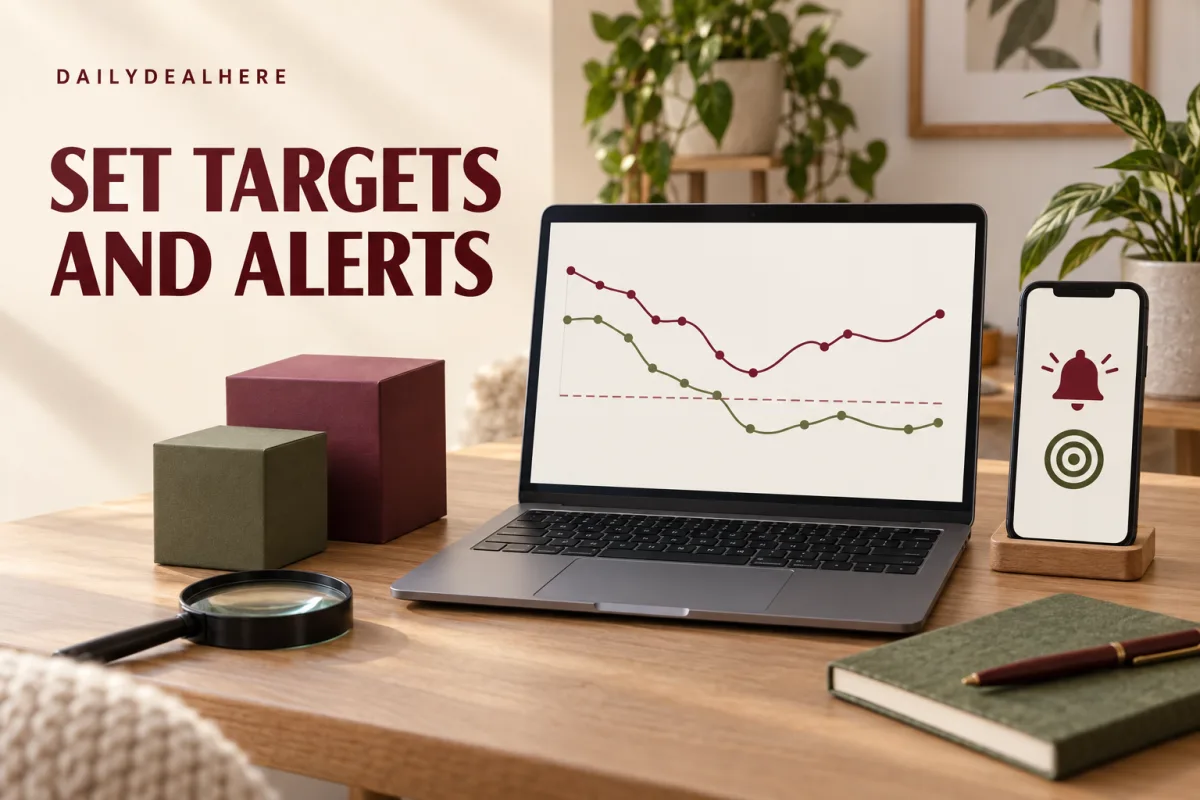
Once you know your target prices, let Amazon do the watching. Its AI shopping guide for the event describes three tools in Alexa for Shopping, which Amazon says all customers can use for free in the Amazon app and website when signed in:
- Deal alerts. New for this event, you can ask Alexa for Shopping to track deals for a type of product, such as “Alert me to deals on noise-canceling headphones,” and receive daily updates when matching deals appear.
- Price alerts. On a product page, ask for an alert at a target price. Amazon says you will be notified when the price hits it.
- Auto-Buy. Tell Alexa for Shopping to buy an item when it reaches a set price, and Amazon says it will complete the purchase automatically using your default payment method.
Price alerts are the safest place to start, because you still make the final decision. Auto-Buy is convenient for items you are completely sure about, such as a specific model you have already researched, at a price you would happily pay. Avoid using it for anything you are still comparing, and set the target from the price history rather than from the list price.
Amazon’s guide also mentions asking “Are any items on my wish list on sale?” and “What are the best deals for me?” to surface deals based on your lists and past purchases, plus Amazon Lens, which lets you snap a photo, upload a screenshot or scan a barcode to find matching products. These are useful for checking a specific item quickly. They are less useful as a way to discover new things to buy, which is how budgets get broken.
Step 6: Know exactly when deals drop
Amazon says Prime Big Deal Days starts at 12:01 a.m. PDT on October 6 and ends at 11:59 p.m. PDT on October 7. During the event, Today’s Big Deals drop three times a day: at midnight, 8 a.m. and 1 p.m. PDT, and they are available only while supplies last. Here is what those drops look like across the mainland US time zones:
| Drop (Pacific) | Mountain | Central | Eastern |
|---|---|---|---|
| Midnight PDT | 1 a.m. MDT | 2 a.m. CDT | 3 a.m. EDT |
| 8 a.m. PDT | 9 a.m. MDT | 10 a.m. CDT | 11 a.m. EDT |
| 1 p.m. PDT | 2 p.m. MDT | 3 p.m. CDT | 4 p.m. EDT |
Most of Arizona does not observe daylight saving time, so in October its clocks match Pacific time. You do not need to be awake for every drop. Check the ones that fall at a reasonable hour for you, and let your alerts cover the rest.
Lightning Deals work differently. Amazon’s benefits page says Prime members get early access to Lightning Deals 30 minutes before the general public. Since the event itself is for Prime members, the practical lesson is that these deals are short and limited in quantity, so if one matches an item on your list at a price below your target, decide quickly.
Step 7: Shop the early deals, but selectively
Amazon says Prime members can start saving before the event begins. Its early deals page lists offers including:
- Up to 45 percent off select Amazon devices and bundles, including Amazon Ember TVs, a Ring Battery Doorbell Plus bundle and a Kindle Colorsoft Essentials bundle, and up to 70 percent off select Blink bundles.
- Amazon Haul seasonal finds such as mugs, candles, blankets and pajamas starting at a dollar, plus up to 50 percent off game day essentials.
- Three months of Kindle Unlimited at no cost and print book deals up to 65 percent off.
- Four months of Amazon Music Unlimited at no cost for Prime members who have not tried it.
- A Prime Card bonus of 10 percent back or more on select brands and categories from September 15 through October 6, for Prime cardmembers.
- Amazon Brands deals, including pet supplies and household staples at up to 40 percent off.
Treat early deals exactly like event deals: check the item against your list and its price history. An early price that already beats your target is worth taking, because there is no guarantee it will drop further on October 6. Amazon notes that terms and conditions apply to several of these offers, and free periods for services such as Kindle Unlimited or Amazon Music Unlimited are worth putting in your calendar so you can decide whether to keep them before they end.
Step 8: Set a budget before you see the prices
A budget set on the morning of the sale tends to stretch. Set it now, while nothing is on sale.
- Pick a total. Decide what you can spend across both days, including gifts.
- Split it by category. Give each category on your list a limit, so a great TV deal does not quietly consume the gift budget.
- Leave a small buffer. Allow a modest amount for one unplanned item that is genuinely useful, and nothing beyond it.
- Count what you already bought early. Early deal purchases come out of the same budget.
A simple rule helps during the sale: if an item is not on your list, wait 24 hours. If you still want it after the event, you can check whether the price holds. Most impulse buys do not survive the wait.
Step 9: Protect yourself from fake Amazon messages
Big shopping events bring more texts, emails and calls that claim to be from Amazon. Amazon says 360,000 customers contact its customer service every year asking whether a message is real. It now offers three ways to check, according to its announcement of the verification tool:
- Ask Alexa for Shopping. Describe where the message came from, when it arrived and what it said. Amazon says you get one of three answers: confirmed from Amazon, not from Amazon, or unable to verify.
- Forward it to [email protected]. Amazon says anyone can use this address, with or without an Amazon account.
- Use the verification form on Amazon’s customer service pages.
Amazon’s own safety tips are worth remembering during the sale: Amazon will never ask for your password, one-time passcode or sensitive personal information over the phone, it will never ask for payment over the phone or email, and you should never buy gift cards as a form of payment. Be wary of false urgency, such as a message saying your account is locked or a deal expires in minutes unless you click a link. Amazon also points to the Better Business Bureau Scam Tracker, where you can look up suspicious emails, URLs or phone numbers.
The safest habit is simple: do not click deal links in unexpected texts or emails. Open the Amazon app or type the address yourself, then check your orders or the deal from there.
Step 10: Plan for delivery and returns
Amazon’s FAQ says millions of items are available for Same-Day Delivery in more than 10,000 cities and towns, and more than 90,000 home essentials can arrive in one or three hours through its Same-Day Delivery network. Delivery speed varies by item and address, so check the estimated date on the product page before you buy anything time-sensitive, such as a Halloween costume.
Returns deserve more attention if you are buying gifts. Our guide to Amazon’s extended holiday return window explains how the holiday return period has worked in recent seasons, and why early October purchases have not been covered by it. A gift bought on October 6 may be opened in late December, well after a standard return window closes. Check the return deadline on your order page and note it with the gift.
Prices can also fall after you buy. Our guide on whether Amazon price matches explains what Amazon does and does not offer when a price drops, and the options that remain while your return window is open.
Step 11: Decide about your trial or membership after the event
If you started a free trial just for the sale, put the end date in your calendar the day you sign up. Amazon’s help page on cancelling says you can cancel from the Cancel Your Prime Membership page by following the prompts, or manage the membership from your Prime Membership page. It also says paid members who have not used their benefits are eligible for a full refund of the current membership period.
Before you cancel, look at what you actually used during the month. Delivery, Prime Video and the other benefits may be worth keeping, or they may not. Either way, it should be a decision you make on purpose, not an automatic renewal you notice on your statement. Our guide on whether Prime is worth it can help with that decision.
If you shop from outside the US
Amazon’s FAQ says Prime members in 22 countries can shop Prime Big Deal Days this season, including Canada, the United Kingdom, Germany, France, Japan, Australia and Mexico, and that dates may vary by country. Check your own country’s Amazon site for the local dates and times. Deals, prices and trial offers are set for each store, so the details in this guide apply to amazon.com.
Your game plan for October 6 and 7
- Open the Amazon app and check your alerts and Wish List first.
- At each drop you plan to watch, look for items on your list, not for the biggest discounts on the page.
- For every candidate, compare the deal price with the lowest recent price you wrote down.
- Check the model number, the seller and the delivery estimate.
- Buy if it beats your target and fits the category budget. Skip it if it does not.
- Update your list and budget after each purchase.
- On October 7, check once more for items still on your list before the event ends at 11:59 p.m. PDT.
If an item on your list never reaches your target, that is not a failure. It means the event was not the right moment for that purchase, and you still have the November sales ahead. Our comparison of Prime Big Deal Days and Prime Day explains how the October event differs from the summer one.
Frequently asked questions
How do I prepare for Prime Big Deal Days?
Make sure you have Prime access for October 6 and 7, update your payment and address, write a short list of items you need, check their price history, set price or deal alerts, note the three daily deal drops, set a budget and learn how to verify messages that claim to be from Amazon.
Do I need Prime to shop Prime Big Deal Days?
Yes. Amazon says you need a Prime membership to access the deals. You can join, start a free 30-day trial if eligible, or use Prime for Young Adults or Prime Access if you qualify.
When should I start a Prime free trial for Prime Big Deal Days?
In the last week of September. A 30-day trial started then covers both event days on October 6 and 7 and lets you use the early deals.
How do I check if a Prime Big Deal Days price is actually good?
Use the price history link next to the price on the product page, or ask Alexa for Shopping questions like whether it is the lowest price recently or what it cost last Prime Big Deal Days. Amazon says it shows up to 365 days of pricing on eligible products.
Can Amazon alert me when an item goes on sale?
Yes. Amazon says you can ask Alexa for Shopping for a price alert at a target price, set deal alerts for a type of product, or use Auto-Buy to purchase automatically when an item reaches your price.
What time do Prime Big Deal Days deals drop?
Amazon says Today’s Big Deals drop at midnight, 8 a.m. and 1 p.m. PDT on both days. That is 3 a.m., 11 a.m. and 4 p.m. on Eastern time.
Are there early deals before Prime Big Deal Days?
Yes. Amazon lists early deals for Prime members on Amazon devices, Blink, Kindle and books, Amazon Music Unlimited, Amazon Haul and Amazon Brands before the event starts.
How can I tell if a Prime Big Deal Days message is from Amazon?
Ask Alexa for Shopping to verify it, forward it to [email protected], or use the verification form on Amazon’s customer service pages. Amazon says it never asks for your password, one-time passcode or payment over the phone or email.
An hour of preparation in late September is what makes Prime Big Deal Days useful: a short list, known target prices, alerts doing the watching, and a budget you set before the sale. On October 6 and 7, you will be checking a handful of items instead of browsing everything.










Write Your Review
No reviews yet. Be the first to share your experience!