

Sitting still for eight hours straight takes a quiet toll on your back, your energy, and your focus, which is exactly why a good sit-stand setup has become a home office staple. A height-adjustable frame lets you switch between sitting and standing in seconds, so you can keep your posture fresh through long work sessions. To build this guide to the best standing desks, we compared 8 highly rated models from brands like VIVO, SHW, FLEXISPOT and more, weighing frame stability, motor quality, height range, and everyday usability. Whether you want a spacious executive surface or a compact frame for a small apartment, there is a match below. If you plan to pair one with a supportive seat for the hours you do sit, our roundup of the best office chairs is a natural companion.
Our top pick is the SHW 55 x 28 Electric Standing Desk for its spacious surface, sturdy dual-stage frame, and reliable memory presets that make switching heights effortless. It suits most home offices, but the rest of this list covers premium frames, budget-friendly options, and a no-assembly converter, so you can find the right fit for your space and workflow in September 2026.

Pros
- Large 55 by 28 inch surface fits a dual-monitor setup
- Built-in drawer keeps small items off the desktop
- Memory presets glide to saved heights
- Sturdy two-stage steel frame resists wobble
Cons
- Wide footprint needs a roomy corner
- Single motor lifts a touch slower under a heavy load
The SHW 55 by 28 inch electric standing desk earns the top spot by pairing a genuinely large work surface with a frame that stays steady where cheaper desks start to shake. The extra depth and width give you room for a dual-monitor arm, a laptop, and a notebook without feeling cramped, which makes it a strong daily driver for a full home office.
The two-stage steel legs and thick crossbar keep the desktop planted even when you raise it to full standing height, and the programmable memory presets let you tap a button to reach your exact sitting or standing position. A built-in drawer is a thoughtful touch that keeps pens, cables, and small gear off the surface.
The main tradeoff is size. This is a big desk that wants a dedicated wall or corner, so measure your space first. The single motor is quiet and capable, though it lifts a little more slowly than a dual-motor frame when you pile on heavy displays.
Bottom line: for most home offices that have the room, this is the best all-around choice, blending a large stable surface, handy storage, and reliable presets at a sensible price.
- Desktop size: 55 by 28 inches
- Frame: two-stage steel legs with crossbar
- Lift: single electric motor
- Controls: programmable memory presets
- Storage: built-in drawer
- Assembly: flat-pack with predrilled top
Ideal for anyone building a serious home office with a dual-monitor setup and enough floor space for a wide desk. Remote workers, creatives, and multitaskers who spread out with paperwork will appreciate the roomy top and the drawer for daily clutter.
The frame ships flat-packed with a predrilled top and labeled hardware, so most people finish in under an hour with a single power driver. Attach the legs to the desktop, secure the crossbar, plug in the controller, then program your memory presets. Route cables through the grommets before your first lift to avoid snags.

Pros
- Seamless one-piece desktop looks clean
- Four memory presets for quick recall
- Quiet, stable single-motor lift
- Trusted brand with solid support
Cons
- One-piece top ships in a larger box
- Standard size suits one or two monitors, not a triple rig
The FLEXISPOT EN1 comes from one of the best known names in sit-stand furniture, and it shows in the fit and finish. The one-piece desktop skips the splice seam you see on budget frames, giving you a smooth, clean surface that feels a step above its price bracket.
Four memory presets let two people share the desk and jump to their own saved heights, and the lift is quiet and steady thanks to a well-tuned motor and stable legs. A rated capacity of 176 pounds comfortably handles a couple of monitors, a laptop, and accessories.
Because the top is a single piece, it arrives in a bigger box and takes a bit more room to unpack, and the standard footprint is best for one or two displays rather than a sprawling triple-monitor setup.
Bottom line: a polished, dependable choice for anyone who wants a clean desktop and a brand with a strong track record, making it our favorite premium-leaning pick on the list.
- Desktop size: 48 by 24 inches
- Desktop style: seamless one-piece
- Weight capacity: 176 pounds
- Controls: four memory presets
- Lift: single electric motor
- Safety: anti-collision stop
The seamless top and squared steel legs give the EN1 a rigid, tidy feel that holds up over years of daily raising and lowering. The frame keeps sway low at standing height, and the finish resists everyday scuffs. This is the kind of build quality that explains why the brand has such a loyal following.
A great match for professionals who want a refined desktop and a brand they can trust for parts and support. It suits a single or dual-monitor workflow and shared use, since the four presets remember each person's sitting and standing heights.

Pros
- Well-priced for a full electric frame
- Memory controller saves preferred heights
- Solid frame for the class
- Simple, quick daily operation
Cons
- Basic cable management out of the box
- Finish is functional rather than premium
The ErGear height-adjustable standing desk is the reliable all-rounder of this list. It nails the fundamentals: a memory controller, a stable steel frame, and a sensible 48 by 24 inch top that fits most rooms and most workflows without any fuss.
Daily operation is where it wins. Tap a saved preset and the desk moves to your exact height, the motor stays quiet, and the leveling feet keep it planted on uneven floors. It is the sort of desk you stop noticing because it simply works.
The compromises are cosmetic and minor. Cable management is basic, so you will want a few clips, and the finish is practical rather than luxurious. Neither affects how well the desk does its job.
Bottom line: a smart pick for anyone who wants a proven, no-drama electric standing desk at a fair price, with none of the wobble that plagues the cheapest frames.
- Desktop size: 48 by 24 inches
- Frame: height-adjustable steel
- Controls: memory preset controller
- Lift: single electric motor
- Feet: adjustable levelers
- Assembly: flat-pack with hardware included
Best for value-minded shoppers who want a full electric frame rather than a converter, and who care more about steady daily performance than a designer finish. It fits a standard one or two monitor setup in a home office or bedroom nook.
If you are choosing between this and a pricier frame, weigh how much a premium finish and extra cable trays matter to you. For pure function, the ErGear covers the essentials. Add a clip-on cable tray and a monitor arm and it competes with desks costing considerably more.

Pros
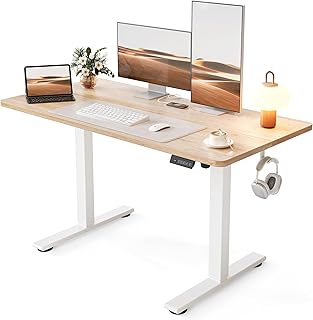
- Splice board ships in a smaller, easier box
- Warm maple top brightens a workspace
- Stable frame for the price
- Straightforward assembly
Cons
- Visible seam where the panels meet
- Cable tray is not included
The FEZIBO electric standing desk leans on a splice-board design, where two panels bolt to the frame instead of one large top. That choice pays off in shipping and assembly: the box is smaller and easier to carry upstairs, and the build goes quickly because the frame does much of the structural work.
The maple top and white frame give it a light, modern look that suits bright rooms, and the frame stays stable through its height range. Memory presets make daily height changes a one-tap affair.
The obvious tradeoff is the seam down the middle where the two panels meet. It is cosmetic and disappears under a keyboard and monitor, but picky shoppers should know it is there. A cable tray is not included, so budget for a clip-on solution.
Bottom line: a strong value for anyone who wants a bright, easy-to-assemble desk and does not mind a center seam in exchange for lighter shipping and a lower price.
- Desktop size: 48 by 24 inches
- Desktop style: two-panel splice board
- Finish: maple top, white frame
- Controls: memory presets
- Lift: single electric motor
- Assembly: flat-pack, quick build
Because the top splits into two panels, the box is lighter and easier to maneuver than a one-piece desk. Bolt the panels to the frame, attach the legs and crossbar, connect the controller, and set your presets. Most people finish comfortably within an hour using the included hardware.
A good fit for shoppers who value easy handling and a bright, modern look, and who want a full electric frame on a budget. The maple finish works well in home offices, studios, and shared spaces that lean light and airy.
Pros
- Excellent value for a full electric desk
- Rigid splice-board top
- Quiet, smooth lift
- High owner satisfaction
Cons
- Center seam is visible up close
- Fewer frills than premium frames
The Cubiker electric standing desk is our Best Value pick because it delivers the core sit-stand experience for less while keeping owners genuinely happy. The splice-board top is rigid, the motor is quiet, and the frame stays steady where you expect budget desks to fall apart.
You get memory presets, a clean white frame, and a top that shrugs off daily use, all at a price that undercuts the premium field. For a first standing desk or a second workstation, it hits a sweet spot of cost and capability.
As with any splice design, there is a seam where the two panels join, and it lacks the extras of high-end frames like a fancy controller or built-in trays. Those are easy to overlook given what you pay.
Bottom line: the smart choice for budget shoppers who refuse to give up daily reliability, offering the best balance of price, stability, and owner satisfaction on this list.
- Desktop size: 48 by 24 inches
- Desktop style: two-panel splice board
- Frame: steel, white finish
- Controls: memory presets
- Lift: single electric motor
- Assembly: flat-pack with hardware
Perfect for first-time buyers, students, and anyone furnishing a home office on a budget who still wants a proper electric frame rather than a manual riser. It also makes a great second desk for a spare room or a partner's workspace.
Wipe the top with a soft damp cloth and avoid soaking the seam. Check the frame bolts after the first few weeks of use and retighten if needed, since a new desk settles. Keep the load within the rated capacity and route cables so they do not snag as the desk rises, and it will serve you for years.

Pros
- Wide 55 inch surface at a low price
- T-shaped bracket adds rigidity
- Memory presets for saved heights
- Great value for the size
Cons
- Wide top needs more room
- Basic finish and cable routing
The Furmax electric standing desk gives you a wide 55 inch surface without the premium price that usually comes with a big top. The T-shaped metal bracket under the desk adds rigidity, helping the large surface stay steady as you raise it.
Memory presets handle your sitting and standing heights, the motor runs quietly, and adjustable feet keep the frame level on imperfect floors. For anyone who wants space to spread out on a tight budget, it is a lot of desk for the money.
The wide top is both the appeal and the catch, since it needs more room than a standard 48 inch desk. The finish and cable routing are basic, so plan on adding a few clips for a tidy look.
Bottom line: an excellent budget choice for larger setups, delivering a wide, reinforced surface and memory presets at a price that is hard to argue with.
- Desktop size: 55 by 24 inches
- Frame: T-shaped metal bracket, steel legs
- Controls: memory presets
- Lift: single electric motor
- Feet: adjustable levelers
- Assembly: flat-pack with hardware
The extra width makes this a natural home for a dual-monitor arm plus a laptop and speakers, or for creatives who need room for a tablet and reference material. If your workflow lives on horizontal space, the wide top is the standout reason to choose it.
Assembly follows the usual flat-pack routine: attach the legs and the T-bracket to the top, secure the crossbar, connect the controller, and program your presets. The wide top is a little unwieldy to flip on your own, so clear a soft area or grab a helper for that step.

Pros
- Compact footprint for small rooms
- Warm rustic top adds character
- Splice board keeps it affordable
- Quiet electric lift
Cons
- Center seam on the splice top
- Standard capacity, not for heavy rigs
The Claiks electric standing desk is built for smaller spaces. At 24 by 48 inches with a warm rustic brown top, it slips into apartments, bedrooms, and cozy corners where a wide executive desk would overwhelm the room.
The splice-board top keeps the price low and the box manageable, while memory presets and a quiet motor cover the daily sit-stand basics. The rustic finish gives it more personality than the usual plain black or white desk.
Being a compact budget desk, it carries a standard capacity that suits a single monitor or a modest dual setup rather than a heavy multi-display rig, and the splice top has a visible seam. Neither is a surprise at this size and price.
Bottom line: a charming, space-saving pick for small rooms and first apartments, pairing a cozy finish with the core benefits of an electric frame.
- Desktop size: 24 by 48 inches
- Desktop style: two-panel splice board
- Finish: rustic brown top, black frame
- Controls: memory presets
- Lift: single electric motor
- Assembly: flat-pack with hardware
The compact footprint is the whole point. It fits tight bedrooms, studio apartments, and shared rooms where floor space is precious, and the rustic top blends with warm, homey decor rather than shouting office furniture.
The splice top and smaller size make this one of the easier desks to carry and build. Bolt the two panels to the frame, attach the legs and crossbar, connect the controller, and set your heights. A single person can manage the whole build without much strain.

Pros
- No assembly and no drilling
- Sits on your current desk
- Wide keyboard tray included
- Smooth height adjustment
Cons
- Uses part of your existing surface
- Fixed depth limits very large monitor arms
The VIVO desk converter is the answer for anyone who cannot or does not want to replace their desk. It sits on top of your existing table and raises your monitor and keyboard together, so you can switch to standing in seconds with no assembly and no drilling.
The wide tiered design holds a monitor up top and a keyboard and mouse on the lower tray, and the lift moves smoothly between heights. For renters, students, and shared offices, it delivers the core benefit of standing without touching your furniture.
The tradeoffs come from the format. A converter uses part of your existing surface and has a fixed depth, so a very large monitor arm or a deep ultrawide can crowd it. It also raises only your gear, not a full work surface.
Bottom line: the best pick for renters and anyone who wants to stand without building a new desk, turning the table you already own into a flexible sit-stand workstation.
- Type: desktop standing desk converter
- Top width: about 32 inches
- Design: two-tier with keyboard tray
- Placement: sits on an existing desk
- Lift: smooth height-adjust mechanism
- Assembly: none required
Purpose-built for renters, dorm residents, and anyone in a shared office where swapping furniture is off the table. It adds sit-stand flexibility to a desk you cannot modify, and it lifts off just as easily if you move or want your flat surface back.
Place the converter on a sturdy desk with a little clearance behind it, set your monitor on the upper platform and your keyboard on the lower tray, then squeeze the handles to raise or lower it to a comfortable elbow height. Start with short standing intervals and alternate with sitting as your body adjusts.
How to Choose the Best Standing Desks
Standing desks look similar at a glance, yet the differences in motor design, frame engineering, and desktop quality decide whether you get a smooth, quiet daily driver or a wobbly frustration. Before you commit, walk through the criteria below. They are the same factors we weighed when ranking the models in this guide, and they map closely to what long-term owners praise or complain about.
Motor Type and Lift Speed
The motor is the heart of any electric standing desk. Single-motor frames are common at the affordable end and handle a normal load of monitors, a laptop, and desk accessories without complaint. They lift a little slower and can feel less balanced when the load sits heavily on one side, but for a typical setup they are perfectly capable and usually run quieter than you expect.
Dual-motor frames, one in each leg, raise and lower faster and stay level even under a heavier or lopsided load. If you run a multi-monitor arm, a mechanical keyboard, and a stack of gear, the extra torque is worth prioritizing. Listen for noise levels too, since a desk you raise several times a day should hum rather than grind.
Height Range and Memory Presets

A frame that cannot reach your correct standing height defeats the purpose. Check the lowest and highest positions against your body. Taller users often get stuck when a desk tops out too low, while shorter users and anyone who wants to sit occasionally need a low enough minimum. A generous range also future-proofs the desk if you share it or change chairs.
Memory presets turn a good frame into a great one. Instead of holding a button and eyeballing the height, you tap a saved number and the desk glides to your exact sitting or standing position. Most quality frames offer three or four presets, which is plenty for one or two users who alternate postures throughout the day.
Desktop Size and Weight Capacity
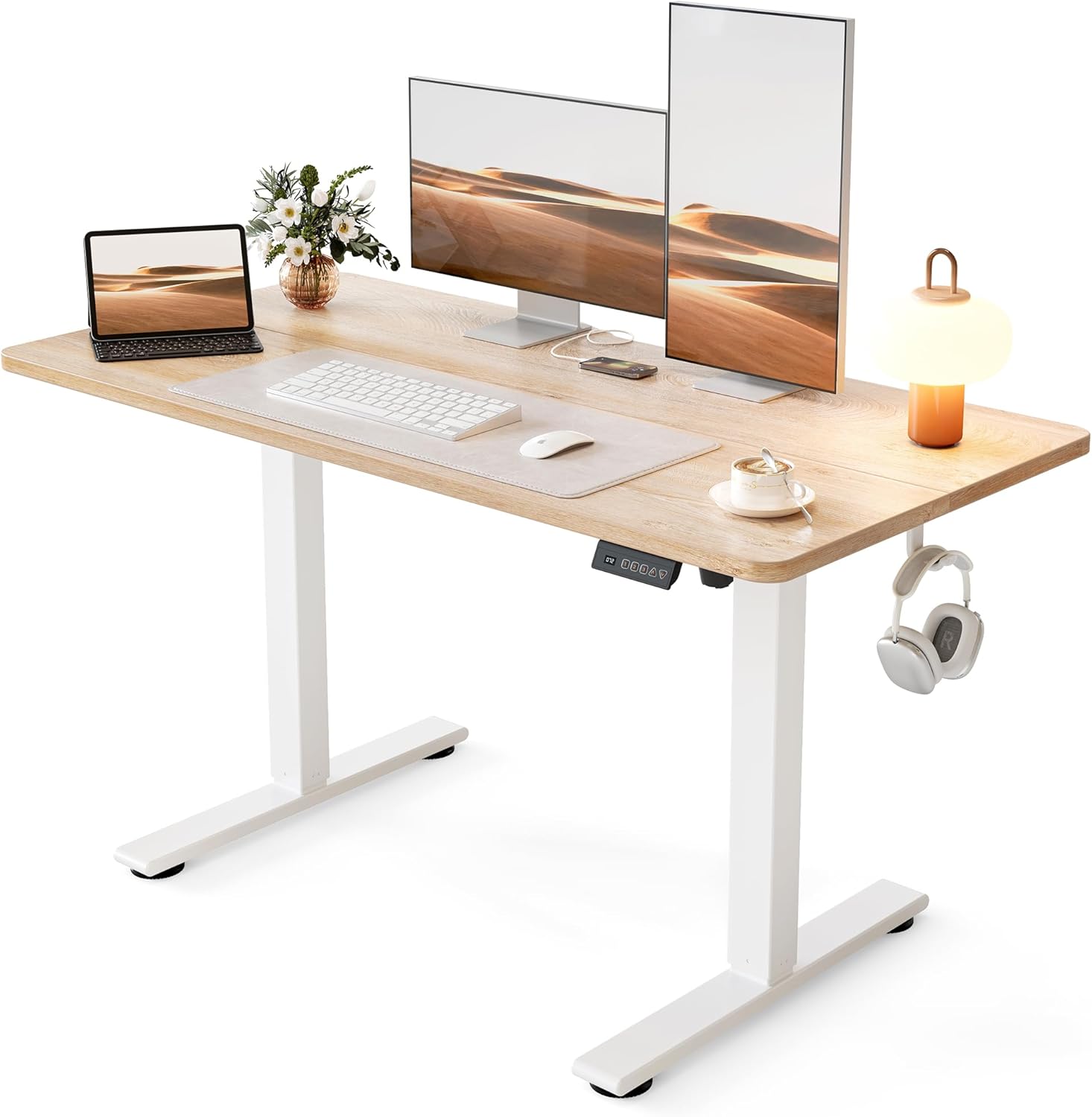
Desktop dimensions shape your whole workflow. A 48 by 24 inch surface fits a single ultrawide or a dual-monitor arm with room for a keyboard and notebook, and it slots into most rooms. If you spread out with paperwork, a drawing tablet, or a triple-monitor rig, a 55 inch or larger top gives welcome breathing room. Measure your space first so the frame clears walls and doors at its widest.
Weight capacity matters more than shoppers assume. Heavy monitors, a desktop tower, and an arm can add up quickly, and a frame pushed near its limit lifts slowly and wobbles more. Aim for headroom above your real load. If you plan to mount two large displays, look at how the desk pairs with the rest of your setup, including the monitors you place on top.
Frame Stability and Wobble

Wobble is the most common complaint about cheap standing desks, and it gets worse the higher you raise the frame. Look for a dual-stage or triple-stage leg design, a thick steel crossbar, and adjustable leveling feet. These details keep the desktop steady when you type hard or lean on it, which is when a flimsy frame shows its weakness.
Splice-board tops, made of two panels bolted to the frame, are a smart trick at the budget end. They ship in a smaller box, cost less, and often feel more rigid than a single thin board because the frame does more of the structural work. A tidy splice seam is a fair trade for a sturdier, cheaper desk.
Assembly and Cable Management
Most electric frames arrive flat-packed and take thirty to sixty minutes to build with the included hardware. Predrilled tops and clear instructions make a big difference, so a desk that skips fiddly alignment steps saves real frustration. Converters and desktop risers skip assembly almost entirely, which is a strong draw for renters and anyone who moves often.
Cable management keeps a standing desk from turning into a tangle as it moves up and down. A frame that lifts a foot or more will drag any cords that are not routed properly, so look for a wire tray, adhesive clips, or grommet holes. A few dollars of cable ties go a long way toward a clean, safe workspace you can find more accessories for in the office products and electronics categories.
Warranty and Long-Term Value
A standing desk is a multi-year purchase, and the frame usually outlives the top. A longer warranty on the motor and mechanism signals that the maker trusts its own engineering, and it protects you against the one part that is expensive to replace. Read what the coverage actually includes, since some warranties cover the frame far longer than the electronics.
Value is not just the sticker figure. A slightly pricier frame that stays quiet and steady for years often costs less over its life than a cheap one you replace early. Balance the upfront cost against build quality, capacity headroom, and warranty length to judge which desk earns its keep.
Standing Desk or Desktop Converter
Not everyone needs a full replacement frame. A desktop converter sits on top of the table you already own and raises your monitor and keyboard together, so you can stand without building or drilling anything. Converters shine for renters, students in dorms, and anyone in a shared office where swapping furniture is not an option. They also cost less and store away if you ever want your flat desk back.
The tradeoff is footprint and reach. A converter takes up part of your existing surface and has a fixed depth, so a very deep monitor arm or a large ultrawide can crowd it. A full electric frame gives you the cleanest ergonomics and the most surface, while a converter gives you speed, portability, and a lower cost of entry. Match the choice to how permanent your workspace is and how much gear you carry.
| Model | Best For | Frame Style | Standout Feature |
|---|---|---|---|
| SHW 55 x 28 | Spacious home office | Dual-stage electric | Large top with built-in drawer |
| FLEXISPOT EN1 | Quiet daily driver | Single-piece electric | Seamless desktop and four presets |
| ErGear 48 x 24 | Everyday all-rounder | Electric adjustable | Reliable memory controller |
| FEZIBO 48 x 24 | Easy assembly | Splice-board electric | Maple top on a stable frame |
| Cubiker 48 x 24 | Budget value | Splice-board electric | High owner satisfaction |
| Furmax 55 x 24 | Large budget setup | T-bracket electric | Wide surface at a low cost |
| Claiks 24 x 48 | Compact spaces | Splice-board electric | Rustic top with small footprint |
| VIVO Converter | Renters and no assembly | Desktop riser | Sits on your existing desk |
Why You Should Trust Us
We build these guides by starting with real market data rather than marketing claims. For this roundup we gathered dozens of current standing desk listings, then filtered down to models with strong ratings and a large base of verified customer feedback, since a desk that thousands of owners live with daily reveals its true strengths and flaws. From that shortlist we compared frame engineering, motor type, height range, desktop quality, and warranty to rank the finalists.
Our editors have covered home office gear for years, and we weigh long-term durability and everyday usability over flashy specs. We do not accept payment to place a product higher, and every pick here earned its spot on merit. When a desk has a known weakness, we say so plainly in its review so you can decide whether the tradeoff fits your workspace.
We also revisit these guides as new models arrive and as owner feedback accumulates, because a frame that impresses on paper can lose points once thousands of people report on its motor noise, wobble, or customer support. That ongoing feedback keeps our rankings honest and current, so the list you read reflects how these desks hold up in real homes and offices rather than a one-time first impression.
Final Thoughts
The best standing desk is the one that matches your space, your load, and your budget. For most people, the SHW 55 x 28 Electric Standing Desk is the standout choice thanks to its roomy surface, steady dual-stage frame, handy drawer, and smooth memory presets. It handles a full multi-monitor setup and still looks tidy in a home office, which is why it earns our Best Overall label.
If you want to spend less without giving up daily reliability, the Cubiker 48 x 24 Electric Standing Desk is our Best Value pick, pairing a rigid splice-board top with strong owner satisfaction. Renters and anyone who cannot assemble a full frame should look at the VIVO desk converter, which turns an existing table into a sit-stand workstation in minutes. Whichever you choose, remember that a standing desk works best alongside a good chair and monitor setup, so browse our other office products guides and the full articles library before you finalize your workspace.
Frequently Asked Questions
Are standing desks worth it in 2026?
For anyone who works at a desk for hours, a height-adjustable frame is a worthwhile upgrade. Alternating between sitting and standing eases pressure on your lower back, keeps your energy steadier through the afternoon, and encourages small movements that pure sitting does not. The key is to actually change positions a few times a day, which is where memory presets earn their keep.
How much standing per day is healthy?
Most ergonomics guidance suggests alternating rather than standing all day. A common rhythm is to stand for fifteen to thirty minutes for every hour or so of sitting, adjusting to what feels comfortable. Start gradually, wear supportive shoes or use an anti-fatigue mat, and let your body set the pace as it adapts.
Single motor or dual motor: which do I need?
A single-motor frame is fine for a standard load of one or two monitors, a laptop, and accessories, and it usually costs less. Choose a dual-motor frame if you run heavy displays, a desktop tower, or an uneven load, or if you simply want faster, more balanced height changes. Both can be quiet and durable when the frame is well built.
Will a standing desk wobble at full height?
Some sway at maximum height is normal for any adjustable frame, but a quality desk keeps it minimal. Dual-stage or triple-stage legs, a thick crossbar, and level feet all reduce wobble. If you type aggressively or lean on the surface, prioritize a sturdier frame and avoid loading it far beyond its rated capacity.
What if I cannot assemble a full desk?
A desktop converter or riser is the answer. It sits on your current table and lifts your monitor and keyboard so you can stand without building anything or drilling into your furniture. It is ideal for renters, dorms, and shared spaces. You can compare more workspace upgrades across our categories to round out your setup.
Can I use a treadmill under a standing desk?
Yes, and a walking pad pairs naturally with a full electric frame that reaches a true standing height. Set the desk to a comfortable elbow position while you walk slowly, keep your pace gentle so you can still type and read clearly, and make sure the frame is rated for the load once your gear is on top. Start with short walking sessions and build up as your legs adapt to moving while you work.


Write Your Review
No reviews yet. Be the first to share your experience!