

Two terabytes is the sweet spot for an NVMe drive right now: enough for a system disk plus a modern game library, and no longer priced like a luxury. The hard part is that the headline figure on the box, sequential read speed, is close to irrelevant for how a computer actually feels. We compared 10 2TB NVMe SSDs from Western Digital, WD_BLACK, Kingston and more on PCIe generation, cache design, sustained write behaviour and thermal needs, updated for August 2026.
Our top pick is the WD_BLACK SN850X for the balance it strikes: full Gen4 speed, a DRAM cache, and sustained performance that holds up when you actually move large files. The rest of the list divides by which slot your machine has and what you do with the drive, which the guide below sorts out. More component comparisons sit in our computers section.

Pros
- Reaches the practical ceiling of what Gen4 offers
- Onboard DRAM cache keeps heavy work consistent
- Long enough in the market that its behaviour is well documented
- Available bare or with a heatsink to suit the build
Cons
- Runs warm under sustained load, so airflow or a shield matters
- Gen4 ceiling means no benefit on a Gen5 board over a Gen5 drive
Most machines being built or upgraded today have a Gen4 slot, and this is the drive that leaves nothing on the table in one. It sits at the top of what the interface can carry, so the money buys capability the computer can actually use.
The onboard DRAM cache is the reason to prefer it over cheaper drives with similar headline numbers. Where DRAM earns its place is sustained work: long writes, large file operations, and a drive that is running fairly full, and that is exactly where value drives sag.
It has also been on sale long enough that its behaviour under load is well understood rather than a matter of hope, which is worth something in a category where components sometimes change quietly between production runs.
The one thing to plan for is heat. It runs warm at full tilt, so use the motherboard's M.2 shield or buy the heatsink version, particularly in a console or a case with poor airflow.
Bottom line: the default recommendation for a Gen4 machine, and the drive to buy if you would rather not think about it again.
- Interface: PCIe Gen4 x4
- Form factor: M.2 2280
- Capacity: 2 TB
- Sequential read: up to 7300 MB/s
- Sequential write: up to 6300 MB/s
- Cache: onboard DRAM
For a gaming desktop or a workstation with a Gen4 slot, and for anyone whose workload includes moving large files rather than only launching games. Skip it if your board is Gen3, where the interface caps the speed and a cheaper drive performs identically.
Check which M.2 slot on your board runs at full Gen4 speed before fitting, since secondary slots are often slower and the symptom is invisible. Then decide between the bare and heatsink versions based on clearance under your graphics card, because a tall heatsink and a large card frequently want the same space.

Pros
- Highest quoted Gen4 read figure among these drives
- Onboard DRAM cache for consistent sustained performance
- Well regarded thermal behaviour for a flagship Gen4 drive
- Samsung management software reports health and firmware
Cons
- Priced as a flagship, and the gap to value Gen4 drives is not felt in gaming
- Gen4 ceiling, so it cannot use a Gen5 slot's extra bandwidth
This is the other flagship Gen4 answer, and choosing between it and the WD_BLACK is close to a coin toss on performance. Both sit at the interface ceiling, both have onboard DRAM, and both hold up under sustained work.
Where Samsung has an edge is the software around the drive. Its management tool reports drive health clearly and handles firmware updates, and firmware has mattered in this category more than once across the industry.
Thermally it has a good reputation for a drive this fast, which reduces how much you need to think about heatsinks in a desktop with reasonable airflow.
The honest caveat applies to both flagships: for gaming and general use, you will not feel the difference against a solid mid range Gen4 drive, because those workloads are small scattered reads rather than long sequential transfers.
Bottom line: a flagship equal to the top pick, and the one to choose if you value the vendor software.
- Interface: PCIe 4.0 x4
- Form factor: M.2 2280
- Capacity: 2 TB
- Sequential read: up to 7450 MB/s
- Cache: onboard DRAM
- Software: vendor health and firmware tool
For a Gen4 desktop where you want a flagship and prefer strong vendor software. Less compelling if the drive is only holding a game library, where a value Gen4 drive delivers the same felt performance.
Install the vendor tool once, check for a firmware update, then leave it running quietly rather than polling constantly. Keep the drive under the board's M.2 shield if you have one, and leave ten to twenty percent of capacity free, since a nearly full SSD loses both write speed and wear headroom.
Pros
- Very high quoted write speed for its tier
- Efficiency focus, which the maker highlights as performance per watt
- Single sided M.2 2280 board suits thin laptops
- Modern controller generation
Cons
- Newer to market, so long term field behaviour is less documented
- Efficiency tier rather than the absolute top of Gen4
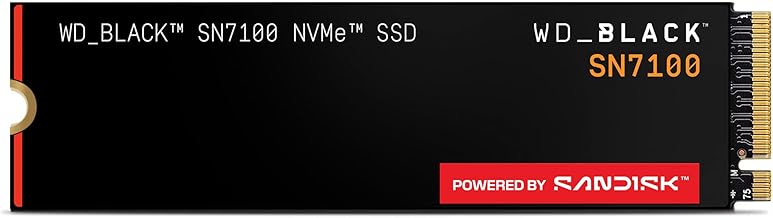
The interesting number here is the write figure. Six thousand nine hundred megabytes per second quoted write is close to the read speed, which is unusual outside flagship drives and useful for anyone who moves large files rather than only reading them.
The design goal the maker emphasises is efficiency, meaning performance per watt rather than raw peak. In a desktop that is a footnote. In a laptop it is the whole argument, because a cooler drive that draws less power throttles less in a cramped chassis and costs less battery life.
The single sided board matters for the same reason. Thin laptops frequently accept only single sided drives, and a double sided one either does not fit or bakes against the chassis.
Being newer, there is less accumulated field history than the SN850X has, which is a mild argument for the older drive in a desktop where power draw does not matter.
Bottom line: the laptop pick among Gen4 drives here, and a strong desktop option if writes matter to you.
- Interface: PCIe Gen4
- Form factor: M.2 2280, single sided
- Capacity: 2 TB
- Sequential read: up to 7250 MB/s
- Sequential write: up to 6900 MB/s
- Design focus: performance per watt
For a laptop upgrade where power and thickness constrain the choice, and for desktop users who write large files regularly. Less necessary if you want the longest field track record, where the older flagship is better documented.
In a laptop, fit it without a heatsink and rely on the machine's own thermal pad or shield, since a tall heatsink will stop the case closing. Check the service manual for single sided requirements before ordering. In a desktop, put it in the primary M.2 slot so the Gen4 lanes are actually available to it.

Pros
- Dual lane configuration works in both Gen4 and Gen5 slots
- Useful flexibility in laptops where lane allocation varies
- High read speed for a mid tier drive
- Samsung software support for health and firmware
Cons
- Peak speed sits below the flagship Gen4 drives here
- Dual mode flexibility does not raise the ceiling, it only widens compatibility
The unusual feature here is lane flexibility. This drive can run four Gen4 lanes or two Gen5 lanes, reaching similar throughput either way, which makes it easier to place in machines where the available slot is not what you expected.
That matters most in laptops and small form factor systems, where a manufacturer may wire a slot with fewer lanes than the specification sheet implies. A drive that performs well in either configuration removes a compatibility gamble.
On outright speed it sits below the flagship Gen4 drives, which is the honest position of a mid tier product. In everyday use the difference is not perceptible, because desktop responsiveness is driven by small random reads rather than sequential peaks.
Samsung's management software applies here too, which is a real convenience for firmware and health reporting.
Bottom line: the flexible fitment pick, and a sensible mid tier choice when you are unsure what the slot will give you.
- Interface: PCIe Gen4 x4 or Gen5 x2
- Form factor: M.2 2280
- Capacity: 2 TB
- Sequential read: up to 7250 MB/s
- Software: vendor health and firmware tool
- Use: desktop and laptop
For upgrades where the slot's lane configuration is uncertain, especially laptops and compact systems. Not the pick if you want the highest Gen4 figures for large file work, where the flagships are measurably ahead.
Lane count is worth checking on any machine that is not a standard desktop, because a slot advertised as Gen4 may be wired with two lanes. A drive that operates well in either configuration protects you from that, and it is a better safeguard than buying the fastest drive you can find.
Pros
- Roughly double Gen4 sequential throughput on a Gen5 slot
- Very high sustained write figure for large file work
- The right choice for video workflows on current hardware
- Latest controller generation
Cons
- Needs a Gen5 slot, otherwise it runs at Gen4 speed for no benefit
- Requires serious cooling to avoid thermal throttling
- No perceptible gain in gaming or general desktop use
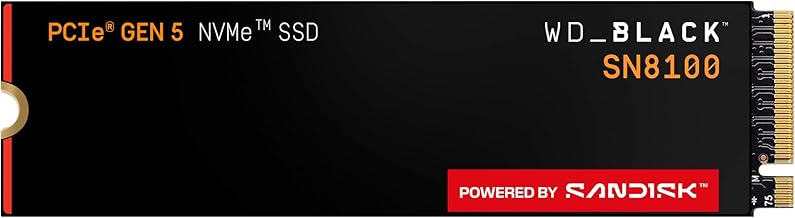
This is a specialist purchase and worth being clear about. On a Gen5 slot it roughly doubles Gen4 sequential throughput, and for anyone editing large video files or shifting tens of gigabytes at a time, that is real time saved.
On a Gen4 board it is money wasted, because the drive negotiates down and runs at Gen4 speed. Nothing breaks and nothing warns you, which is exactly why the slot check comes before the purchase.
Heat is the other condition. Gen5 controllers run hot enough that a substantial heatsink, or active airflow over the M.2 area, is part of reaching the advertised figures rather than an optional accessory.
For gaming and normal desktop work, this will feel the same as a good Gen4 drive. Boot times and application launches are dominated by small random reads that both handle instantly.
Bottom line: buy it for large file workflows on a Gen5 board, and do not buy it for gaming.
- Interface: PCIe 5.0 x4
- Form factor: M.2 2280
- Capacity: 2 TB
- Sequential read: up to 14900 MB/s
- Sequential write: up to 11000 MB/s
- Cooling: substantial heatsink or airflow expected
For video editors, 3D workflows and anyone routinely moving very large files on a board with a Gen5 slot. Not for gaming rigs, laptops with tight clearance, or any Gen4 machine, where the extra cost returns nothing.
Plan cooling before installation: check clearance for a tall heatsink against the graphics card and CPU cooler, and make sure some air moves across the M.2 area. Watch for transfers that start fast and then sag, which is the signature of throttling, and leave capacity headroom so the write buffer stays large.

Pros
- Gen5 throughput with Samsung's software and firmware support
- Heatsink version available for constrained builds
- Strong option for professional large file workloads
- Flagship build with a long warranty class
Cons
- Only worthwhile with a Gen5 slot in the machine
- Thermal management is mandatory rather than optional
- Gaming performance is indistinguishable from a good Gen4 drive
Samsung's Gen5 flagship covers the same ground as the WD_BLACK SN8100, and the choice between them comes down to ecosystem rather than performance. Both are aimed at people whose work is bounded by how fast large files move.
Samsung's advantage is again the software. Health reporting and firmware updates through a maintained tool is a genuine convenience on a drive you expect to keep for years.
Cooling is not negotiable at this speed. Whether you buy the heatsink version or rely on a board mounted solution, thermal headroom is what separates advertised figures from measured ones.
As with every Gen5 drive, be honest about the workload. If the machine is for gaming, the money is better spent on capacity or elsewhere in the build entirely.
Bottom line: a Gen5 flagship for professional file work, and unnecessary for anything else.
- Interface: PCIe 5.0 x4
- Form factor: M.2 2280
- Capacity: 2 TB
- Sequential read: up to 14700 MB/s
- Cooling: heatsink version available
- Software: vendor health and firmware tool
Confirm three things before buying any Gen5 drive: that the board has a Gen5 M.2 slot, that the slot is not shared with lanes you need elsewhere, and that there is physical clearance for whatever cooling you intend. Fail any of the three and a Gen4 drive is the better purchase.
Fit the heatsink version or a board heatsink rather than running bare, and check that the drive is not sitting directly under a hot graphics card backplate. Update firmware through the vendor tool when you first install it, and keep free space above ten percent so background housekeeping has room to work.

Pros
- Heatsink included, which the PlayStation 5 requires
- High Gen4 read and write figures for its tier
- Explicitly listed as console compatible
- Straightforward drop in upgrade for a PS5 bay
Cons
- Check heatsink height against the console bay and any desktop clearance
- Less field history than the long established flagships
This is the console answer. A PlayStation 5 expansion drive has to be Gen4, M.2 2280, fitted with a heatsink, and fast enough to clear Sony's sustained read guidance. This one arrives with the heatsink already on it, which removes the most common mistake people make.
The quoted figures are genuinely high for a mid tier Gen4 drive, and comfortably above the console requirement, so there is headroom rather than a marginal pass.
In a desktop it is equally usable, with the caveat that any pre fitted heatsink has to clear whatever else is over the M.2 slot. In a laptop it is the wrong choice for exactly that reason.
Field history is shorter than the flagships, which matters more for a working system disk than for a game library.
Bottom line: the simplest correct PlayStation 5 upgrade here, and a solid Gen4 desktop drive otherwise.
- Interface: PCIe Gen4 x4
- Form factor: M.2 2280 with heatsink
- Capacity: 2 TB
- Sequential read: up to 7400 MB/s
- Sequential write: up to 6500 MB/s
- Compatibility: listed for PlayStation 5
For PlayStation 5 owners expanding storage, and for desktop builders who want a heatsink included. Not for laptops, where a pre fitted heatsink stops the case closing.
In the console, power down fully, remove the expansion bay cover, seat the drive at an angle then flatten it before tightening the screw, and let the system format it on first boot. Move games rather than reinstalling them if you can, and leave some capacity free so the drive keeps its write buffer.

Pros
- Strong Gen4 read figure for a mid range drive
- Listed for handheld gaming systems as well as PCs
- Established brand with straightforward support
- Sensible middle ground between value and flagship tiers
Cons
- Sustained write behaviour on large transfers is where mid tier drives give ground
- Not the fastest Gen4 option here for heavy file work
This sits in the useful middle of the Gen4 range: most of the read speed of a flagship, at a tier below it, and broad enough compatibility that the same drive covers a laptop, a desktop and a handheld console.
For the way most people use storage, that is the right place to buy. Launching games and applications is dominated by small random reads, where this is indistinguishable from drives costing considerably more.
The place mid tier drives give ground is sustained writing. Copy far more than the fast buffer holds and the rate drops to the drive's native write speed, which is a bigger fall on value oriented flash than on flagship parts.
Compatibility with handhelds is a real selling point, as those systems are increasingly where a second large drive is wanted.
Bottom line: a sound mid range Gen4 choice, and a good fit if the drive will hold games rather than video projects.
- Interface: PCIe Gen4
- Form factor: M.2 2280
- Capacity: 2 TB
- Sequential read: up to 7100 MB/s
- Listed use: laptop, desktop, handheld
- Tier: mid range
For general purpose use where the drive holds games, documents and media rather than large video projects. Less suitable as a working scratch disk for editing, where flagship sustained writes are worth paying for.
Match the tier to the workload rather than buying the top of the range by default. If your largest routine operation is installing a game, mid range Gen4 is the correct purchase and the savings are better spent on capacity, which also keeps the drive out of the nearly full state where everything slows down.

Pros
- Two terabytes of NVMe capacity at the value end
- Gen4 interface with modest, honest speed claims
- Perfectly adequate for game libraries and general storage
- M.2 2280 fitment for desktops and most laptops
Cons
- Three thousand five hundred megabytes per second is Gen3 class speed on a Gen4 interface
- Value tier drives can change components between production runs, so measured speeds vary
- Sustained writes drop noticeably once the fast buffer is used up
The value pick, and the reasoning is about what you actually notice. Three thousand five hundred megabytes per second is roughly Gen3 speed, and for loading games, launching applications and booting an operating system, it is indistinguishable from a drive quoting twice the figure.
What you are buying is two terabytes of NVMe storage without the flagship premium, and capacity has a real performance benefit of its own: a drive with plenty of free space keeps a larger write buffer and wears more evenly.
The trade shows up on large sustained writes, where the rate falls once the fast buffer is exhausted. If you routinely copy fifty gigabytes at a time, this is not the drive.
One general caution for the value tier from any brand: components are sometimes revised between production runs, so measured speeds can differ from one purchase to another even under the same model name.
Bottom line: the sensible choice for a game library or bulk storage, and the wrong one for a video editing scratch disk.
- Interface: PCIe 4.0 Gen4 x4
- Form factor: M.2 2280
- Capacity: 2 TB
- Sequential read: up to 3500 MB/s
- Tier: value
- Use: storage and game libraries
For a second drive holding games and media, and for older machines whose slot cannot exceed this speed anyway. Not for sustained large file work or as a professional working disk.
At the value tier, buy capacity over headline speed, because free space affects real performance more than sequential rating does at this level. Also check the actual slot in your machine: if it is Gen3, a faster drive brings nothing and this class is exactly the right purchase.

Pros
- Lowest cost route to two terabytes of NVMe here
- Gen3 interface matches older boards exactly
- Fine for reads, which is most of what a storage drive does
- Simple M.2 2280 fitment
Cons
- QLC flash means sustained writes fall a long way once the buffer is exhausted
- Lower endurance rating than TLC drives
- Gen3 speeds, so no headroom if you upgrade the board later
This is the budget option and it is honest about being one. Gen3 interface, QLC flash, and two terabytes of capacity for an older machine that cannot use anything faster anyway.
For reads it is perfectly serviceable, and reads are the majority of what a storage drive does: loading a game, opening a project, streaming media off the disk. None of that is where QLC struggles.
Where it struggles is writing a lot at once. QLC packs more bits per cell, and once the fast buffer is used up the native write rate is slow, in bad cases slower than a mechanical disk. Copying a large library onto it is a patient job.
Endurance is also rated lower than TLC, which is acceptable for storage and not what you want for a system disk doing constant writes.
Bottom line: buy it as cheap bulk NVMe capacity for an older machine, not as a working drive.
- Interface: Gen3 PCIe
- Flash: QLC
- Form factor: M.2 2280
- Capacity: 2 TB
- Tier: budget
- Use: bulk storage
For an older desktop or laptop with a Gen3 slot that needs cheap capacity, and for a secondary storage drive. Not for a system disk under constant writes, and not for anyone who regularly moves very large files.
Use it for finished files, media and installed games rather than as a working folder for editing. When first filling it, copy in stages rather than one enormous transfer so the buffer has time to fold data into the flash. Keep some free space so writes do not slow further, and keep the operating system on a faster drive if you have one.
How to Choose a 2TB NVMe SSD
PCIe Generation Only Helps If Your Board Has the Slot
This is the first thing to settle, and it is settled by your motherboard rather than your budget. A Gen5 drive in a Gen4 slot runs at Gen4 speed. A Gen4 drive in a Gen3 slot runs at Gen3 speed. The drive negotiates down without complaint, so nothing breaks, you simply paid for capability the machine cannot use.
Check which slot you have before shopping, because boards often have one fast slot and one or two slower ones. Fitting a fast drive into the second slot is a common and invisible mistake, and the only symptom is performance that does not match the box.
Gen3 is not obsolete, it is just slower on paper: around three and a half thousand megabytes per second, which still loads an operating system faster than anyone can perceive. If your machine is a few years old, a Gen3 or a value Gen4 drive is the sensible purchase and the money is better spent on capacity.
Sequential Speed Is Not What You Feel
Sequential read is the number printed largest and the number that matters least in ordinary use. It describes copying one enormous file end to end. Booting, launching applications and loading a game are made of thousands of small scattered reads, which is a completely different workload.
What governs that feel is random performance at low queue depth, and every current NVMe drive is so far ahead of a hard disk there that the differences between them are hard to notice. This is why a Gen5 drive does not make Windows feel twice as quick as a Gen4 drive, however the specifications read.
Sequential speed does matter for specific work: video editing with large source files, moving whole game libraries between drives, and any job that reads or writes tens of gigabytes at a time. If that is not your workload, treat the headline figure as a tie breaker rather than a reason to spend.
DRAM Cache Versus DRAM-less Designs

Drives keep a map of where data lives, and where that map is stored changes behaviour under load. A drive with its own DRAM keeps the map on board. A DRAM-less drive borrows a slice of system memory instead, using host memory buffer, which is cheaper to build.
For everyday use, the difference is genuinely small, and modern DRAM-less controllers are good. The gap opens on sustained heavy work: long writes, large file operations and drives that are nearly full, where an onboard DRAM cache holds performance more consistently.
The practical rule is to prefer DRAM on a drive that will be a working disk for editing or virtual machines, and to accept DRAM-less on a game library or general storage drive where the savings are better spent on capacity.
SLC Cache, TLC and QLC on Big Writes
Every consumer drive here writes fast in short bursts by treating part of its flash as a fast buffer, then folds that data into denser storage afterwards. As long as your write fits in that buffer, you see advertised speed. When you exceed it, speed drops to the drive’s native write rate, and the drop can be dramatic.
This is where TLC and QLC separate. QLC packs more bits per cell, which lowers cost per terabyte, and its native write speed after the buffer is exhausted is much slower, in bad cases slower than a mechanical disk. TLC drives fall further than their headline figure too, just not as far.
If you regularly copy fifty gigabytes at a time, this behaviour matters more than any sequential number and you want TLC. If your writes are small and occasional, QLC is a reasonable way to buy capacity, and reads are unaffected either way.
Heat, Heatsinks and Thermal Throttling

Fast drives run hot, and a hot controller slows itself down to protect the flash. A Gen4 drive in reasonable airflow is usually fine bare, especially under a motherboard’s own M.2 shield. Gen5 drives are a different proposition and generally expect a substantial heatsink or active cooling as a condition of reaching their advertised speed.
Throttling does not announce itself. What you see is a transfer that starts fast and then sags, which is easy to mistake for the cache behaviour described above. Both can happen in the same copy operation, which is why a cool drive with a modest rating often beats a hot one with a big number.
Check clearance before buying a drive with a tall heatsink, because a graphics card or a CPU cooler will sometimes sit directly over the M.2 slot. Buying the bare version and using the board’s shield is often the tidier answer in a crowded case.
PlayStation 5 and Laptop Fitment

The console case is specific: an M.2 2280 Gen4 drive, with a heatsink, and Sony’s guidance points to sustained read speeds comfortably above five and a half thousand megabytes per second. Most current Gen4 drives clear that easily, so the deciding factors are the heatsink and whether the drive physically fits the bay.
Laptops are the opposite problem: space is tight, a tall heatsink will not close, and some thin machines only accept single sided drives with flash on one face. A double sided drive can foul the chassis or overheat against it, so check the service manual rather than assuming.
In a desktop, none of this is usually a constraint. Fitment questions and other build considerations come up across our electronics section as well.
Capacity Headroom and Why a Full Drive Slows Down
An SSD that is nearly full behaves worse than the same drive half empty, and this surprises people who treat storage as a bucket. The fast write buffer is carved out of unused flash, so as free space shrinks the buffer shrinks with it, and the drive spends more time reorganising data in the background.
The practical guidance is to keep roughly ten to twenty percent free. That headroom is a large part of the argument for two terabytes rather than one: not because you need every gigabyte, but because a two terabyte drive holding a terabyte of games is operating comfortably while a one terabyte drive holding the same is struggling.
It also affects endurance. A drive with room to spread writes across more free blocks wears more evenly, so headroom buys both speed and life. If the choice is between a faster drive that will run full and a slower one with space, take the space.
Endurance Ratings, Warranty and Firmware
Endurance is published as terabytes written, and for a two terabyte TLC drive the figure is comfortably beyond what a desktop writes in five years of ordinary use. It is a useful comparison point between drives rather than a countdown you should worry about, and QLC drives sit lower without being a problem for storage duty.
Five year warranties are standard at this tier, and they are worth checking because the practical failure mode of a modern SSD is the controller rather than worn out flash. A drive that fails tends to do it early or not at all.
Firmware is the part people forget. Major brands ship management software that reports drive health and applies firmware updates, and there have been real cases across the industry where an update fixed performance or stability problems. Install the manufacturer’s tool once, check for an update, then leave it alone.
| What you are building | What to buy | Why |
|---|---|---|
| Gaming desktop, Gen4 board | Gen4 TLC drive with DRAM | Full speed the board can use, consistent under load |
| Gen5 board, video work | Gen5 drive with a real heatsink | Large file throughput is where Gen5 pays off |
| PlayStation 5 expansion | Gen4 M.2 2280 with heatsink | Console requires the heatsink and the sustained speed |
| Older machine, Gen3 slot | Value Gen4 or Gen3 drive | The slot caps speed, so spend on capacity instead |
| Game library storage | DRAM-less TLC drive | Reads are what matter, savings buy capacity |
| Thin laptop upgrade | Single sided drive, no heatsink | Clearance and chassis contact decide what fits |
Why You Should Trust Us
We build these lists from published specification and from the pattern of what long term owners report. For each drive here we looked at the PCIe generation and lane configuration, the stated sequential read and write figures, whether the design uses an onboard DRAM cache or host memory buffer, the flash type, whether a heatsink version exists, and the form factor including single or double sided construction.
We set aside listings that were the same drive in a different capacity or with a heatsink added, so every entry is a genuinely different choice at two terabytes. Where a brand appears more than once, the drives sit in different generations or different tiers rather than being variations of one product.
Final Thoughts
Best overall is the WD_BLACK SN850X. It reaches the top of what Gen4 offers, it has an onboard DRAM cache so heavy work stays consistent, and it has been in the market long enough that its behaviour is well understood. For the majority of machines, which have a Gen4 slot, it is the drive that leaves nothing on the table.
Best value is the Kingston NV2, which is deliberately not chasing peak numbers. It gives you two terabytes of NVMe storage on a Gen4 interface at a sensible position, and for a game library or general storage the sequential ceiling is not what you notice. The WD Green SN350 sits below it as the budget option for an older Gen3 machine.
For specific needs: the Samsung 990 PRO is the alternative flagship Gen4 pick with a strong thermal record, the WD_BLACK SN7100 is the efficient modern choice for a laptop, the Samsung 990 EVO Plus straddles Gen4 and Gen5 lanes for flexible fitment, and the WD_BLACK SN8100 and Samsung 9100 PRO are the Gen5 drives worth having only if your board has a Gen5 slot and cooling to match. The Lexar NM790 with its heatsink is the straightforward PlayStation 5 answer, and the Crucial P310 is a solid mid range Gen4 option. Browse more of our comparisons in the category index or the article archive.
2TB NVMe SSD FAQs
Is a Gen5 drive worth it in 2026?
Only if your motherboard has a Gen5 slot and your work involves very large files. In a Gen4 slot a Gen5 drive simply runs at Gen4 speed, so the extra cost buys nothing. Even on a Gen5 board, booting and launching applications feel the same, because those are small scattered reads rather than big sequential transfers. Video editors moving huge source files will see the difference, and most people will not.
Do I need a heatsink on an NVMe drive?
For Gen4 in a desktop with reasonable airflow, the motherboard’s own M.2 shield is usually enough. For Gen5, plan on a substantial heatsink or active cooling, because those drives throttle without it and throttling is what turns an advertised figure into a disappointment. A PlayStation 5 requires a heatsink. In a thin laptop, avoid tall heatsinks entirely and check whether the machine takes single sided drives only.
Does a DRAM-less drive matter for gaming?
Barely. Games are read heavy, and a DRAM-less controller using host memory buffer handles reads well, so load times land within a hair of a DRAM equipped drive. Where DRAM earns its place is sustained writing and drives that stay nearly full, which describes a working disk for editing or virtual machines rather than a game library.
Will any 2TB NVMe drive work in a PlayStation 5?
Not any drive, but most current Gen4 ones. The requirements are an M.2 2280 Gen4 drive with a heatsink, and sustained read performance comfortably above five and a half thousand megabytes per second, which nearly every Gen4 drive on this list clears. The two things people get wrong are buying a bare drive with no heatsink and buying a drive whose heatsink is too tall to close the console bay.
How long will a 2TB NVMe drive last?
Longer than most people keep the computer. Endurance is quoted as terabytes written, and a two terabyte TLC drive is typically rated in the high hundreds to low thousands, which is far beyond normal desktop use over five years. QLC drives are rated lower but still generous for a storage drive. Warranties of five years are common, and the practical failure mode is usually the controller rather than worn out flash. More component guidance is in our computers section.

Write Your Review
No reviews yet. Be the first to share your experience!