

Building a gaming rig used to mean choosing between a thin wallet and playable frame rates, but that trade off has softened. The current wave of gaming PCs under $1500 packs modern graphics cards, roomy solid state storage, and six or eight core processors into towers that ship ready to play. For September 2026 we pulled together 7 prebuilt machines that stretch every dollar, spanning integrated graphics starters, esports focused towers, and near ceiling builds that push into entry 1440p. Our top pick is the Skytech Shadow 5, whose Ryzen 7 8700F and RTX 5060 Ti deliver the smoothest 1080p and confident entry 1440p frame rates in this class.
Every system on this list is a real desktop that owners have rated highly, and the lineup covers YAWYORE, CyberPowerPC, Thermaltake and more. If your budget runs higher and you want flagship graphics, our roundup of the best gaming PCs covers the premium tier. This guide stays focused on value, so read on to see which tower under $1500 fits the way you actually play.

Pros
- Eight core Ryzen 7 8700F adds real CPU headroom
- RTX 5060 Ti drives smooth 1080p and 1440p
- Strong choice for streaming while playing
- Newer platform leaves room for future chips
Cons
- Costs a little more than entry towers
- Single fan cooling can get loud under load
The Skytech Shadow 5 answers a common question in this price range: what if you want more processor without leaving the value bracket. Its eight core Ryzen 7 8700F brings noticeably more multitasking muscle than the six core chips common at this level, which pays off when you record, stream, or keep demanding apps open beside your game.
The graphics side matches our top pick, with the same RTX 5060 Ti that comfortably powers high refresh 1080p and steps into 1440p. Pairing that card with a stronger processor means the system stays balanced as games lean more on the CPU in the years ahead.
Skytech wraps it all in an airflow minded case with a clean build, so thermals stay in check during marathon sessions. The newer platform also means an easy processor upgrade later without changing the whole foundation.
Bottom line: choose the Shadow 5 when you want the same great graphics card as our top pick but with extra CPU headroom for streaming and heavier multitasking.
- Processor: AMD Ryzen 7 8700F, eight cores
- Graphics: NVIDIA GeForce RTX 5060 Ti, 8GB VRAM
- Memory: DDR5
- Storage: NVMe solid state drive
- Connectivity: WiFi and Bluetooth
- Chassis: Airflow focused mid tower
In games, the RTX 5060 Ti sets the pace, and it is a confident 1080p and 1440p performer across popular titles. The eight core processor keeps minimum frame rates steady in CPU heavy games such as large simulations and busy online shooters.
For players who stream or capture footage, the extra cores mean your frame rate holds up while the encoder does its work in the background.
The Shadow 5 suits the gamer who is also a creator, streamer, or heavy multitasker and wants more processing power without stepping up to a premium tower.
It is also a smart choice if you plan to keep the machine for several years and want a platform with a clear processor upgrade path.

Pros
- RTX 5060 Ti delivers strong 1080p and light 1440p performance
- 80 Plus Gold power supply is a quality touch at this tier
- Clean single-drive layout is easy to expand
- Compact, tidy build that suits a first gaming desktop
- WiFi built in for flexible placement
Cons
- 16GB of DDR4 memory is the practical floor for modern games
- The Ryzen 5 processor has fewer cores for heavy multitasking
The Skytech Storm is our best value pick because it puts a current RTX 5060 Ti at an accessible price. That card is a capable 1080p performer that can stretch into 1440p in many games once you tune settings, which makes this a smart entry point into current-generation gaming.
Skytech pairs the card with a quality 80 Plus Gold power supply, which is a reassuring choice at this tier and gives the system stable, efficient power. The single 1TB NVMe drive keeps the layout clean and leaves room to add storage later without wrestling a cluttered interior.
The compromises are sensible ones. The Ryzen 5 processor and 16GB of DDR4 memory are the practical floor for modern titles, so heavy multitaskers and streamers will feel the limits sooner than on the pricier picks. For pure 1080p gaming, though, the balance holds up well.
Bottom line: if you are building a first gaming rig or sticking to a tighter budget, the Skytech Storm gives you the most current-generation gaming for the money on this list.
- Processor: AMD Ryzen 5 5500
- Graphics: NVIDIA GeForce RTX 5060 Ti 8GB
- Memory: 16GB DDR4 3200
- Storage: 1TB NVMe SSD
- Power supply: 650W 80 Plus Gold
- Connectivity: WiFi 5
- Operating system: Windows 11
- Target resolution: 1080p, light 1440p
This is an ideal first gaming desktop. It arrives assembled and ready to play, the parts are balanced for 1080p, and the tidy interior makes the eventual jump to more memory or storage far less intimidating than a cramped compact build.
If you already run multiple monitors for streaming or heavy creative work, one of the higher-core picks will serve you better over time.
The easiest and most rewarding upgrade here is memory. Moving from 16GB to 32GB smooths out modern open-world games and background apps. After that, a second drive addresses storage, and the Gold power supply leaves some room to step up the graphics card later.

Pros
- Core i7-14700F brings a high core count for the price
- Strong single-core speed suits competitive esports
- Faster DDR5 memory over comparable budget rigs
- PCIe 4.0 NVMe drive for quick loads
- WiFi ready and Windows 11 preinstalled
Cons
- 8GB of graphics memory limits the highest 1440p texture settings
- 16GB of system memory is worth upgrading before long
The CyberPowerPC Gamer Xtreme leans on Intel for its appeal. The Core i7-14700F offers a high core count and strong single-core speed, which pays off in fast-paced competitive games where the processor matters as much as the graphics card.
It backs that chip with an RTX 5060 Ti and quicker DDR5 memory than you find on many budget rigs, plus a PCIe 4.0 NVMe drive for fast loads. The result is a snappy 1080p machine that also handles 1440p in plenty of titles.
The limits are the 8GB of graphics memory, which caps the very highest texture settings at 1440p, and 16GB of system memory that is worth expanding as games grow. Neither gets in the way of smooth, high-frame-rate play at 1080p.
Bottom line: if you value CPU speed for esports and a responsive all-round feel, this Intel-based Gamer Xtreme is a strong mid-range choice.
- Processor: Intel Core i7-14700F
- Graphics: NVIDIA GeForce RTX 5060 Ti 8GB
- Memory: 16GB DDR5
- Storage: 1TB PCIe 4.0 NVMe SSD
- Connectivity: WiFi ready
- Operating system: Windows 11 Home
- Target resolution: 1080p, 1440p in many titles
The fast Core i7 makes this a natural fit for competitive shooters and other titles that reward high frame rates and quick CPU response. Paired with a high-refresh 1080p monitor, it delivers the kind of low-latency feel esports players look for.
For story-driven 4K showcases, one of the RTX 5070 or RTX 5080 picks is the better match.
Two upgrades unlock most of this system's potential. Moving to 32GB of memory relieves the tightest bottleneck for modern games, and a second NVMe drive doubles your fast storage. The strong CPU means you will likely upgrade the graphics card before you outgrow the processor.
Pros
- Generous 32GB of memory for heavy multitasking
- Eight core Ryzen 7 5700X keeps games smooth
- RTX 5060 is a capable 1080p performer
- Ready for streaming without extra upgrades
Cons
- RTX 5060 is a step below the 5060 Ti picks
- Lesser known brand than the big builders
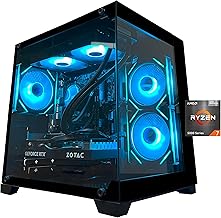
The standout feature of this YAWYORE build is memory. Thirty two gigabytes is double the common budget allotment, and it transforms how the system copes with streaming, recording, and a browser stuffed with tabs while a game runs. For creators on a budget, that headroom is genuinely useful.
The eight core Ryzen 7 5700X is a proven gaming processor that keeps frame times steady, and the RTX 5060 graphics card delivers dependable 1080p performance across popular titles. It is a rung below the 5060 Ti in our top picks, which suits players targeting a sharp 1080p display rather than 1440p.
A full terabyte of NVMe storage and wireless connectivity round out a well equipped machine. The mid tower case follows the standard layout, so upgrades remain straightforward.
Bottom line: this is the value pick for streamers and multitaskers who want abundant memory and a strong processor without paying for a higher tier graphics card.
- Processor: AMD Ryzen 7 5700X, eight cores
- Graphics: NVIDIA GeForce RTX 5060
- Memory: 32GB DDR4
- Storage: 1TB NVMe solid state drive
- Connectivity: WiFi and Bluetooth
- Chassis: RGB mid tower
Reach for this tower if you stream, record, or run creative apps alongside your games and want the memory to do it comfortably. The eight core processor backs that up for smooth multitasking.
It is also a fine fit for 1080p gamers who would rather invest in memory and cores than in a higher tier graphics card.
Out of the box, update your graphics drivers and enable the memory profile in the firmware so the full speed of the RAM is active. Both steps take only a few minutes and ensure the system performs as intended.
Because this tower carries plenty of memory already, your next spending is best aimed at a fast display to match its steady frame rates.

Pros
- Efficient Core i5-14400F runs cool and quiet
- Built by a respected cooling and case brand
- Solid 1080p performance for the money
- Clean cable management and airflow
Cons
- Entry graphics tier best suited to 1080p
- Fewer cores than the Ryzen 7 picks
Thermaltake is best known for cases, cooling, and power supplies, and that expertise shows in the LCGS Quartz. The build quality is tidy, airflow is a priority, and the whole system runs cool and composed during long sessions, which is exactly what you want from a value machine.
At its heart is a Core i5-14400F, an efficient modern Intel processor that offers a strong balance of gaming performance and low heat. Paired with an entry discrete graphics card, it targets crisp 1080p play in the games most people actually spend their time in.
DDR4 memory and NVMe storage keep the essentials covered, and the standard chassis means you can grow the system when the time comes. This is a sensible, no drama tower rather than a spec sheet showpiece.
Bottom line: the LCGS Quartz is a great fit for the player who values quiet, reliable 1080p gaming from a brand with a strong reputation for cooling and build quality.
- Processor: Intel Core i5-14400F
- Graphics: Discrete entry graphics card
- Memory: DDR4 3600
- Storage: NVMe solid state drive
- Cooling: Thermaltake airflow case
- Power: Quality power supply unit
This tower suits the 1080p gamer who wants a cool, quiet, well built machine from a trusted name and does not need the absolute highest frame rates.
It is also a reassuring first desktop for buyers who care about tidy assembly and dependable thermals over flashy numbers.
The strong cooling foundation makes this a good base for future upgrades. Adding memory or storage is simple, and the quality power supply gives you room to fit a stronger graphics card later.
Start by matching it to a good 1080p display, then upgrade the graphics card when you are ready to push higher settings.
Pros
- Integrated graphics play many esports titles today
- Room to add a discrete card later
- Fast 1TB NVMe drive included
- 80 Plus power supply leaves upgrade headroom
Cons
- Integrated graphics limit demanding AAA games
- Needs a graphics card for higher settings
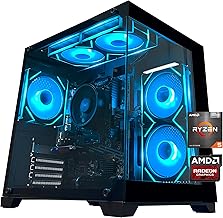
The YAWYORE Ryzen 5 5600GT is our value champion because it lowers the entry price into desktop gaming without leaving you stranded. The 5600GT is one of the stronger integrated graphics processors available, capable of running many popular esports and lighter titles at 1080p right out of the box, no separate graphics card required.
Just as important is where it can go next. The system includes a quality 550 watt 80 Plus power supply and a standard tower layout, so when your budget allows, you can add a discrete graphics card and transform it into a much stronger gaming machine.
You also get sixteen gigabytes of memory, a full terabyte of fast NVMe storage, and wireless connectivity, so the fundamentals are all present. This is not a stripped down shell but a complete starter system with a clear road ahead.
Bottom line: for the tightest budgets, the 5600GT tower lets you start gaming now and upgrade later, which makes it the smartest value on this list.
- Processor: AMD Ryzen 5 5600GT with Radeon integrated graphics
- Memory: 16GB DDR4 3200
- Storage: 1TB NVMe solid state drive
- Power: 550W 80 Plus power supply
- Connectivity: WiFi and Bluetooth
- Chassis: Standard tower with a free graphics card slot
This tower is designed to grow. The single most impactful upgrade is a discrete graphics card, and the included 550 watt power supply is sized to accept a solid midrange card without a further swap.
After that, adding more memory or a second storage drive is quick, letting you build up to a full featured gaming rig one step at a time.
The 5600GT tower is ideal for first time buyers on a strict budget, students, and anyone who plays mostly esports and lighter titles today but wants the option to grow.
It also makes a sensible family computer that can become a proper gaming rig later with a single graphics card upgrade.

Pros
- Comfortable frame rates in popular esports titles
- Six core Ryzen 5 4500 processor
- Affordable route into desktop gaming
- 16GB of memory as standard
Cons
- RX 560 struggles with demanding AAA games
- Smaller brand with lighter support
The LXZ gaming desktop is one of the most affordable ways onto this list, and it is honest about what it is: a capable esports machine. The Radeon RX 560 has enough power to deliver smooth 1080p frame rates in the competitive titles that draw the biggest audiences, which is where many players spend the bulk of their time.
A six core Ryzen 5 4500 keeps those fast games responsive, and sixteen gigabytes of memory means you are not starting behind the curve. For a first gaming desktop or a spare rig for the household, that is a sensible foundation.
Demanding single player blockbusters at high settings are beyond this configuration, and that is fine, because it is priced and built for a different job. Treat it as a launchpad that you can strengthen with a graphics card upgrade when you outgrow it.
Bottom line: the LXZ desktop is the easiest on ramp here for esports focused players who want a real gaming tower at the lowest reasonable price.
- Processor: AMD Ryzen 5 4500, six cores
- Graphics: Radeon RX 560, 4GB
- Memory: 16GB DDR4
- Storage: Solid state drive
- Chassis: Compact gaming tower
- Setup: Ready to play out of the box
This desktop is aimed squarely at esports players and newcomers who want a real gaming tower without stretching the budget. Popular competitive titles run smoothly at 1080p.
It also works well as a second machine for a household or a first computer for a younger gamer.
For the best experience, pair this tower with a fast 1080p monitor, since its strength is high frame rates in competitive games rather than maxed out visuals.
Keep your graphics drivers current, and when you are ready for heavier titles, plan a graphics card upgrade as your first step up.
How We Chose the Best Gaming PCs Under $1500
Shopping in the value bracket rewards patience. The difference between a tower that feels great two years from now and one that stutters after a few driver updates often comes down to a handful of decisions. Below are the criteria we weighed most heavily when ranking these machines, so you can apply the same thinking to whatever configuration catches your eye.
Match the Graphics Card to Your Monitor

The graphics card is the single biggest lever for gaming performance, and in this price range it also decides which resolution you should target. A card like the RTX 5060 Ti found in our top picks handles high refresh 1080p with ease and steps confidently into 1440p, which makes it the sweet spot for most players buying today. Step down to an RTX 5060 or a Radeon RX 560 and you are looking at a machine built for crisp 1080p esports titles rather than maxed out AAA settings.
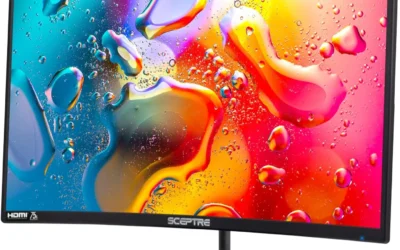
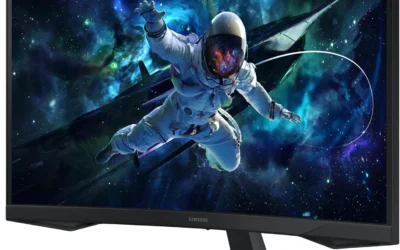
There is little sense pairing a high refresh 1440p panel with an entry card, or a modest 1080p display with a card that has headroom to spare. Decide on your screen first, then buy the tower that feeds it. If you still need a display, our picks for the best gaming monitors pair neatly with everything on this list, and the guide to the best graphics cards explains what each GPU tier can realistically push.
Do Not Skimp on Memory and Storage
Sixteen gigabytes of RAM is the floor for comfortable modern gaming, and every machine here meets it. If you stream, keep a browser full of tabs open, or dabble in creative apps, the towers that ship with thirty two gigabytes, such as the YAWYORE Ryzen 7 build, give you noticeably more breathing room. Memory is one of the easiest parts to add later, so a system that starts at sixteen gigabytes is not a dead end.
Storage matters just as much for day to day feel. An NVMe solid state drive loads games and the operating system far faster than an old spinning disk, and most picks here include a terabyte of it. Modern titles balloon past one hundred gigabytes each, so a roomy drive keeps you from constantly uninstalling to make space. Look for an NVMe boot drive first, then plan to add a second drive down the road.
Leave Room in the Case for Upgrades

The smartest way to make a budget purchase last is to treat it as a starting point. A standard mid tower with spare drive bays, open memory slots, and a graphics card slot you can reach makes future upgrades painless. That flexibility is why we favor conventional desktop layouts over cramped proprietary boxes that lock you into a single vendor for parts.
Pay attention to the power supply too. A system with a quality unit rated around five hundred fifty watts or higher leaves headroom to drop in a stronger graphics card in a year or two without swapping the whole platform. The integrated graphics starter on our list, the YAWYORE Ryzen 5 5600GT, is a perfect example, since you can add a discrete card whenever your budget allows.
A sensible upgrade timeline turns a value tower into a machine that grows with you. Many owners start with the memory and storage they need on day one, then add a stronger graphics card once prices settle or a demanding new release arrives. Because the platforms here use standard components, each of those steps is a quick job rather than a full rebuild, which spreads the cost out and keeps the system relevant for years instead of months.
Cooling, Noise, and Everyday Reliability

Value towers used to cut corners on airflow, and it showed in throttled performance and whining fans. The current crop does much better. Look for a case with mesh front panels or multiple case fans, since good airflow keeps clock speeds steady during long sessions. A cooler chip is a quieter chip, which matters if your desk sits in a shared room.
Reliability also comes down to assembly quality. Machines from established system builders arrive with tidy cable routing, seated components, and firmware that is ready to go. That polish is part of what you pay for with a prebuilt, and it is a big reason we lean toward known brands over the very cheapest unbranded listings.
Connectivity and Room to Grow Your Setup
Ports are easy to overlook until you are short one. Check that a tower offers enough USB connections for your keyboard, mouse, headset, and controller, plus modern display outputs on the graphics card rather than the motherboard. Most machines here include built in wireless and Bluetooth, which spares you from running an extra cable to the router and makes wireless peripherals painless to connect.
Think about the peripherals you will hang off the system as well. A capable tower is only half of a great setup, and the display, headset, and desk all shape how the whole thing feels in daily use. Planning those pieces alongside the tower keeps you from overspending in one area and cutting corners in another, which is exactly the balance a value build is meant to strike.
Warranty and Prebuilt Support
One of the quiet advantages of buying a prebuilt rather than assembling parts yourself is a single warranty that covers the whole system. If something fails, you contact one company instead of chasing individual component makers. For a first gaming desktop, that peace of mind is worth a great deal.
Before you buy, confirm the length of the warranty and whether support is based in your region. Established builders like Skytech, CyberPowerPC, and Thermaltake back their towers with clear coverage, which is another point in their favor over bargain listings that offer little recourse. The table below sums up how our picks compare at a glance.
| Model | Processor | Graphics | Best For |
|---|---|---|---|
| Skytech Shadow 5 | Ryzen 7 8700F | RTX 5060 Ti | Best overall |
| Skytech Storm | Ryzen 5 5500 | RTX 5060 Ti | Best value |
| CyberPowerPC Gamer Xtreme | Core i7-14700F | RTX 5060 Ti | Intel performance |
| YAWYORE Ryzen 7 | Ryzen 7 5700X | RTX 5060 | Streaming and multitasking |
| Thermaltake LCGS Quartz | Core i5-14400F | Entry discrete | Balanced 1080p |
| YAWYORE Ryzen 5 | Ryzen 5 5600GT | Integrated | Tightest budgets |
| LXZ Gaming Desktop | Ryzen 5 4500 | Radeon RX 560 | Esports starter |
Why You Should Trust Us
We build our rankings around the experience of real owners rather than marketing claims. For every system here we studied the verified customer ratings, weighed how consistent those ratings were across many buyers, and cross referenced the published specifications against what each configuration can realistically deliver in games. Our scoring leans on aggregate owner sentiment, so a tower has to earn its place with a strong track record, not a flashy spec sheet.
We also filter hard for value. A machine only makes this list if it delivers gaming performance that punches above what its price bracket suggests. We keep the lineup current as new configurations appear and older ones sell out, and we favor systems from builders with a proven support record so your purchase holds up long after the unboxing.
Just as important, we pay attention to the details that owners raise most often once the honeymoon period ends. Fan noise under load, how easy the case is to open, whether the wireless connection stays stable, and how responsive support is when something goes wrong all shape the long term ownership experience. Those recurring themes in real feedback carry as much weight in our ranking as raw frame rate numbers, because a fast machine that frustrates you every week is not a good buy.
Final Thoughts
If you want one machine that gets almost everything right, the Skytech Shadow 5 is our best overall pick, pairing a Ryzen 7 8700F with an RTX 5060 Ti for smooth high refresh 1080p and a real taste of 1440p. If you want that same capable graphics card while spending a little less, the Skytech Storm is our best value pick, leaning on a Ryzen 5 5500 that still keeps modern titles running smoothly. Fans of Intel should look at the CyberPowerPC Gamer Xtreme, which pairs a Core i7 14700F with the same graphics card for strong multitasking.
For the tightest budgets, the YAWYORE Ryzen 5 5600GT is the smartest starting point, since its integrated graphics let you start gaming now and add a discrete card later without replacing the whole system. The LXZ Ryzen 5 4500 is the friendliest on ramp for esports staples, while the YAWYORE Ryzen 7 build stands out for anyone who wants extra memory for streaming. Whichever you choose, round out the setup with the best gaming headsets and browse our other computers guides to complete your battle station.
Frequently Asked Questions
Can you really get a good gaming PC for under $1500 in 2026?
Yes, and the options are better than they have ever been. Modern midrange graphics cards deliver frame rates that would have cost far more only a couple of years ago. A tower built around an RTX 5060 or RTX 5060 Ti will run the vast majority of current titles smoothly at 1080p, and many will hold up nicely at 1440p with sensible settings.
Should I buy a prebuilt or build my own gaming PC?
A prebuilt is the simpler path for most buyers. It arrives assembled, updated, and covered by a single warranty, which removes the risk of a bad first build. Assembling your own can shave a little off the cost and teaches you the internals, but the value gap has narrowed. For a first machine, the convenience and support of a prebuilt usually win.
How much RAM do I need for gaming?
Sixteen gigabytes is the comfortable minimum for gaming right now, and every machine in this guide meets it. If you stream to an audience, keep many browser tabs open, or edit video on the side, thirty two gigabytes gives you more headroom. The good news is that memory is one of the cheapest and easiest components to add later.
Will these gaming PCs be easy to upgrade later?
The systems we favor use standard mid tower cases with room to grow, so adding memory, storage, or a stronger graphics card down the road is straightforward. When you are ready to level up your graphics, our guide to the best graphics cards walks through which upgrades pair well with the platforms here. Always confirm your power supply has enough headroom before dropping in a bigger card.
What resolution can these gaming PCs handle?
It depends on the graphics card. The RTX 5060 Ti towers on this list are happy at high refresh 1080p and comfortable at 1440p in most titles. Systems with an RTX 5060, an entry discrete card, or integrated graphics are best matched to a sharp 1080p display, where they deliver the fluid frame rates that competitive players prize.
Do these gaming PCs come with a monitor, keyboard, or mouse?
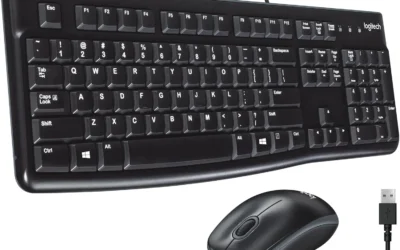
Most of these towers are sold as the desktop alone, though a few bundle basic peripherals to get you started. Treat any included keyboard and mouse as a placeholder you can upgrade when the budget allows. Since a good display makes an outsized difference to how games look and feel, we suggest reading our roundup of the gaming PCs under $1500 alongside a dedicated monitor guide before you commit, so the whole setup is balanced rather than lopsided toward the tower.

Write Your Review
No reviews yet. Be the first to share your experience!