

A single router parked in the living room was never going to reach the far bedroom, the back patio, and the home office upstairs all at once. That is the gap mesh Wi-Fi systems were built to close, and in 2026 they have become the default upgrade for anyone tired of dead zones and stalled video calls. Instead of one box straining to blanket an entire house, a mesh kit spreads several matched units around your home so every room shares the same fast, seamless network under one name. We compared 8 of the most trusted mesh Wi-Fi systems from TP-Link, Amazon eero to find the ones that deliver steady speed and honest coverage in real homes rather than on a spec sheet.
Our top pick is the Amazon eero 6+ for its blend of effortless app setup and dependable whole-home coverage. If you want to see how each kit handles range, speed, and everyday reliability, the full comparison sits just below, followed by a buying guide that explains what actually matters when you shop. For more connected-home upgrades to pair with a stronger network, browse our electronics picks.

Pros
- Effortless setup through the eero app
- Reliable coverage across a large home
- Supports gigabit internet plans
- Built-in smart home hub with Zigbee and Thread
- Automatic updates in the background
Cons
- Advanced security and filtering need a paid eero Plus plan
- Managed only through the app, with no web dashboard
- Dual-band design without a dedicated backhaul band
The Amazon eero 6+ is a Wi-Fi 6 mesh system aimed at people who want a strong home network without the setup headaches. A three-pack blankets a large home, and the whole thing is guided from the eero app, which is about as friendly as home networking gets.
Coverage is its calling card. The matched units hand your devices off smoothly as you move around the house, and the system supports gigabit internet plans so a fast connection is not left on the table. It also doubles as a smart home hub with Zigbee and Thread built in, which tidies up a shelf full of accessories.
The trade-offs are worth knowing. The deeper security tools and content filtering live behind an optional eero Plus subscription, and there is no web dashboard, so everything happens in the app. The dual-band design also lacks a dedicated backhaul band, though most homes will never notice.
Bottom line: for the majority of homes that just want fast, stable Wi-Fi with almost no fuss, the eero 6+ is the easiest recommendation on this list.
- Wi-Fi standard: Wi-Fi 6, dual-band
- Rated coverage: up to about 4,500 sq ft as a three-pack
- Internet plan support: up to gigabit
- Smart home: built-in Zigbee and Thread hub
- Voice control: works with Alexa
- Management: eero app
As a three-pack, the eero 6+ reaches across a large home and hands devices off cleanly as you move from room to room. With gigabit plan support, a fast internet connection is put to good use rather than bottlenecked at the router.
Setup is the eero calling card: the app walks you through placement and has the network live in minutes. Built-in Zigbee and Thread support also let it double as a smart home hub, cutting down on the extra bridges cluttering your shelf.

Pros
- Adds a fresh 6GHz band for compatible devices
- Tri-band design keeps traffic flowing smoothly
- Three gigabit ports on each unit
- Supports fast wired backhaul
- AI-driven mesh tunes the network over time
Cons
- The 6GHz benefit needs 6E-capable devices
- Some HomeShield features require a paid plan
- Gigabit rather than multi-gig ports
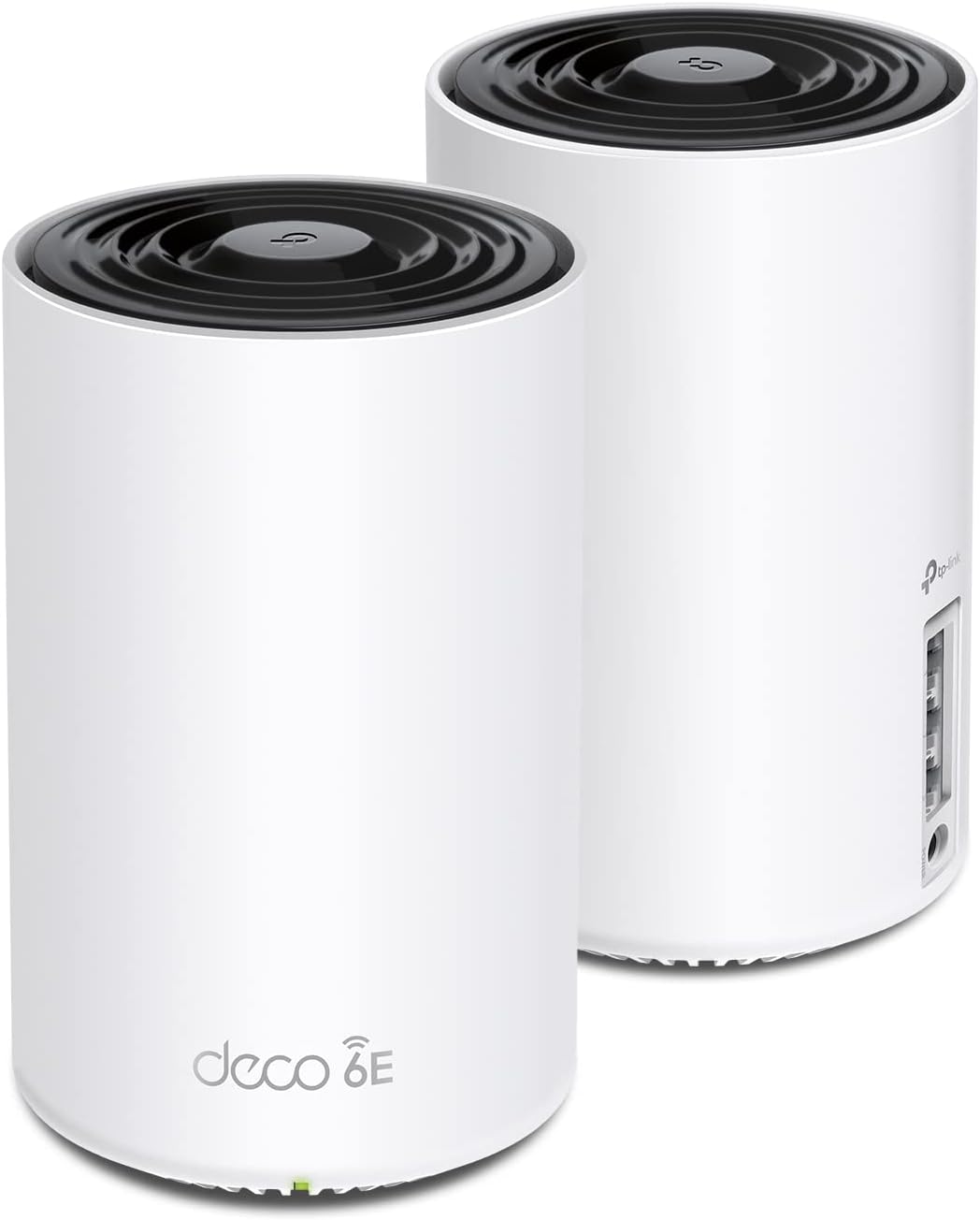
The TP-Link Deco XE75 is a tri-band Wi-Fi 6E mesh system for homes that want to stay ahead of the curve. Alongside the usual 2.4GHz and 5GHz bands, it opens the newer 6GHz band, giving compatible phones, laptops, and tablets a wide, uncrowded lane of their own.
In daily use that extra band pays off when the network is busy, since older gadgets stay on the legacy bands while your newest devices stretch out on 6GHz. Each unit carries three gigabit ports, and the kit supports wired backhaul, so if you can run a cable between units you will get an especially steady link. TP-Link's AI-driven mesh also adjusts the network over time to smooth out weak spots.
The caveats are simple. You only feel the 6GHz benefit on 6E-capable devices, so an older household may not see the full advantage yet. Some of the deeper HomeShield security tools sit behind a paid tier, and the ports are gigabit rather than multi-gig, which matters only on the fastest plans.
Bottom line: the Deco XE75 is the pick for buyers who want room to grow into 6GHz without paying flagship Wi-Fi 7 prices.
- Wi-Fi standard: Wi-Fi 6E, tri-band (AXE5400)
- Rated coverage: up to about 5,500 sq ft as a two-pack
- Ports: three gigabit ports per unit
- Backhaul: wired and wireless
- Security: HomeShield
- Mesh: AI-driven optimization
The headline feature is the 6GHz band, a stretch of spectrum that older Wi-Fi devices cannot use. That keeps it clear for your newest hardware, which translates into steadier speed when the whole house is online. If you own recent phones or laptops, this is where the XE75 pulls ahead of dual-band kits.
Three gigabit ports on each unit leave room to hard-wire a desktop, a console, or a smart TV. The kit also supports wired backhaul, where a cable links the units directly, which frees the airwaves and gives every node a dependable connection back to the main unit.

Pros
- Wide coverage across a large home
- Three gigabit ports per unit for wired gear
- Supports Ethernet backhaul for stability
- Straightforward Deco app setup
- Strong value for a Wi-Fi 6 kit
Cons
- Dual-band, so no dedicated 6GHz lane
- Advanced HomeShield tools are a paid add-on
The TP-Link Deco X55 is one of the most popular Wi-Fi 6 mesh kits for a reason: it covers a large home, keeps setup simple, and does not ask for a premium price. As a three-pack it spreads signal across a sizable footprint while presenting a single network name.
Wi-Fi 6 brings better efficiency than older standards when many devices are connected at once, which suits a modern home full of phones, laptops, and smart gadgets. Each unit offers three gigabit ports, and the system supports Ethernet backhaul, so households with in-wall cabling can lock in a rock-steady connection between nodes.
It is a dual-band design, so there is no dedicated 6GHz lane like you get on 6E kits, and the more advanced HomeShield features are a paid add-on. For most buyers, neither limit is a dealbreaker given how much coverage and reliability the X55 delivers.
Bottom line: if you want dependable Wi-Fi 6 coverage for a busy home without overspending, the Deco X55 is the value benchmark other kits are measured against.
- Wi-Fi standard: Wi-Fi 6, dual-band (AX3000)
- Rated coverage: up to about 6,500 sq ft as a three-pack
- Ports: three gigabit ports per unit
- Backhaul: Ethernet backhaul support
- Security: HomeShield
- Management: Deco app
Few kits stretch coverage this far for the money. A three-pack reaches into the corners of a large home, and because it runs on efficient Wi-Fi 6, it keeps a crowded network responsive rather than bogging down every evening.
The X55 supports Ethernet backhaul, so if your walls are wired you can connect the units by cable for the steadiest link. The gigabit ports on each node also let you hard-wire desktops, consoles, or a TV that never moves.

Pros
- Latest Wi-Fi 7 with Multi-Link Operation
- Multiple 2.5G ports on every unit
- Tri-band design for heavy multi-device use
- Excellent coverage for large homes
- Fast wired backhaul options
Cons
- Priced at the premium end
- Wi-Fi 7 gains need Wi-Fi 7 devices
- More capability than a small home needs
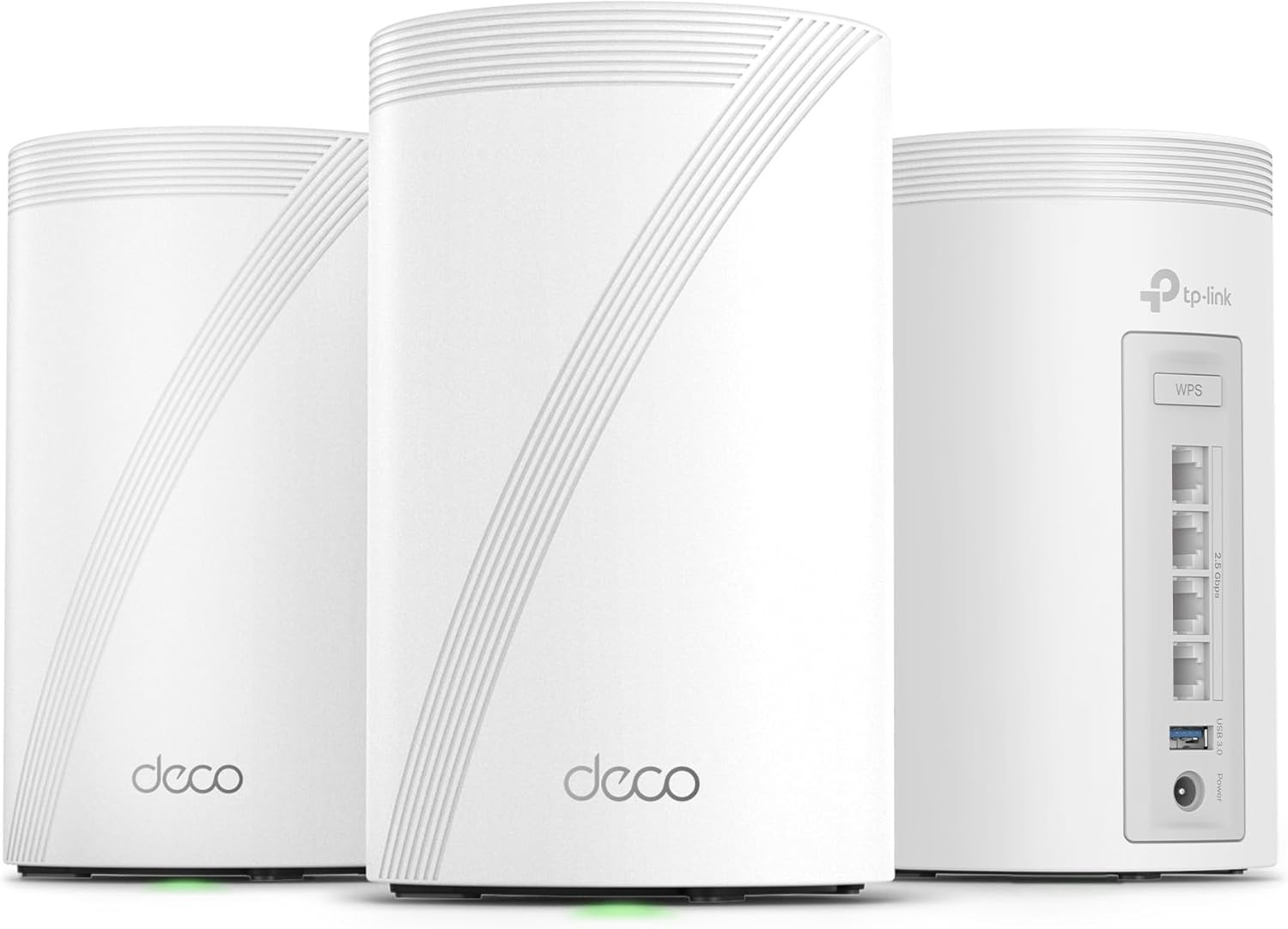
The TP-Link Deco 7 Pro BE63 is a flagship Wi-Fi 7 mesh built for large, demanding homes. It is a tri-band system with serious hardware, designed for households that pile on devices and want the newest standard from top to bottom.
Wi-Fi 7 introduces Multi-Link Operation, which lets a capable device use more than one band at the same time for lower latency and steadier throughput. Every unit carries multiple 2.5G ports, so buyers on multi-gigabit internet plans can actually use the speed they pay for, and wired backhaul keeps the whole network solid under heavy load.
This much capability comes at a premium price, and the Wi-Fi 7 gains only appear with Wi-Fi 7 devices, so a home full of older gear will not see the full benefit yet. For a small apartment it is simply more than you need.
Bottom line: for a large home, a fast internet plan, and a desire to future-proof, the Deco 7 Pro BE63 is the most capable pick on this list.
- Wi-Fi standard: Wi-Fi 7, tri-band (BE10000)
- Design: six-stream
- Ports: multiple 2.5G ports per unit
- Backhaul: wired backhaul support
- Key feature: Multi-Link Operation
- Security: HomeShield
Multi-Link Operation is the standout Wi-Fi 7 feature here. By letting a device talk across bands at once, it trims latency and holds speed steady even when the network is under pressure, which is exactly what a packed household needs.
Tri-band hardware and multi-gig ports make this kit at home in a large, multi-floor house with a fast internet plan. If you have wired the walls for backhaul and want the network to last for years, this is the tier to reach for.

Pros
- Wi-Fi 7 with the easy eero app experience
- Supports internet plans up to 2.5 Gbps
- Wide coverage as a three-pack
- Built-in smart home hub
- Automatic updates in the background
Cons
- Dual-band rather than tri-band on this model
- Advanced features need an eero Plus plan
- App-only management
The Amazon eero 7 brings Wi-Fi 7 into the eero family while keeping the effortless setup the brand is known for. If you like the idea of the newest standard but do not want to wrestle with settings, this kit leans on the same friendly app experience as the rest of the lineup.
It supports internet plans up to 2.5 Gbps and covers a large home as a three-pack, so it is ready for fast connections and open floor plans. Like other eero units it doubles as a smart home hub and installs updates automatically, so the network keeps improving quietly in the background.
This particular model is dual-band rather than tri-band, so it does not add a separate 6GHz lane the way pricier kits do, and the deeper security features still depend on an eero Plus plan. Management remains app-only, which most owners prefer but a few will miss a web dashboard.
Bottom line: for Amazon-friendly homes that want Wi-Fi 7 and simplicity over raw specs, the eero 7 is an easy step up.
- Wi-Fi standard: Wi-Fi 7, dual-band
- Internet plan support: up to 2.5 Gbps
- Rated coverage: up to about 6,000 sq ft as a three-pack
- Ports: 2.5G ports
- Smart home: built-in hub
- Management: eero app
With support for plans up to 2.5 Gbps and Wi-Fi 7 under the hood, the eero 7 is built for modern connections. Multi-Link Operation helps capable devices hold a steadier link, so fast plans feel fast in more corners of the house.
Setup runs through the eero app in minutes, and the units double as a smart home hub, tidying up accessories that would otherwise need their own bridges. Automatic updates mean you rarely think about maintenance once it is running.

Pros
- Affordable route into Wi-Fi 7
- Two 2.5G ports per unit
- Supports wired backhaul
- Wide coverage for large homes
- MLO and AI-Roaming built in
Cons
- Dual-band BE5000, not tri-band
- Lower ceiling than flagship Wi-Fi 7 kits
- Full features may need HomeShield extras
The TP-Link Deco 7 BE25 is one of the more approachable ways into Wi-Fi 7. It trades the flagship tri-band hardware for a dual-band design, which brings the price down while still delivering the core benefits of the newest standard.
Each unit includes two 2.5G ports, so multi-gig internet plans are not left on the table, and the kit supports wired backhaul for a steady link between nodes. Modern touches like Multi-Link Operation and AI-Roaming are built in, and as a three-pack it reaches across a large home.
As an entry Wi-Fi 7 kit it has a lower performance ceiling than the tri-band flagships, and some advanced features may lean on HomeShield extras. Those trade-offs are the point: it makes Wi-Fi 7 attainable rather than aspirational.
Bottom line: if you want the new standard without flagship spending, the Deco 7 BE25 is a smart, budget-conscious entry into Wi-Fi 7.
- Wi-Fi standard: Wi-Fi 7, dual-band (BE5000)
- Design: four-stream
- Ports: two 2.5G ports per unit
- Backhaul: wired backhaul support
- Features: Multi-Link Operation and AI-Roaming
- Security: HomeShield
This kit exists to make Wi-Fi 7 affordable. You give up the tri-band hardware of the flagships, but you keep the standard's core advantages, which is a sensible trade for buyers who want to be current without paying top dollar.
Two 2.5G ports on each unit mean a fast internet plan is not wasted, and wired backhaul support lets you cable the nodes together for the most reliable connection. It is a practical setup for a growing home network.

Pros
- Very affordable whole-home coverage
- Covers a large home as a three-pack
- Gigabit ports for wired devices
- Works with Alexa
- Simple Deco app setup
Cons
- Wi-Fi 5, so no Wi-Fi 6 efficiency gains
- Basic feature set compared with newer kits
The TP-Link Deco S4 is the budget pick that proves you do not need to spend much to clear out dead zones. It runs on Wi-Fi 5, the older but still perfectly capable standard, and covers a large home as a three-pack while replacing both your router and any extenders.
For everyday browsing, streaming, and video calls, it does the job without drama. Gigabit ports on the units let you hard-wire devices that stay put, and it works with Alexa for voice control. Setup runs through the same simple Deco app as pricier models.
The trade-off is the standard itself: Wi-Fi 5 does not bring the efficiency gains of Wi-Fi 6 when a large number of devices are online at once, and the feature set is more basic than newer kits. For light to moderate homes, that is a fair exchange for the low price.
Bottom line: on a tight budget, the Deco S4 is the most sensible way to blanket a home in reliable Wi-Fi, which makes it our best value pick.
- Wi-Fi standard: Wi-Fi 5, dual-band (AC1900)
- Rated coverage: up to about 5,500 sq ft as a three-pack
- Ports: gigabit ports
- Voice control: works with Alexa
- Replaces: router and extender
- Management: Deco app
Value is the whole story here. The S4 covers a large home for a fraction of what newer kits cost, and for households that mostly browse, stream, and video call, it delivers the reliable coverage that matters most.
This kit suits renters, smaller households, and anyone upgrading from a single router on a budget. If your home is not packed with the latest bandwidth-hungry hardware, the S4 covers the essentials without overspending.
Pros
- Built-in antivirus and security features
- Robust parental controls included
- Covers a large home as a three-pack
- Handles a big roster of devices
- Proven, mature platform
Cons
- Wi-Fi 5 with AC1300 speeds
- Outpaced by newer kits on raw throughput
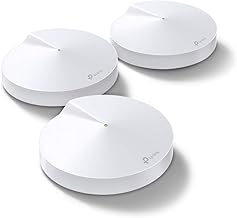
The TP-Link Deco M5 is a long-running Wi-Fi 5 mesh that has earned its reputation on reliability and built-in protection. It covers a large home as a three-pack and comes with a security and parental-control suite that many newer kits reserve for paid tiers.
The standout is the bundled antivirus and network protection, which helps guard the devices on your network, alongside robust parental controls for managing screen time and content. It handles a big roster of connected gadgets and presents a single, easy network across the house.
Being a Wi-Fi 5 AC1300 system, it does not match newer kits on raw throughput, and heavy households with lots of simultaneous demand will feel the age. For steady everyday coverage with strong family features, though, it remains a dependable choice.
Bottom line: the Deco M5 is for buyers who value built-in security and parental controls over chasing the fastest specs.
- Wi-Fi standard: Wi-Fi 5, dual-band (AC1300)
- Rated coverage: up to about 5,500 sq ft as a three-pack
- Security: built-in antivirus and protection
- Family: parental controls and QoS
- Capacity: handles 100-plus devices
- Management: Deco app
Where many kits charge for advanced protection, the M5 bundles antivirus and network security in the box. That makes it a reassuring choice for families who want a safer home network without adding a subscription on top.
The M5 includes solid parental controls for setting profiles, filtering content, and scheduling downtime. Combined with the security tools, it gives parents practical, built-in ways to manage what happens on the home network.
How to Choose the Best Mesh Wi-Fi Systems
Every mesh kit promises to banish dead zones, but the right choice depends on your home, your internet plan, and the devices you already own. The criteria below are the ones that make the biggest difference once the boxes are unpacked and the units are humming on your shelves.
Wi-Fi Standard and Speed
The label on the box tells you which generation of Wi-Fi the kit uses, and it shapes everything from raw throughput to how gracefully the network handles a crowd of devices. Wi-Fi 5, marked AC, is the older standard, and it still moves plenty of data for browsing, streaming, and video calls. Wi-Fi 6, marked AX, is the current mainstream choice, adding much better efficiency when dozens of gadgets are online at once, which is exactly the situation a whole home network faces every evening.
Above that sit two newer tiers. Wi-Fi 6E opens a clean 6GHz band that older devices cannot crowd, so your newest phones and laptops get a lane to themselves. Wi-Fi 7, marked BE, goes further with wider channels and Multi-Link Operation, which lets a capable device talk on more than one band at the same time for lower lag and steadier speed. These gains only show up fully when your phones, laptops, and consoles support the same standard, so there is little reason to overspend if most of your gear is a few years old.
For a typical connected home full of laptops, phones, and smart speakers, Wi-Fi 6 hits the sweet spot of speed and price. Households with a stack of newer hardware, or anyone who wants to buy once and keep the network for years, will feel the difference from 6E or Wi-Fi 7. If you are already refreshing other parts of your setup, our computers guides pair naturally with a faster backbone at home.
Coverage and Home Size

Coverage figures printed on the box assume wide open space, so treat them as a ceiling rather than a promise. Thick walls, brick, metal appliances, and multiple floors all eat into range, which means a house rated for a certain area on paper may need an extra node in practice. A safe habit is to match the kit to your square footage and then leave yourself a little headroom on top.
Layout matters as much as size. A long single-story ranch spreads signal very differently than a compact three-story townhouse, and a finished basement or a detached garage office is often the hardest spot to reach. Think about where you actually use Wi-Fi the most, then plan for a node within comfortable range of those rooms rather than only counting total floor area.
If your worst dead zone is a home theater or a gaming corner, place a unit close by so latency-sensitive gear stays happy. That is the same logic we apply in our gaming monitors guide when we talk about keeping a stable picture and responsive play, and it holds just as true for the network feeding those screens.
Number of Nodes and Placement
Mesh kits ship as two-packs or three-packs, and more units are not automatically better. Each satellite needs a strong link back to the main unit, so spacing them too far apart leaves a weak hop that drags down the whole chain. The goal is even spacing where every unit still hears its neighbor clearly and passes traffic along without a stumble.
Put the main unit near your modem, then place satellites roughly halfway between the router and the dead zones you want to fix. Keep nodes out in the open on a shelf or table rather than tucked inside a cabinet or sitting on the floor, since enclosed spaces and low placement smother the signal. A three-pack usually suits a mid-size to large home, while a two-pack handles apartments and smaller footprints without wasted hardware.
Wired Backhaul and Ports
The connection between mesh units is called the backhaul, and it can run wirelessly or over an Ethernet cable. Wireless backhaul is the simplest to set up and works well in most homes, but a wired backhaul, where you run a cable between units, frees up the airwaves and gives each node a rock-solid link. If your home already has Ethernet in the walls, look for a kit that supports wired backhaul and you will get the most stable result possible.
Ports on each unit matter too. Gigabit ports handle the vast majority of home internet plans with room to spare, but if you pay for a multi-gigabit connection, look for units with 2.5G ports so the hardware does not quietly cap your speed. Extra ports also let you hard-wire a desktop, a game console, or a smart TV directly into a node, which delivers the steadiest possible connection for gear that does not move.
Security and Parental Controls
Modern mesh systems bundle security and family features, though the depth varies by brand. TP-Link groups its tools under HomeShield, while eero leans on its own app and an optional plan. Basic protections, guest networks, and automatic firmware updates are usually included at no extra cost, which alone puts these kits well ahead of an aging single router that no longer receives patches.
The more advanced extras, such as detailed content filtering, usage reports, and network threat monitoring, often sit behind a paid subscription. Decide up front whether you want those features, since a kit that looks affordable can carry an ongoing cost if you rely on the premium tier. For most families, the free parental controls, scheduling, and guest access are more than enough to manage screen time and keep visitors off the main network.
App Experience and Ongoing Updates
Nearly every mesh system today is set up and managed from a phone app, and the quality of that app is a real part of the experience. The best ones walk you through placement, run a quick health check, and let you pause a child’s device or spin up a guest network in a couple of taps. A clumsy app turns a simple change into a chore, so it pays to pick a platform people actually enjoy using.
Just as important is what happens after setup. Kits from established brands deliver security and feature updates automatically in the background, so the network keeps improving without you thinking about it. That steady maintenance is a quiet advantage of buying into a well-supported platform rather than a no-name bargain that goes stale and stops getting fixes within a year or two.
| System | Wi-Fi Standard | Best For |
|---|---|---|
| Amazon eero 6+ | Wi-Fi 6 | Most homes wanting simple, reliable setup |
| TP-Link Deco XE75 | Wi-Fi 6E | Cutting through congestion on the 6GHz band |
| TP-Link Deco X55 | Wi-Fi 6 | Value coverage for busy households |
| TP-Link Deco 7 Pro BE63 | Wi-Fi 7 | Large homes and future-proofing |
| TP-Link Deco S4 | Wi-Fi 5 | Tight budgets and everyday browsing |
Why You Should Trust Us
Our recommendations start with the specifications that shape real performance: the Wi-Fi standard, band layout, rated coverage, port speeds, and backhaul options of every system on this list. We weigh those details against how each kit is meant to be used, so a compact apartment setup is judged on different terms than a flagship built to flood a large multi-floor home with signal. A budget pick is not marked down for skipping features it was never meant to have.
We also lean on the experience of the many owners who live with these systems day to day, reading verified customer ratings and long-term feedback to see which kits stay dependable and which develop quirks over time. We do not chase spec-sheet bragging rights for their own sake. The picks here reflect a balance of everyday reliability, coverage, features, and value that suits how people really use mesh Wi-Fi systems at home.
Final Thoughts
If you want the shortest path to reliable whole-home Wi-Fi, the Amazon eero 6+ is our best overall. Its app makes setup almost effortless, it supports gigabit internet plans, and it quietly manages a house full of devices without constant fiddling. For most homes, it is the kit we would set up once and then forget about, which is exactly what good networking gear should let you do.
Shoppers watching their budget should look hard at the TP-Link Deco S4, our best value pick, which blankets a large area for a modest outlay and works with Alexa straight out of the box. If you want more headroom, the TP-Link Deco XE75 adds a clean 6GHz lane on Wi-Fi 6E, while the TP-Link Deco 7 Pro BE63 brings Wi-Fi 7 speed and multi-gig ports for large homes and anyone determined to future-proof. Amazon households that prefer the eero app can step up to the eero 7 for Wi-Fi 7 without leaving the ecosystem they already know.
Whichever tier fits your home, moving from a lone router to a proper mesh network is one of the most noticeable improvements you can make to daily life online. Match the standard and node count to your space, place the units thoughtfully, and dead zones fade into memory. Browse more of our tech coverage in the articles hub, or start comparing the systems above to find your fit.
Frequently Asked Questions
Are mesh Wi-Fi systems worth it in 2026?
For anyone dealing with dead zones, buffering in back rooms, or a network that stalls when the whole family is online, the answer in 2026 is a clear yes. A mesh setup spreads coverage far more evenly than a single router, and options now span from budget kits to flagship systems, so there is a sensible choice for almost every home. If your entire house already gets strong signal from one router, you may not need one, but those homes are increasingly rare as we add more connected devices each year.
How many mesh nodes do I actually need?
Most mid-size homes do well with a three-pack, while apartments and smaller spaces are perfectly served by two units. Rather than counting only square footage, think about walls, floors, and the specific rooms where signal drops today. Adding one node near a stubborn dead zone often does far more good than piling extra units into spots that already work fine.
Do I need Wi-Fi 6E or Wi-Fi 7?
Not necessarily. Wi-Fi 6 covers the needs of most connected homes comfortably and remains the value sweet spot. Wi-Fi 6E is worth it if you own newer devices and want a less crowded 6GHz band to yourself, and Wi-Fi 7 makes sense for very fast internet plans or buyers who want to keep the same network for many years. The honest rule is to match the standard to the gear you actually own rather than the gear you might buy someday.
Can I mix mesh units from different brands?
Generally no. Mesh systems from different brands are not designed to work together, and features like seamless roaming and a single network name depend on staying within one brand’s ecosystem. Pick a platform you like and expand it later with matching units from the same line. You can browse more buying advice across our categories when you are ready to compare other gear.
Will a mesh system replace my modem and router?
A mesh kit replaces your router, not your modem. You keep the modem your internet provider supplied, then connect the main mesh unit to it with an Ethernet cable. If your provider gave you a combined modem and router gateway, you can usually switch it to bridge or pass-through mode so the mesh network takes over Wi-Fi duties cleanly. The companion app walks you through this step during the initial setup.







Write Your Review
No reviews yet. Be the first to share your experience!