

Pikzels Coupon And Discount Code.
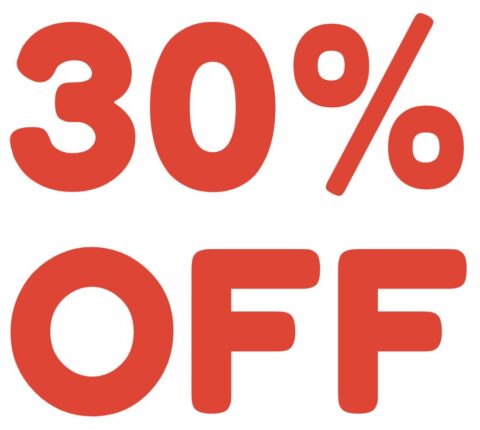
Deal Activated, no coupon code required!
Expires: No Expires
Submitted: 4 months ago
Pikzels Review: AI-Powered YouTube Thumbnail & Title Generator
QUICK SUMMARY
• Overall Rating: ⭐⭐⭐⭐½ (4.5/5)
• Best For: YouTubers, content creators, social media managers, and digital marketing specialists seeking fast, affordable thumbnail creation
• Key Advantage: Generate custom YouTube thumbnails in under 30 seconds using AI, with FaceSwap technology for personalized branding
• Price Range: Free plan available; paid plans from $14/month (Essential) to $56/month (Ultimate) when billed annually
• Deal Status: ✅ Active verified deals available above
ABOUT PIKZELS
Pikzels is an AI-powered SaaS platform designed to help content creators generate high-quality YouTube thumbnails and titles quickly and affordably. The service replaces traditional freelance designers or agencies by leveraging artificial intelligence to create attention-grabbing visuals in as little as 30 seconds from simple text prompts.
The platform’s standout features include AI Thumbnail Generation for rapid creation, FaceSwap technology that lets users upload their own images for personalized branding, and Persona Training for consistent visual identity across content. Creators can also leverage the Thumbnail Recreation feature to modify existing designs by providing a link, making it easy to adapt viral thumbnail styles. The service supports both long-form and short-form video content across multiple formats and languages.
Pikzels offers flexible subscription options with unlimited thumbnail requests fulfilled sequentially, plus revision capabilities to ensure satisfaction. The platform targets YouTubers, video editors, marketing managers, and agencies looking to streamline content production while maintaining professional quality. With upcoming features like Sketch to Thumbnail and Thumbnail Enhancer in development, Pikzels continues expanding its AI-driven creative toolkit for modern content creators.
FREQUENTLY ASKED QUESTIONS
1. What’s included in the free plan? The free Pikzels plan allows you to create up to 5 thumbnails to test the platform. However, it comes with a large watermark and very limited features, functioning primarily as a demonstration of the service’s capabilities.
2. How does the credit system work? Each action on Pikzels—such as generating a thumbnail, using FaceSwap, or creating titles—consumes credits from your plan. The Essential plan includes 2,400 credits annually, Premium offers 18,000 credits, and Ultimate provides 54,000 credits for maximum flexibility.
3. Can I use Pikzels for platforms other than YouTube? While Pikzels is primarily focused on YouTube thumbnail creation, the platform supports multi-format generation for both long-form and short-form video content, making it adaptable for various video platforms.
4. How quickly can I get thumbnails? AI-generated thumbnails are delivered in under 30 seconds from text prompts. For the human designer service option, thumbnails are typically delivered within 48 hours, with unlimited requests processed sequentially.
5. What languages does Pikzels support? The AI thumbnail generator supports all languages, making it accessible for international content creators and multilingual channels seeking to expand their global reach.
6. What’s the difference between Essential and Premium plans? The Essential plan ($14/month annually) provides up to 240 thumbnails yearly with core AI features. Premium ($28/month annually) increases capacity to 1,800 thumbnails and adds FaceSwap, title generator, thumbnail editing, and advanced tools for professional creators.
7. Does Pikzels offer mobile or desktop applications? Pikzels is currently a web-based platform only. There’s no mention of dedicated mobile or desktop applications, though the website information doesn’t specify integration capabilities with third-party tools.
HOW TO USE PIKZELS COUPONS
Step 1: Browse Available Deals – Check the verified coupon codes listed at the top of this page for current Pikzels promotions and discounts.
Step 2: Select Your Plan – Choose between Essential, Premium, or Ultimate based on your thumbnail volume needs and desired features like FaceSwap or advanced editing tools.
Step 3: Apply Coupon Code – During checkout, enter your coupon code in the designated field before completing payment to activate your discount.
Step 4: Choose Billing Cycle – Select annual billing to save significantly—annual plans cost 30% less than monthly subscriptions across all tiers.
Step 5: Complete Registration – Finalize your account setup and start generating AI-powered thumbnails immediately with your discounted subscription.
Pro Tip: The Premium plan at $28/month (annually) offers the best value for serious creators, providing 1,800 thumbnails yearly with all advanced features. Annual billing saves you $144 compared to monthly payments on this tier.
Loading comments....